
Alternatives to Shrinkpad
Explore the best alternatives and competitors to Shrinkpad.
Explore 20 alternatives to Shrinkpad. Compare features, pricing, and find the best fit for your needs.

ROIpad Product Positioning Intelligence
ROIpad delivers real-time positioning intelligence for SaaS. Reveal high-converting messaging gaps and outmaneuver rivals with continuous live data.
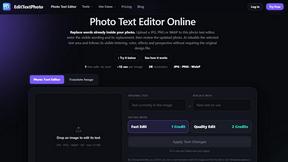
EditTextPhoto
AI-powered image text editor to edit, replace, fix, or translate text in images while preserving the original font, color, size, and style.
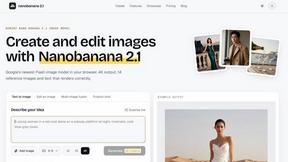
nanobanana 21
A fast image studio for creating and editing high-quality images with accurate details, readable text, and consistent characters.

AIPetGen
AIPetGen turns a photo of your dog, cat, or other pet, or a written description, into a new picture or a short animation.


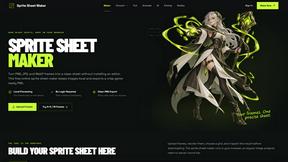
Sprite Sheet Maker
A free browser-based toolkit for creating, cutting, converting, and previewing sprite sheet animations.

Product Launch Checklist
A free launch checklist for SaaS, apps, AI tools and more. Every step says why it matters and when you can skip it.

GPT Image 2 API
Generate and edit production-ready images with GPT Image 2 API using detailed prompts, references, clear text rendering, and developer-friendly workfl


Imagine2
Private browser-based AI image generation and editing with text-to-image, targeted edits, and multi-image references.

NodeStory
One-click UGC videos, product photo sets, and reusable AI workflows, with 30+ image and video models in one studio.

IsThisAIImage
Free AI image checker: upload a photo for AI-generated and deepfake scores, a clear verdict, and optional generator hints.


Best Face Swap
Best Face Swap lets you explore frame-consistent face replacement for photos, videos, and GIFs with dedicated workflows for free, NSFW, and multiple.

SALBCALC Crack Analyzer
Snap a photo of any concrete crack and discover instantly if it's a simple DIY fix or a call-your-engineer emergency.
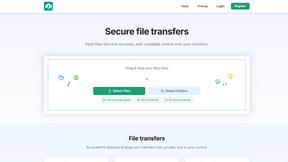
HypeShare
HypeShare lets you securely send large files up to 10GB instantly with end-to-end encryption and no signup required.

ComicsMaker
ComicsMaker turns your scene ideas into structured comic drafts, letting you plan beats, generate panels, and arrange pages right in your browser.
About Shrinkpad Alternatives
Shrinkpad is an innovative desktop application tailored for macOS users who need a robust yet user-friendly solution for batch compressing images and videos. As a vital tool in the realms of photography, design, and content creation, it streamlines the process of reducing file sizes while preserving visual quality. Users often seek alternatives to Shrinkpad for reasons such as pricing, specific features, or compatibility with different platforms, which may not align with their unique needs or workflows. When exploring alternatives, it's essential to consider factors such as ease of use, processing speed, file format support, and privacy measures. A strong alternative should provide efficient batch processing capabilities, maintain high-quality outputs, and ensure that your data remains secure. Identifying these essential features will help you find the right tool that best fits your requirements.
FAQs about Shrinkpad Alternatives
What is Shrinkpad?
Shrinkpad is a desktop application designed for macOS that enables users to batch compress images and videos efficiently.
Who is Shrinkpad for?
Shrinkpad is ideal for photographers, designers, and content creators who need to optimize media assets quickly without compromising quality.
Is Shrinkpad free?
Shrinkpad is a paid application, but it offers powerful features that justify its pricing for users needing reliable batch compression.
What are the main features of Shrinkpad?
Shrinkpad features include batch processing, local file processing for privacy, quality optimization, and support for over 50 file formats.