

ImageGen2
Discover how ImageGen2 unlocks OpenAI's GPT Image 2 model for free, delivering photorealistic images with flawless text rendering and intelligent.
About ImageGen2
ImageGen2 is a free online AI image generator and editor that serves as a dedicated platform for OpenAI's most advanced image generation model, GPT Image 2 (gpt-image-2). This tool is designed for creators, designers, marketers, and anyone who needs professional-grade visuals without the complexity of traditional design software. At its core, ImageGen2 transforms text prompts into photorealistic images with near-perfect text rendering, making it an ideal solution for generating product photos, posters, logos, ad creatives, portraits, backgrounds, and social media content. What sets ImageGen2 apart is its ability to go beyond simple generation. Users can upload existing images for precise editing, combine multiple reference images to merge subjects or styles, and access a library of ready-to-use prompts for repeatable results. The platform offers flexible quality settings ranging from low to auto (up to 4K resolution), supports multiple output formats including PNG, JPEG, and WebP, and allows batch generation of up to 10 images at once. ImageGen2 is built for exploration and discovery, inviting users to experiment with prompts, reference images, and editing commands to uncover the full creative potential of GPT Image 2. Whether you are crafting a brand identity, building a marketing campaign, or simply exploring the boundaries of AI-generated imagery, ImageGen2 provides the tools and capabilities to bring your vision to life with remarkable fidelity and control.
Features of ImageGen2
Near-Perfect Text Rendering
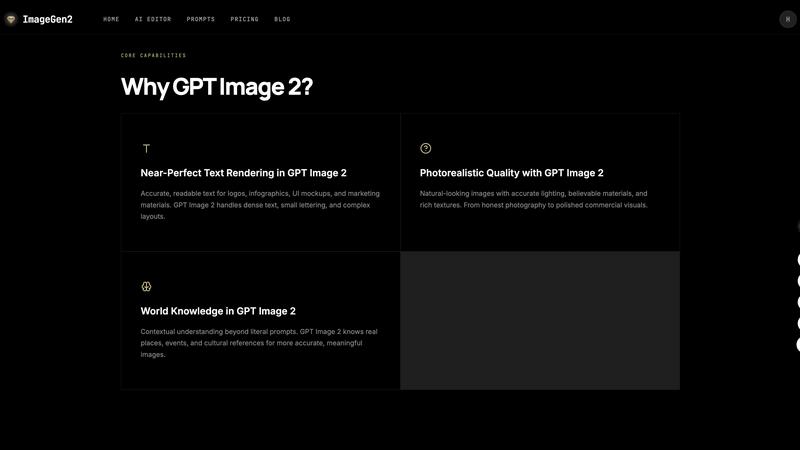
ImageGen2 leverages GPT Image 2's advanced text rendering capabilities to produce accurate, readable text within generated images. This feature is a game-changer for creating logos, infographics, UI mockups, and marketing materials where text clarity is critical. The model handles dense text blocks, small lettering, and complex layouts with remarkable precision, eliminating the frustrating artifacts and misspellings common in earlier AI image generators. This opens up new possibilities for designers who need to incorporate textual elements seamlessly into their visual creations, from typographic posters to branded social media graphics.
Photorealistic Quality with World Knowledge
The platform generates images that look natural and believable, with accurate lighting, realistic materials, and rich textures. GPT Image 2's built-in world knowledge means it understands real places, historical events, and cultural references beyond the literal words in a prompt. This contextual awareness results in images that are not only visually stunning but also conceptually accurate and meaningful. Whether you are generating a photograph of a specific landmark or a scene from a particular era, ImageGen2 delivers results that feel authentic and grounded in reality, elevating the output from generic AI art to professional-grade commercial visuals.
Multi-Image Input and Composition
ImageGen2 allows users to upload up to five reference images in a single generation session. This feature enables powerful workflows like compositing subjects from different photos, transferring artistic styles from one image to another, and providing precise visual guidance for the AI. For example, you could upload a photo of a product, a picture of a specific background, and an image showing a desired color palette, and the AI will intelligently combine these elements into a cohesive final image. This capability transforms ImageGen2 from a simple text-to-image tool into a sophisticated visual editor that respects and integrates your existing assets.
Precise Image Editing Capabilities
Beyond generating new images from scratch, ImageGen2 offers robust editing functionality. Users can upload an image, describe the desired change in natural language, and the AI will modify the image while preserving the original subject's identity and overall composition. This is ideal for creating product variants, adjusting portraits, changing backgrounds, or refining ad creatives without starting over. The editing is precise and context-aware, meaning you can make targeted modifications like "change the shirt color to blue" or "add a coffee cup on the table" without distorting the rest of the image, providing a level of control that was previously difficult to achieve with AI tools.
Use Cases of ImageGen2
Professional Product Photography and Variations
E-commerce businesses and marketers can use ImageGen2 to generate photorealistic product photos without a physical photoshoot. By uploading a single product image and describing a new background or lighting scenario, you can create dozens of lifestyle shots, studio images, or contextual placements. The ability to combine up to five reference images allows for mixing a product with a specific environment or model, while the precise editing feature enables quick variations like changing colors, textures, or packaging. This dramatically speeds up the creative process for catalogues, ad campaigns, and online storefronts.
Brand Identity and Logo Creation
Designers can explore a vast range of logo concepts and brand assets using ImageGen2's text rendering and world knowledge capabilities. You can prompt the AI to generate logos with specific typography, symbols, and color schemes that are both visually appealing and conceptually relevant to your brand. The near-perfect text rendering ensures that company names and taglines are crisp and legible, while the ability to edit and refine generated images allows for iterative design exploration. This makes ImageGen2 a powerful brainstorming and prototyping tool for brand identity projects, from initial concept sketches to polished final assets.
Marketing and Social Media Content Creation
Social media managers and content creators can rapidly produce a high volume of engaging visuals using ImageGen2. The platform excels at generating ad creatives, posters, infographics, and social media graphics with readable text and compelling imagery. The batch generation feature, which allows up to 10 images at once, is perfect for A/B testing different visual approaches or creating a series of posts for a campaign. The ability to set quality and format settings ensures that images are optimized for different platforms, from high-resolution print ads to compressed WebP files for web use, streamlining the entire content production workflow.
Artistic Portraits and Editorial Photography
Photographers and artists can use ImageGen2 to explore new creative directions for portraits and editorial work. By uploading a reference portrait and describing a different mood, setting, or artistic style, you can generate stunning variations that maintain the subject's identity. The world knowledge feature ensures that contextual elements like period costumes, specific locations, or cultural references are accurately represented. This use case is perfect for conceptual art projects, magazine editorials, or personal creative exploration, allowing artists to push the boundaries of their vision and experiment with styles and scenarios that would be difficult or impossible to capture in a traditional photoshoot.
Frequently Asked Questions
What is GPT Image 2 and how is it different from DALL-E 3?
GPT Image 2 is OpenAI's most advanced AI image generation model, representing a major upgrade from DALL-E 3. The key differences include dramatically improved text rendering accuracy that handles dense text and small lettering without errors, better photorealistic quality that avoids color casting and produces more natural-looking images, built-in world knowledge for contextual understanding of real places and events, and precise editing capabilities that preserve the original subject's identity and composition during modifications. This makes GPT Image 2 far more suitable for professional design work, branding, and marketing applications.
How do I use ImageGen2 to edit an existing image?
To edit an existing image on ImageGen2, start by uploading your image using the input area on the homepage. You can upload up to five images for reference or composition. Once your image is loaded, describe the specific change you want to make in the prompt field. For example, you could say "change the background to a sunny beach" or "make the product red with a glossy finish." The AI will then process your request and generate a new version of the image that incorporates your edit while preserving the core elements of the original. You can then choose your quality and format settings before generating the final result.
What quality and format options are available on ImageGen2?
ImageGen2 offers four quality settings: Low, Medium, High, and Auto. The Auto setting intelligently balances generation speed with visual precision and can produce images up to 4K resolution. For output formats, you can choose between PNG, JPEG, and WebP, allowing you to select the best format for your specific use case, whether it is for print, web, or social media. The platform also allows you to generate between 1 and 10 images in a single batch, which is useful for creating multiple variations or A/B testing different prompts and styles.
Is ImageGen2 really free to use, and are there any limitations?
Yes, ImageGen2 is described as a free online tool. The platform provides access to the GPT Image 2 model for generating and editing images without upfront cost. While the provided content does not detail specific usage limits or premium tiers, the interface offers full access to core features including multi-image input, quality settings, format selection, and batch generation. For the most accurate and current information on any usage quotas, advanced features, or pricing plans, it is recommended to visit the official ImageGen2 website and check the pricing or sign-in sections for the latest details.
Explore more in this category:
Similar to ImageGen2

Budgetpixel AI
Create AI images, videos, music, and designs in one workspace with multiple models, powerful editing tools, and API access.

CADCraft
Free open-source 2D CAD in Rust with precise drafting, DWG/DXF support, and MCP/JSON/CLI automation for AI agents.

Nano AI
Create and edit AI images, generate videos, and compare models in one creative workbench.

ogimagegenerator.dev
Paste a URL and AI designs on-brand Open Graph images from your page's colours, fonts and logo. Free, no sign-up.

Screen Issues
Free Online Screen Test Tool - Instantly diagnose dead pixels, lines, color issues, and flickering. Multiple test modes, no download needed.

SaaSHunter
Compare social media and content SaaS with verified pricing, ranked by open scorecards.

Tip Toe AI
Upload a Dancer photo and a Partner photo and get your own AI Tip Toe barn-dance video. Free 5s preview, 12s HD from $4.90. No subscription.

Leadeon
AI growth tool for X and LinkedIn: write posts in your voice, schedule at your best times, find leads on X and see what works.