
Best Development AI tools (21+)
Discover 21+ best development AI tools. Compare features, pricing, and reviews. Free and paid options available.
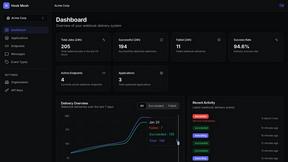
HookMesh
Streamline your SaaS with reliable webhook delivery, automatic retries, and a self-service customer portal.
Vidgo API
Unlock powerful AI capabilities with Vidgo API, offering cost-effective access to top models for developers worldwide.
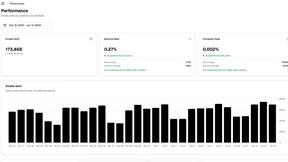
Ark
Ark is the AI-first email API that lets your coding assistant write working integration code instantly.
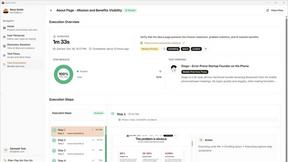
Rock Smith
Discover how AI agents visually understand and test your app like real users.
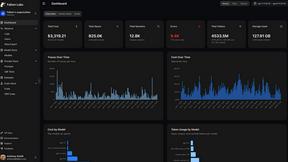
Fallom
Fallom offers real-time observability for LLMs and agents, ensuring complete visibility, cost tracking, and complianc...

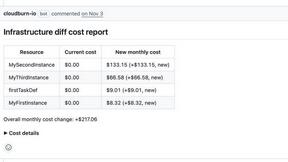
diffray
Elevate your code quality with diffray's multi-agent AI review that identifies real bugs and minimizes noise.
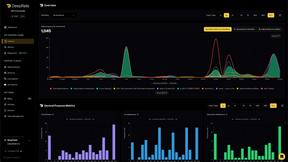
DeepRails
DeepRails empowers developers to detect and correct AI hallucinations, ensuring reliable LLM applications for users.
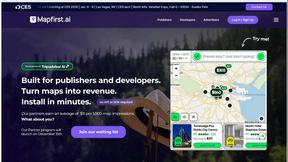
Mapfirst.ai
Mapfirst.ai offers free interactive maps that help publishers earn revenue effortlessly through customizable, monetiz...
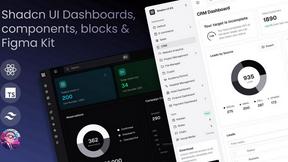
Shadcn UI Kit
Accelerate your project delivery with the Shadcn UI Kit's extensive collection of ready-to-use templates and components.

TemplateCat
Discover TemplateCat, your adorable guide to expertly filtered website templates across 200 categories and 27 styles.
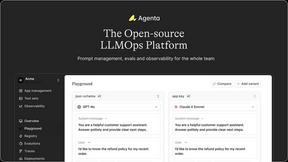
Agenta
Discover how Agenta's open-source platform helps teams build and manage reliable LLM applications together.

Karolium
Discover how Karolium's zero-code platform accelerates your custom AI-driven business applications.

Stunning
Discover what you can build with the fastest full-stack platform that brings your ideas to life instantly.
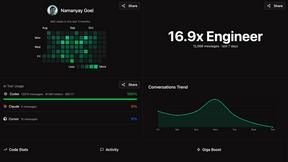
Giga AI
Giga AI gives your coding assistant a project brain to eliminate errors and build faster.
Recall.ai
Unlock meeting insights with one API for transcripts, recordings, and rich metadata.

900.cool
900.cool lets you swiftly host and deploy static websites with custom domains, making cloning and going live a breeze.

Dreamflow
Dreamflow lets you build real apps visually with AI, then dive into the code anytime.
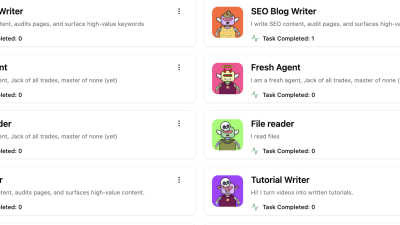
Activepieces
Activepieces lets anyone create powerful AI agents effortlessly, automating tasks across 621 integrations without cod...
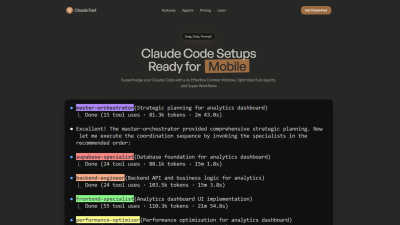
Claude Fast
Claude Fast enhances coding efficiency with advanced context, intelligent workflows, and seamless session management.
FAQs for Development
How do tools in the Development Category enhance developer productivity?
Tools in the Development Category enhance developer productivity by providing resources that automate repetitive tasks, streamline coding processes, and facilitate better collaboration. These tools enable developers to focus on critical areas, reduce downtime, and deliver high-quality software products more efficiently, addressing common challenges faced in development projects.
What unique features do Integrated Development Environments offer in the Development Category?
Integrated Development Environments (IDEs) in the Development Category offer unique features such as code completion, debugging tools, and seamless integration with version control systems. These functionalities enhance coding efficiency, simplify project management, and improve overall software quality by ensuring that developers have everything they need in one accessible platform.
In what scenarios are Version Control Systems most beneficial within the Development Category?
Version Control Systems are most beneficial in scenarios involving teamwork on software projects, where multiple developers contribute code. They allow teams to manage code changes effectively, prevent conflicts, and maintain a reliable history of project iterations. This ensures that all members can collaborate without losing progress or compromising project integrity.
What makes Automated Workflow Management a competitive advantage in development?
Automated Workflow Management provides a competitive advantage by significantly reducing the time spent on manual, repetitive tasks. This efficiency enables developers to allocate more effort towards innovation and problem-solving. By streamlining project timelines and enhancing collaboration, businesses can bring products to market faster while maintaining high-quality standards.
How do tools in the Development Category adapt to changing technology needs?
Tools in the Development Category adapt to changing technology needs by regularly updating features and incorporating the latest advancements. This ensures that developers have access to innovative solutions that meet contemporary demands, ultimately improving their ability to create robust software solutions that respond to evolving market conditions and user requirements.
How do Integrated Development Environments support collaborative software development?
Integrated Development Environments support collaborative software development by providing shared tools that enable developers to work together seamlessly. Features like code sharing, real-time editing, and integrated communication channels make it easy for teams to coordinate their efforts, track progress, and ensure that everyone is aligned on project goals.
You may also like
Other
The "Other Category" allows users to discover unique AI tools not fitting standard classifications.
Healthcare
The Healthcare Category offers advanced AI solutions for improved patient care and operational efficiency.
No Code & Low Code
No Code & Low Code Category facilitates app creation without coding skills, streamlining development.
Web Builders
The Web Builders Category simplifies website creation with user-friendly tools and templates.
Personal Development
The Personal Development Category provides resources for achieving growth and wellness.
Content Creation
Content Creation Category enhances content strategy by organizing diverse media for effective engagement.
Accessibility
The Accessibility Category ensures digital inclusivity, enhancing user experience and compliance.
Audio & Music
The Audio & Music Category streamlines audio production, providing tools that enhance creativity and collaboration for musicians.