

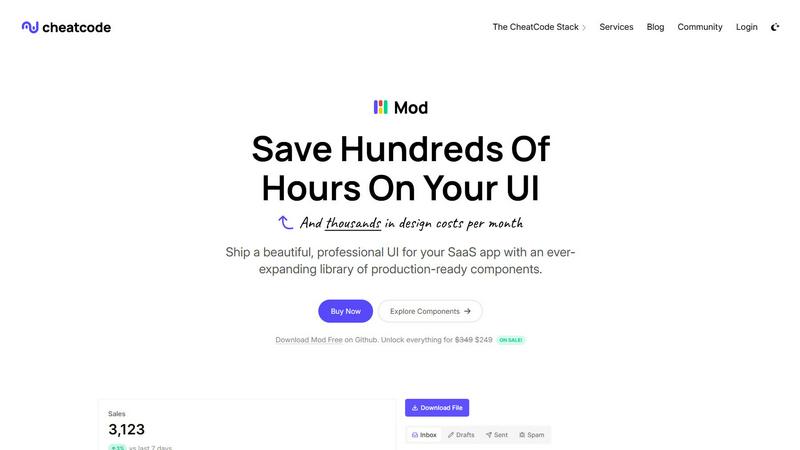
About Mod
Have you ever wondered what it would be like to build a stunning, professional SaaS interface without getting bogged down in the endless cycle of writing custom CSS, hunting for icons, and wrestling with responsive design? Mod is the answer to that curiosity. It's a comprehensive CSS framework meticulously crafted for the specific needs of SaaS applications, offering a treasure trove of pre-designed components and styles. Think of it as your personal design system in a box, ready to be integrated and customized. Built with a mobile-first, responsive philosophy, Mod empowers developers—from solo founders to agile teams—to ship polished, production-ready user interfaces at an astonishing pace. Its core value proposition is profound simplicity: drastically reduce design debt, eliminate the need for a dedicated UI/UX designer in early stages, and focus your creative energy on building unique application logic instead of reinventing common UI patterns. By being framework-agnostic, Mod invites exploration across the modern web development landscape, seamlessly fitting into your preferred tech stack.
Features of Mod
Expansive Component Library
Dive into a rich collection of over 88 meticulously crafted components designed specifically for SaaS workflows. This isn't just a set of basic buttons and cards; it includes complex, interactive elements like data tables with sorting, feature comparison tables, dashboard stats cards, multi-step onboarding modals, and sophisticated navigation systems. Each component is built with accessibility and semantic HTML in mind, providing a robust foundation that you can trust and customize to match your brand's unique identity without starting from a blank slate.
Framework-Agnostic Flexibility
One of Mod's most compelling features is its refusal to lock you into a specific JavaScript framework. It's crafted with pure, well-structured CSS that plays nicely with virtually any modern frontend or full-stack environment. Whether your curiosity leads you to build with Next.js, Nuxt, SvelteKit, a Vite-powered React app, or even traditional server-rendered frameworks like Rails or Django, Mod's styles integrate smoothly. This freedom allows teams to adopt Mod without disrupting their existing architecture or future-proofs your project against framework migration.
Comprehensive Design System Assets
Beyond components, Mod equips you with a complete visual design toolkit. This includes 168 distinct style utilities for fine-grained control over spacing, typography, and color, two beautifully coordinated themes (light and dark), and an impressive library of over 1,500 icons. Having these assets unified under a single, coherent system eliminates the friction of sourcing disparate design elements, ensuring visual consistency across your entire application and enabling the rapid implementation of features like user-toggled dark mode.
Mobile-First & Responsive Foundation
Every line of CSS in Mod is written with a mobile-first approach, ensuring your SaaS application delivers an exceptional experience on any device from the very first line of code. The components and layout grids are inherently responsive, automatically adapting from small smartphone screens to large desktop monitors. This built-in responsiveness saves countless hours of manual media query writing and testing, allowing you to confidently build interfaces that are truly polished and professional across the entire spectrum of user devices.
Use Cases of Mod
Rapid Prototyping and MVP Development
For entrepreneurs and indie hackers validating a new SaaS idea, speed is everything. Mod is the perfect companion for rapidly building a high-fidelity, functional prototype or Minimum Viable Product. Instead of spending weeks designing and coding a UI from scratch, you can assemble a convincing and interactive frontend in days. This allows you to test core assumptions with real users, gather feedback, and iterate on your business logic without being slowed down by frontend complexities.
Bootstrapping Internal Tools and Admin Panels
Most SaaS products require sophisticated internal dashboards for administrators, customer support, or data management. These interfaces are critical for operations but often don't justify a major design investment. Mod provides the perfect solution with its ready-made tables, charts, forms, and layout components. Development teams can quickly spin up secure, functional, and good-looking internal tools, improving operational efficiency while keeping the focus on customer-facing feature development.
Standardizing UI Across Development Teams
In growing engineering teams, inconsistent UI implementation can become a major pain point. Adopting Mod acts as a shared, living style guide and component library. It provides a single source of truth for colors, spacing, typography, and interactive components. This standardization dramatically improves development velocity for new features, ensures a cohesive user experience, and simplifies onboarding for new developers who can immediately start building with familiar, documented patterns.
Modernizing Legacy Application Interfaces
Many established SaaS products are built on older technology stacks with dated, hard-to-maintain frontend code. A full redesign can be a daunting, multi-quarter project. Mod offers a strategic path for incremental UI modernization. Because it's framework-agnostic, teams can gradually replace old, custom CSS with Mod's components and utilities, section by section. This allows for a visual refresh and improved UX without the risk and cost of a complete, ground-up rewrite.
Frequently Asked Questions
What exactly does "framework-agnostic" mean?
Framework-agnostic means that Mod is built primarily with standard CSS (and potentially a small amount of framework-independent JavaScript for interactivity). It does not rely on the proprietary syntax or build processes of any specific JavaScript library like React, Vue, or Svelte. Instead, it provides clean CSS classes and HTML structures that you can use directly in your templates, whether they are JSX, Vue SFCs, Svelte components, or server-side ERB/HAML files. This gives you maximum flexibility to use Mod with your tool of choice.
How does Mod handle dark mode?
Mod includes two fully designed themes out of the box: a light theme and a dark theme. The framework uses CSS custom properties (variables) for all its colors, making theme switching incredibly efficient. You can implement dark mode by simply toggling a class (e.g., .theme-dark) on a high-level container like the <body> tag. All components, icons, and styles will automatically adapt to the new color scheme based on the redefined CSS variables, providing a seamless and consistent dark experience across your entire application.
Are the 1,500+ icons included customizable?
Yes, the extensive icon library included with Mod is designed for customization. The icons are typically provided as SVG assets or icon font files, which means you can easily change their color, size, and even some stroke properties using CSS. You can recolor them to match your brand palette using the same color variables that power the rest of the Mod system, ensuring they always remain visually cohesive with your buttons, text, and other interface elements.
Is Mod suitable for large-scale, enterprise applications?
Absolutely. While Mod is fantastic for startups and MVPs, its foundations are built for scale. The use of semantic CSS, a structured design token system (via CSS variables), and well-organized, reusable components makes it an excellent choice for larger applications. It promotes consistency and maintainability, which are critical for enterprise teams. The framework-agnostic nature also means it can be integrated into complex, micro-frontend architectures or existing large codebases without imposing a specific framework paradigm.
Similar to Mod

GPT Image 2 API
Generate and edit production-ready images with GPT Image 2 API using detailed prompts, references, clear text rendering, and developer-friendly workfl


Firma.dev
Pay-as-you-go e-signature API and no-code sending. €0.049 per envelope, no monthly minimums, legally valid in 55+ countries.


