
Alternatives to ComicsMaker
Explore the best alternatives and competitors to ComicsMaker.
Explore 20 alternatives to ComicsMaker. Compare features, pricing, and find the best fit for your needs.

Bulin AI
Upload one portrait. Bulin AI puts you in the official Bulin 47 freestyle. The source video guides the moves and camera. No prompt.
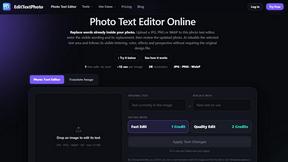
EditTextPhoto
AI-powered image text editor to edit, replace, fix, or translate text in images while preserving the original font, color, size, and style.

nanobanana 21
A fast image studio for creating and editing high-quality images with accurate details, readable text, and consistent characters.

AIPetGen
AIPetGen turns a photo of your dog, cat, or other pet, or a written description, into a new picture or a short animation.





hotel-lobby
Two-person AI video concept in a warm orange recording booth, built around natural call-and-response performances.

AI Album Cover Maker
Create release-ready album covers from a prompt or photo. Generate, refine, and export art for singles, EPs, mixtapes, and playlists.
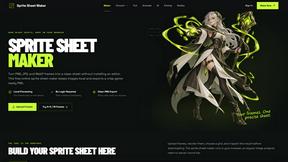
Sprite Sheet Maker
A free browser-based toolkit for creating, cutting, converting, and previewing sprite sheet animations.

Seedance 2.5 Free
Create polished AI videos from text or images online with Seedance 2.5 Free.

AutoGeo
A GEO SEO platform for creating, reviewing, publishing, and distributing multilingual content optimized for AI search visibility.

Wan Video
Create Wan videos from text, images, references, or clips with Wan 2.7 workflows, task history, cost estimates, and API access.

ViduAI
Create consistent videos from text, images, references, and first or last frames with ViduAI video workflows.


GPT Image 2 API
Generate and edit production-ready images with GPT Image 2 API using detailed prompts, references, clear text rendering, and developer-friendly workfl

Presentation Intelligence
AI-native presentation and visual content platform that turns prompts, documents, images, videos, and data into polished, shareable decks.


About ComicsMaker Alternatives
ComicsMaker is an AI-powered tool that lives at the intersection of content creation and image generation, specifically designed to turn text prompts into visual narratives. It functions as both a comic strip maker and a manga panel generator, helping creators, educators, and marketers jump from a simple idea to a structured visual draft without the intimidation of a blank canvas. Despite its utility, users often search for alternatives due to specific needs like budget constraints, a desire for more granular artistic control, platform compatibility issues, or the need for different output formats that better suit their unique workflow or team collaboration style. When exploring other options, it is helpful to look for tools that match your specific visual storytelling goals, whether that means prioritizing speed and automation over manual editing or vice versa. Consider the range of style direction and reading flow controls available, as some creators need deep customization for manga-style panels while others simply want a quick storyboard creator. Pricing models also vary widely, from free tiers with limited credits to subscription-based services, so evaluating your expected volume of projects and export requirements will guide you toward a tool that feels like a natural extension of your creative process rather than a compromise.
FAQs about ComicsMaker Alternatives
What is ComicsMaker?
ComicsMaker is an AI comic maker and visual storytelling tool that transforms text prompts into comic strips, manga panels, storyboards, and export-ready visual drafts. It belongs to the content creation and image generation categories, offering a dedicated workspace for moving from an idea to a structured comic draft without starting from scratch. The tool provides clear control over layout, tone, reading flow, and style direction, making it suitable for a wide range of visual projects.
Who is ComicsMaker for?
ComicsMaker is built for creators, educators, marketers, and teams who need to produce visual stories quickly and efficiently. It serves comic artists looking for rapid drafting, teachers creating classroom visuals, marketers developing campaign concepts, and product teams building storyboards. The tool is designed for anyone who wants to turn a written idea into a structured comic page or manga-style panel without requiring advanced illustration skills.
Is ComicsMaker free?
The provided content does not specify whether ComicsMaker offers a free tier or a paid subscription model. To determine pricing and availability, you would need to visit the official ComicsMaker website or check their service page for the most current information on free trials, credit systems, or subscription plans. Many tools in this category offer limited free usage to allow users to test the features before committing.
What are the main features of ComicsMaker?
ComicsMaker’s main features include the ability to generate AI comic strips, prompt-to-panel scenes, manga-style drafts, and storyboards from text input. Users can control the layout, tone, reading flow, and style direction of their output, enabling tailored visual narratives for explainer comics, character moments, and campaign concepts. The workspace is designed to help creators move from an idea to a structured draft efficiently, eliminating the need to start from a blank canvas.