
Alternatives to TinyFast
Explore the best alternatives and competitors to TinyFast.
Explore 20 alternatives to TinyFast. Compare features, pricing, and find the best fit for your needs.
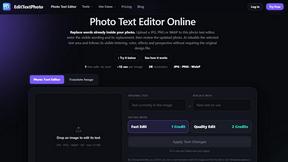
EditTextPhoto
AI-powered image text editor to edit, replace, fix, or translate text in images while preserving the original font, color, size, and style.
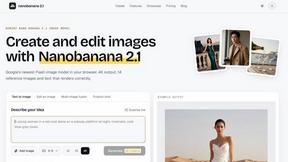
nanobanana 21
A fast image studio for creating and editing high-quality images with accurate details, readable text, and consistent characters.

AIPetGen
AIPetGen turns a photo of your dog, cat, or other pet, or a written description, into a new picture or a short animation.




MD to Text
Convert Markdown to plain text online. Remove formatting instantly, copy readable output, and keep every conversion private in your browser.

AUTOMATER.ai
A tray helper for every AI coding tool: one searchable library of past sessions, waiting alerts and usage across 9 providers.

Sprite Sheet Maker
A free browser-based toolkit for creating, cutting, converting, and previewing sprite sheet animations.

stackledge
A human-vetted discovery directory for practical AI tools, SaaS apps, and custom n8n workflows, free from bot-scraped spam and dead links.

Kody Tools
Free collection of online developer utilities, code formatters, and digital converters designed to streamline your daily workflow.

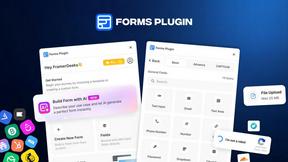
Forms Plugin
The #1 Native Form Builder Plugin for Framer - No Code, No Embeds, No External Platforms.

Product Launch Checklist
A free launch checklist for SaaS, apps, AI tools and more. Every step says why it matters and when you can skip it.


GPT Image 2 API
Generate and edit production-ready images with GPT Image 2 API using detailed prompts, references, clear text rendering, and developer-friendly workfl



PerPageFax
PerPageFax lets you send a fax online from any browser for a flat $0.50 per page — no account, no subscription, no fax machine.

About TinyFast Alternatives
TinyFast is a macOS application that excels in the category of local file optimization tools. It's designed for users who need to quickly and privately shrink images, videos, and PDFs directly on their computer with a simple drag-and-drop action. People often explore other options for various reasons. Some may be seeking a different pricing model or a free tier, while others require support for additional file formats or specific advanced editing features. Platform compatibility is another key driver, as users on Windows or those needing web-based access will naturally look beyond a Mac-only solution. When evaluating other tools, consider your core needs. Prioritize whether absolute local privacy is essential or if you're comfortable with cloud processing for potentially greater compression. Also, assess the balance between automation and manual control—do you want a set-it-and-forget-it tool or one that offers granular settings for each file type?
FAQs about TinyFast Alternatives
What is TinyFast?
TinyFast is a macOS application that effortlessly compresses images, videos, and PDFs locally on your Mac using a simple drag-and-drop interface.
Who is TinyFast for?
It is built for developers, designers, and creators who value speed, privacy, and a streamlined workflow for reducing file sizes.
Is TinyFast secure?
Yes, TinyFast is 100% local and private. All compression happens on your device with no file uploads to external servers.
What are the main features of TinyFast?
Its key features include batch drag-and-drop shrinking, blazing-fast local compression, the ability to resize resolution, and guaranteed privacy.