
Alternatives to Style AI
Explore the best alternatives and competitors to Style AI.
Explore 20 alternatives to Style AI. Compare features, pricing, and find the best fit for your needs.

FoxyLab
FoxyLab creates product videos and banner sets in chat, using website details and plain-language edits to shape results.
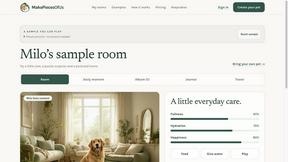
MakePieces OfUs
MakePieces OfUs turns a pet photo into a private virtual room with free puzzles, an album and journal, plus optional daily stories and new places.
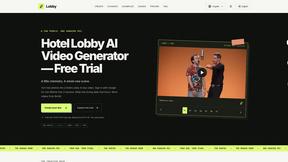
LobbyClip
LobbyClip transforms two photos into a short AI performance video, with seven scene templates and three aspect ratios.

Higgsfield AI
Higgsfield AI helps creators make product videos and campaign visuals from photos or prompts, with image animation, motion presets, and effects.
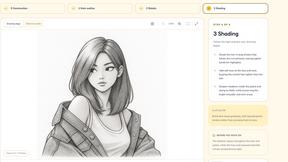
Drawcil
Drawcil turns a photo into a four-stage pencil lesson, helping beginners practise drawing on paper at their own pace.

TokClip
Turn photos into short AI-generated TikTok and Reels trend videos with templates that require no prompts or manual editing.
iWhiteScreen
A browser-based full-screen white display for light, monitor cleaning, pixel checks, tracing and simple projector tests.

Edit Image Text
Edit words in finished photos, screenshots, and graphics with AI, then compare the result against the original before downloading.
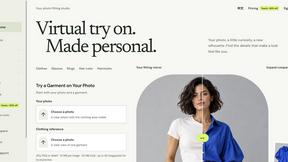
VirtualTryOn
Use AI photo try-on tools for clothing, glasses, rings and hair, with comparisons designed for visual exploration rather than measurement.

Tip Toeing in My Jordans AI
Make a 12-second Rumpelstiltskin tiptoe video from one or two photos, with AI sound and format choices for social sharing.
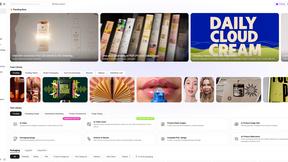
Rhinobird
Rhinobird combines product listing images, ad visuals, reference-based video creation and packaging image tools for e-commerce teams.
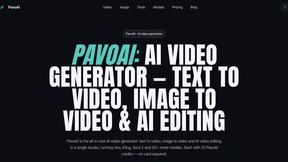
Pavo AI
Pavo AI combines text-to-image and short text-to-video generation, with model, quality, duration and aspect-ratio controls.

AIdeaFlow
AIdeaFlow turns written sources into two-host audio, with selectable templates and voices for people adapting notes, scripts, or web content.

Promptclay
Promptclay is a library for tested AI image prompts, showing the prompt, its result and model to help creators find examples to reuse.
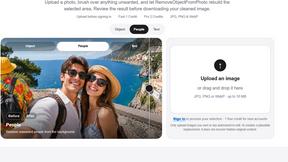
RemoveObjectFromPhoto
Clean up photos in a browser by brushing over unwanted objects, people, or text and reviewing an AI-generated background fill.

ReelHive
ReelHive turns real estate listing photos into finished videos with scene-aware camera motion, branding options, and vertical or horizontal formats.

AI Object Remover
Use a browser-based brush to remove unwanted photo details, then inspect the AI-generated fill before downloading.
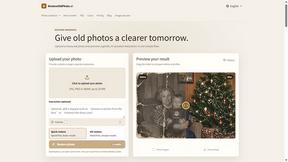
RestoreOldPhoto.ai
RestoreOldPhoto.ai helps repair family photographs with scratches, creases and fading, and can add natural-looking color to monochrome images.
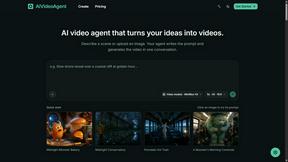
AIVideoAgent
AIVideoAgent generates downloadable video from text or image prompts and includes a commercial license with paid plans.

About Style AI Alternatives
For a quick visual variation, compare preset style transfer with prompt-based editing: presets are suited to changing the overall look, while instructions target specific changes. If your priority is image composition, compare the photo-merging workflow with editors focused on arranging or retouching layers. For motion work, check the available video options and output requirements before choosing a tool.
FAQs about Style AI Alternatives
Should I use a style preset or describe an edit?
A preset changes the overall aesthetic; a natural-language instruction is intended for targeted modifications.
What should I compare for a video workflow?
Check supported inputs, output formats, and generation limits; those details are not stated in the provided page excerpt.