
Alternatives to Seedream 4.0
Explore the best alternatives and competitors to Seedream 4.0.
Explore 20 alternatives to Seedream 4.0. Compare features, pricing, and find the best fit for your needs.
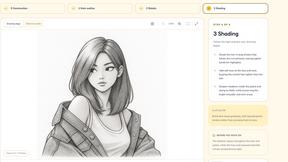

Edit Image Text
AI image editor for fixing typos, dates, and prices in JPG, PNG, and WebP while matching the original font and background.

VirtualTryOn
Try on clothes, glasses, rings, hairstyles, and hair colors on your own photos with AI.

RemoveObjectFromPhoto
Remove unwanted objects, people, and text from photos with AI for clean, natural-looking results in seconds.

AI Object Remover
Browser-based AI photo cleanup: brush over people, objects, text or watermarks and AI rebuilds the background.
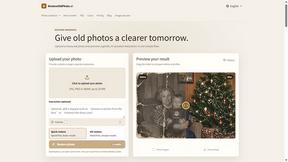
RestoreOldPhoto
Restore old photos with RestoreOldPhoto.ai: repair scratches, creases and fading, sharpen faces and details, and optionally colorize family memories.

Enhance My Photo
Online AI photo enhancer that sharpens portraits, products, scenery, pets and text images and exports them as JPEG, PNG or WebP without watermarks.
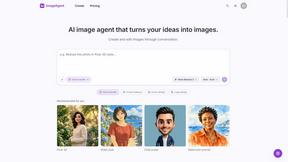
ImageAgent
Create and edit AI images through conversation, using text or reference images and refining results in chat.

AppIconGenerator
Generate iOS and Android app icons from any image and export all platform sizes for free.
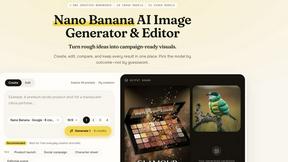
Nano AI
Create and edit AI images, generate videos, and compare models in one creative workbench.
Screen Issues
Free Online Screen Test Tool - Instantly diagnose dead pixels, lines, color issues, and flickering. Multiple test modes, no download needed.

Tip Toe AI
Upload a Dancer photo and a Partner photo and get your own AI Tip Toe barn-dance video. Free 5s preview, 12s HD from $4.90. No subscription.
ImageGenerator
Create and edit AI images online with multiple models, text-to-image, image-to-image, background removal, and upscaling.
SightRadar
Face recognition API, a drop-in replacement for AWS Rekognition. Index, search, compare and detect faces, billed per photo with no subscription.
EditTextPhoto
AI-powered image text editor to edit, replace, fix, or translate text in images while preserving the original font, color, size, and style.
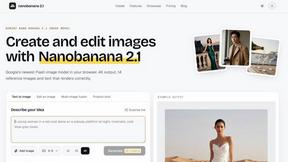
nanobanana 21
A fast image studio for creating and editing high-quality images with accurate details, readable text, and consistent characters.
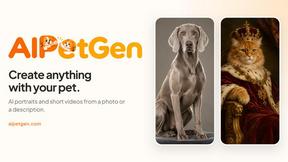
AIPetGen
AIPetGen turns a photo of your dog, cat, or other pet, or a written description, into a new picture or a short animation.
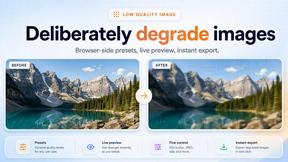


About Seedream 4.0 Alternatives
Seedream 4.0 is an innovative AI image generator and editor that allows users to create and refine stunning visuals through simple commands. It caters to a diverse range of users, from hobbyists to professionals in various fields, all seeking to enhance their creative workflows without the need for multiple tools. However, users often explore alternatives due to factors such as pricing, specific features, or compatibility with their preferred platforms. When choosing an alternative, it's essential to consider the user interface, the breadth of creative options available, and the underlying technology that drives image generation and editing. A seamless, intuitive experience can greatly enhance creative output and satisfaction.
FAQs about Seedream 4.0 Alternatives
What is Seedream 4.0?
Seedream 4.0 is a cutting-edge AI image generator and editor that transforms user prompts into visually stunning images, combining both generation and editing in a seamless experience.
Who is Seedream 4.0 for?
Seedream 4.0 is designed for a variety of users, including digital artists, marketers, educators, and anyone interested in exploring creative visual storytelling.
Is Seedream 4.0 free?
The pricing model for Seedream 4.0 may vary, and users should check the official website for details on subscription options and potential costs.
What are the main features of Seedream 4.0?
Key features of Seedream 4.0 include a unified architecture for image generation and editing, multi-image composition capabilities, and a vast library of artistic styles.