
Alternatives to EditTextImage
Explore the best alternatives and competitors to EditTextImage.
Explore 20 alternatives to EditTextImage. Compare features, pricing, and find the best fit for your needs.

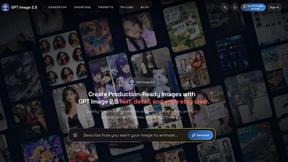
GPT Image 2 API
Generate and edit production-ready images with GPT Image 2 API using detailed prompts, references, clear text rendering, and developer-friendly workfl

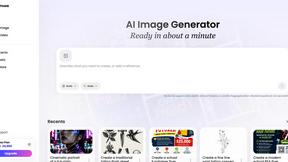
Vismuse
Create polished AI images and videos from prompts or references for social posts, ads, flyers, album covers, and campaigns.
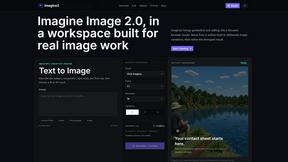
Imagine2
Private browser-based AI image generation and editing with text-to-image, targeted edits, and multi-image references.

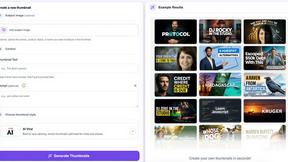
StopScroll
AI YouTube thumbnail maker that generates multiple thumbnail concepts from a URL, title, or prompt.
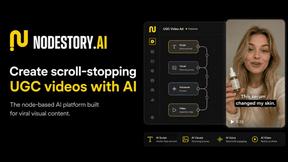
NodeStory
One-click UGC videos, product photo sets, and reusable AI workflows, with 30+ image and video models in one studio.

IsThisAIImage
Free AI image checker: upload a photo for AI-generated and deepfake scores, a clear verdict, and optional generator hints.

HubVanta AI
HubVanta AI helps creators generate images and videos with advanced AI tools for visual content workflows.
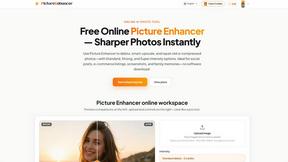
Picture Enhancer
Discover how Picture Enhancer lets you deblur, upscale, and restore photos instantly in your browser with free guest tries.
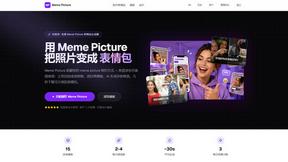
Meme Picture
Turn any selfie or pet photo into a classic meme in seconds with AI, no login required and three free generations every day.
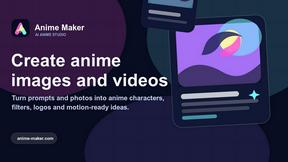
Anime Maker
Create anime images, characters, logos, and short videos from your text, photos, or imagination with AI.

ComicsMaker
ComicsMaker turns your scene ideas into structured comic drafts, letting you plan beats, generate panels, and arrange pages right in your browser.

HiAPI
What if you could build any image, video, or audio app with just one API and zero storage worries?.
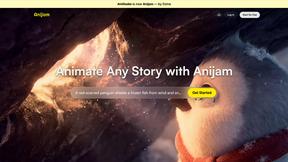
Anijam.ai
Transform your ideas into captivating anime and animated videos effortlessly with Anijam's one-click generation and seamless character consistency.
ImageGen2
Discover how ImageGen2 unlocks OpenAI's GPT Image 2 model for free, delivering photorealistic images with flawless text rendering and intelligent.
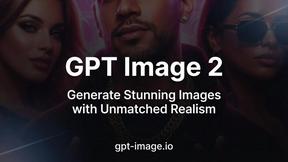
GPT Image 2
Experience unparalleled realism with GPT Image 2, the AI image generator that transforms your ideas into stunning, lifelike visuals effortlessly.
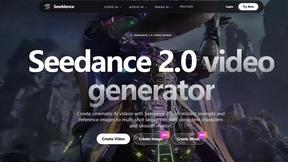
Seeddance
Discover how Seedance 2.0 transforms your text and images into cinematic AI videos with smooth motion and consistent characters.

About EditTextImage Alternatives
EditTextImage occupies a fascinating niche within the broader category of image generation and editing tools, specifically focusing on the delicate art of text manipulation within existing visuals. Rather than creating images from scratch, this tool solves a very specific puzzle: how to seamlessly replace text in a finished design without the original source file or the fonts used. The process feels almost like a magic trick, leveraging AI to sample typography directly from the pixels, preserving not just the letter shapes but the color, shadow, and perspective. It’s a solution born from a common creative frustration, offering a targeted alternative to the heavy lifting required by full-featured design suites. Users typically begin searching for alternatives to EditTextImage for a few distinct reasons. Some might find the pay-per-edit model doesn't align with their high-volume workflow, while others may be seeking a free or subscription-based solution that integrates directly into their existing design ecosystem. There is also the practical consideration of platform dependency; a user might need a mobile app, a browser extension, or a tool with batch processing capabilities that this specific product doesn't offer. When evaluating any alternative, the core criteria should always be the fidelity of the text replacement—does it truly match the original font and layout?—followed by the speed of the process, the output resolution, and whether the pricing model fits your occasional or frequent need for such a precise edit.
FAQs about EditTextImage Alternatives
What is EditTextImage?
EditTextImage is an online tool designed to seamlessly replace text within existing images without requiring the original design file or installed fonts. It uses AI to sample the typography directly from the image pixels, allowing it to replicate the font, color, drop shadow, and perspective of the original text. The entire process is designed to take roughly 10 to 30 seconds, outputting the result at 2K resolution.
Who is EditTextImage for?
EditTextImage is ideal for anyone who needs to make quick, pixel-perfect text edits on finished visuals, such as marketers, social media managers, designers, and small business owners. It is particularly useful when the original design file (like a PSD or AI file) has been lost, or when the image uses a paid or custom font that the user does not have installed. The tool is designed for users who want to fix a typo, swap a date, or test a new headline on a poster, screenshot, or product photo without needing Photoshop skills.
Is EditTextImage free?
EditTextImage offers a free trial where your first edit requires no credit card, allowing you to test the service. After the initial free edit, the service operates on a one-time payment model of $9.90 for 30 edits. This is not a subscription, meaning you purchase a block of edits and can use them whenever you need, without recurring monthly fees.
What are the main features of EditTextImage?
The primary feature of EditTextImage is its AI-driven text replacement that samples the typeface, color, and layout directly from the image pixels, ensuring the new text matches the original style perfectly. This includes preserving complex attributes like drop shadows and perspective, even for paid fonts or hand-lettering. The tool is designed for speed, promising edits in approximately 10 seconds, and it outputs the final image at a high 2K resolution.