
Alternatives to Easymotion - AI Motion Graphic Generator
Explore the best alternatives and competitors to Easymotion - AI Motion Graphic Generator.
Explore 20 alternatives to Easymotion - AI Motion Graphic Generator. Compare features, pricing, and find the best fit for your needs.

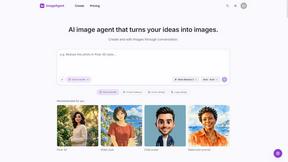
ImageAgent
Create and edit AI images through conversation, using text or reference images and refining results in chat.
GenX
All-in-one AI workspace to generate images, videos, and audio with multiple leading AI models.

Bloom
An adaptive AI tutor that turns topics or your materials into courses, lessons, and answers tailored to how you learn.

AppIconGenerator
Generate iOS and Android app icons from any image and export all platform sizes for free.

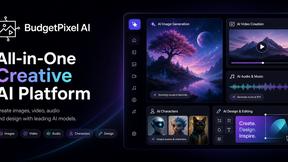
Budgetpixel AI
Create AI images, videos, music, and designs in one workspace with multiple models, powerful editing tools, and API access.
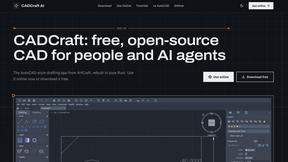
CADCraft
Free open-source 2D CAD in Rust with precise drafting, DWG/DXF support, and MCP/JSON/CLI automation for AI agents.
ogimagegenerator.dev
Paste a URL and AI designs on-brand Open Graph images from your page's colours, fonts and logo. Free, no sign-up.
Screen Issues
Free Online Screen Test Tool - Instantly diagnose dead pixels, lines, color issues, and flickering. Multiple test modes, no download needed.

SaaSHunter
Compare social media and content SaaS with verified pricing, ranked by open scorecards.

FreeVideoGenerator
Create videos from text prompts and photos using Sora 2, Veo 3.1 and Wan, with free starter credits and watermark-free downloads.


Leadeon
AI growth tool for X and LinkedIn: write posts in your voice, schedule at your best times, find leads on X and see what works.
Riff
Riff writes replies, DMs and posts with Gemini Nano inside Chrome. Runs on your computer, no account or API key, and never posts for you.


Verla AI
Verla is an AI academic assistant for university and college students, combining AI essay writing, academic research, AI detection, AI humanization

ImageGenerator
Create and edit AI images online with multiple models, text-to-image, image-to-image, background removal, and upscaling.

Capafy AI
Agent Skills marketplace: discover expert AI agents, run them online, or publish a Skill and earn from every sale.

About Easymotion - AI Motion Graphic Generator Alternatives
In the rapidly evolving landscape of content creation, Easymotion - AI Motion Graphic Generator has carved out a niche as a browser-based tool that transforms static ideas, images, and spreadsheets into polished animated videos without the steep learning curve of traditional timeline editing. It sits at the intersection of AI Assistants, Content Creation, and Design Tools, offering a specialized solution for turning prompts and files into motion graphics like SaaS demos, flowcharts, and map animations. However, as versatile as it is, users often begin exploring alternatives when they encounter specific limitations such as pricing tiers that don't quite fit a tight budget, a need for more granular control over complex animation sequences, or a desire for deeper integration with a particular video editing ecosystem. Others might seek a platform with a different emphasis, such as more robust 3D capabilities or a larger library of pre-built templates tailored to a niche industry. When searching for an alternative to a tool like Easymotion, the most effective approach is to first clarify your core workflow. Consider whether you prioritize speed and AI-driven automation over manual, frame-by-frame control, or if you need a solution that excels in a specific format like interactive explainer videos versus geographic storytelling. Evaluate the export flexibility—do you require support for transparent backgrounds or specific aspect ratios for social media? Also, think about the learning curve: some alternatives might offer more power but demand a steeper investment in time to master. Finally, assess the community and support ecosystem around the tool, as active forums and responsive customer service can be invaluable when you hit a creative block or technical snag.
FAQs about Easymotion - AI Motion Graphic Generator Alternatives
What is Easymotion - AI Motion Graphic Generator?
Easymotion is an AI-powered platform designed to generate motion graphics and map animations directly in the browser, without requiring complex timeline editing. It allows users to turn ideas, prompts, images, spreadsheets, and PDFs into polished animated videos. The platform specializes in creating visual storytelling formats like SaaS product promos, flowcharts, animated charts, UI explainers, and geographic map animations featuring flight routes and location pins.
Who is Easymotion - AI Motion Graphic Generator for?
Easymotion is built for content creators, video editors, startup founders, and marketers who need to produce professional motion graphics quickly. It serves anyone from social media managers needing rapid Reels or TikToks to product teams creating explainer videos without a dedicated animator. The tool is particularly useful for users who want to bypass traditional timeline-based software and instead use AI prompts or file uploads to generate animation-ready scenes.
Is Easymotion - AI Motion Graphic Generator free?
The provided product content does not specify whether Easymotion offers a free tier. Typically, platforms in this category may offer a free trial or a limited free version, but users should check the official Easymotion website for the most current pricing details, including any available free plans or subscription options.
What are the main features of Easymotion - AI Motion Graphic Generator?
Key features include AI-driven generation of motion graphics from text prompts, images, spreadsheets, and PDFs, as well as a dedicated map animation maker for geographic storytelling. Users can edit their animations by chatting with the AI to adjust colors, pacing, labels, and layout. The platform also offers a premium template library and supports exports in MP4 and MOV formats, including videos with transparent backgrounds, and aspect ratios for YouTube (16:9), TikTok/Reels (9:16), square (1:1), and vertical (4:5) content.