

AI Image Editor
Transform and enhance your photos effortlessly with AI Image Editor using simple text prompts for stunning results.
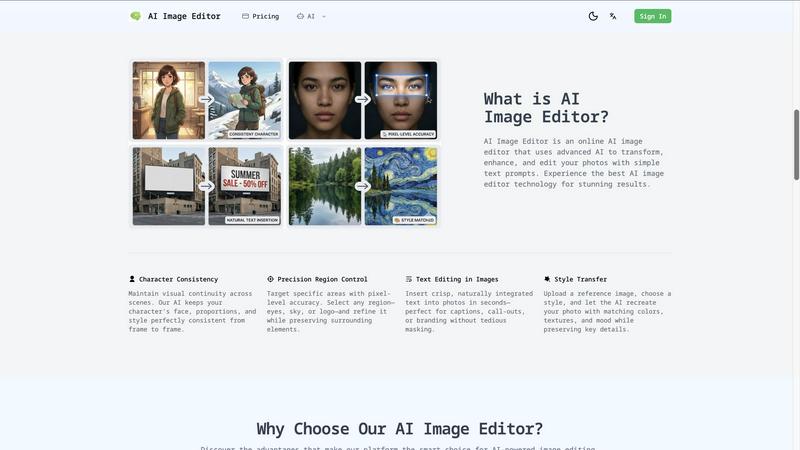
About AI Image Editor
AI Image Editor is an innovative online platform that redefines photo editing by allowing users to manipulate images through simple text prompts. Imagine effortlessly enhancing, transforming, or completely reimagining your photos without the steep learning curve of traditional software like Photoshop. This tool is tailored for content creators, marketers, small business owners, and hobbyists who aspire to achieve stunning visual results but may lack the time or technical expertise required for complex editing. At its heart, AI Image Editor leverages advanced artificial intelligence to interpret your descriptions, enabling you to execute intricate edits and transformations in mere seconds. The primary value proposition lies in its commitment to democratizing high-end image editing; you provide the vision and the image, and the AI manages the detailed execution, yielding polished and creative results without any technical barriers. This platform invites you to explore the limits of your creativity while providing the tools necessary for professional-grade outcomes.
Features of AI Image Editor
Text-to-Edit Technology
This cutting-edge feature allows users to describe their desired edits in natural language, making the editing process intuitive and user-friendly. The AI understands your instructions and applies the changes instantly, eliminating the need for complicated manual adjustments.
Background Removal & Replacement
Transform your images effortlessly by removing backgrounds with a single click or replacing them with custom scenes. This feature is particularly beneficial for product photography and portraits, helping to create a polished and professional look for any image.
AI Image Upscaling
Enhance your photos to up to 4K quality while preserving intricate details and clarity. This feature is perfect for transforming low-resolution images into sharp, print-ready files, ensuring your visuals maintain their impact across various platforms.
Photo Restoration
Revitalize old, damaged, or faded photographs with our AI-powered restoration feature. The tool intelligently repairs scratches, colorizes, and enhances vintage images, bringing them back to life while preserving their original charm and character.
Use Cases of AI Image Editor
Content Creation for Marketing
Marketers can use AI Image Editor to create eye-catching visuals for social media, advertisements, and blogs. By simply describing the desired edits or enhancements, they can produce stunning images that capture attention and drive engagement without needing advanced design skills.
E-commerce Product Photography
Online retailers can benefit from the background removal and replacement feature, allowing them to create clean, professional product images that stand out. This capability is essential for enhancing product visibility and appeal in crowded marketplaces.
Social Media Enhancements
Social media influencers and enthusiasts can elevate their posts with tailored edits. Whether it’s changing backgrounds or adjusting colors, AI Image Editor helps users create visually striking images that resonate with their audience.
Personal Photo Projects
Hobbyists and photography enthusiasts can explore their creativity by transforming their personal photos. With features like style transfer and photo restoration, users can create unique art pieces or restore cherished memories effortlessly.
Frequently Asked Questions
How does AI Image Editor work?
AI Image Editor utilizes advanced artificial intelligence to interpret your text prompts and apply the desired changes to your images. Simply upload your photo, describe the edits you want, and the AI will execute them.
What types of images can I upload?
You can upload images in various formats, including JPEG, PNG, GIF, and WEBP, with a maximum file size of 20MB and dimensions up to 4096 x 4096 pixels. For the best results, use high-quality images.
Is there a learning curve to using the AI Image Editor?
No! The AI Image Editor is designed to be user-friendly, allowing anyone to edit images without prior experience. Simply describe what you want, and the AI will handle the rest, making it accessible for everyone.
Can I save my edited images in different formats?
Yes, you can export your edited images in multiple formats, including PNG, JPEG, and WEBP, with customizable quality settings to suit your needs. This flexibility ensures your images are ready for any application.
Explore more in this category:
Similar to AI Image Editor

SightRadar
Face recognition API, a drop-in replacement for AWS Rekognition. Index, search, compare and detect faces, billed per photo with no subscription.

ColorBestie
AI color previews and marker color suggestions for coloring pages.

EditTextPhoto
AI-powered image text editor to edit, replace, fix, or translate text in images while preserving the original font, color, size, and style.

nanobanana 21
A fast image studio for creating and editing high-quality images with accurate details, readable text, and consistent characters.

AIPetGen
AIPetGen turns a photo of your dog, cat, or other pet, or a written description, into a new picture or a short animation.

Low Quality Image
Make an image low quality or lower image quality on purpose.


Image to Layers AI
Turn any image into editable transparent PNG/PSD layers with AI