
AutoPhish vs Threat Watch
Side-by-side comparison to help you choose the right AI tool.

Discover how AI-driven phishing simulations reveal and strengthen your team's security awareness.
Last updated: March 1, 2026

Threat Watch
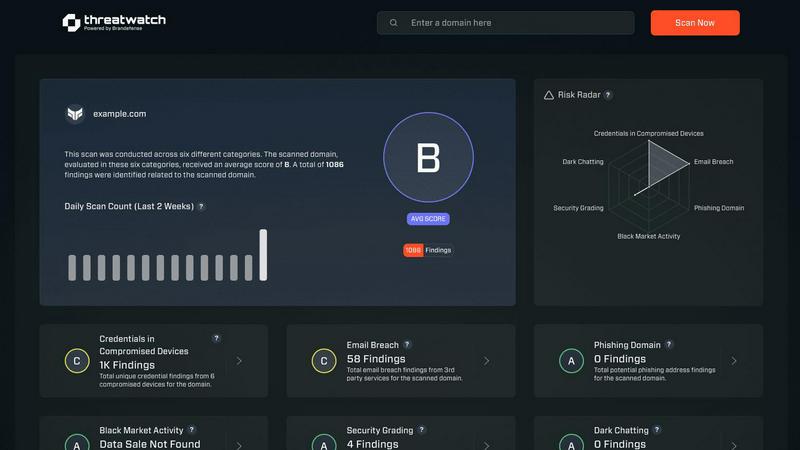
Quickly assess your cybersecurity health with Threat Watch's insights on compromised accounts and potential threats.
Last updated: March 1, 2026
Visual Comparison
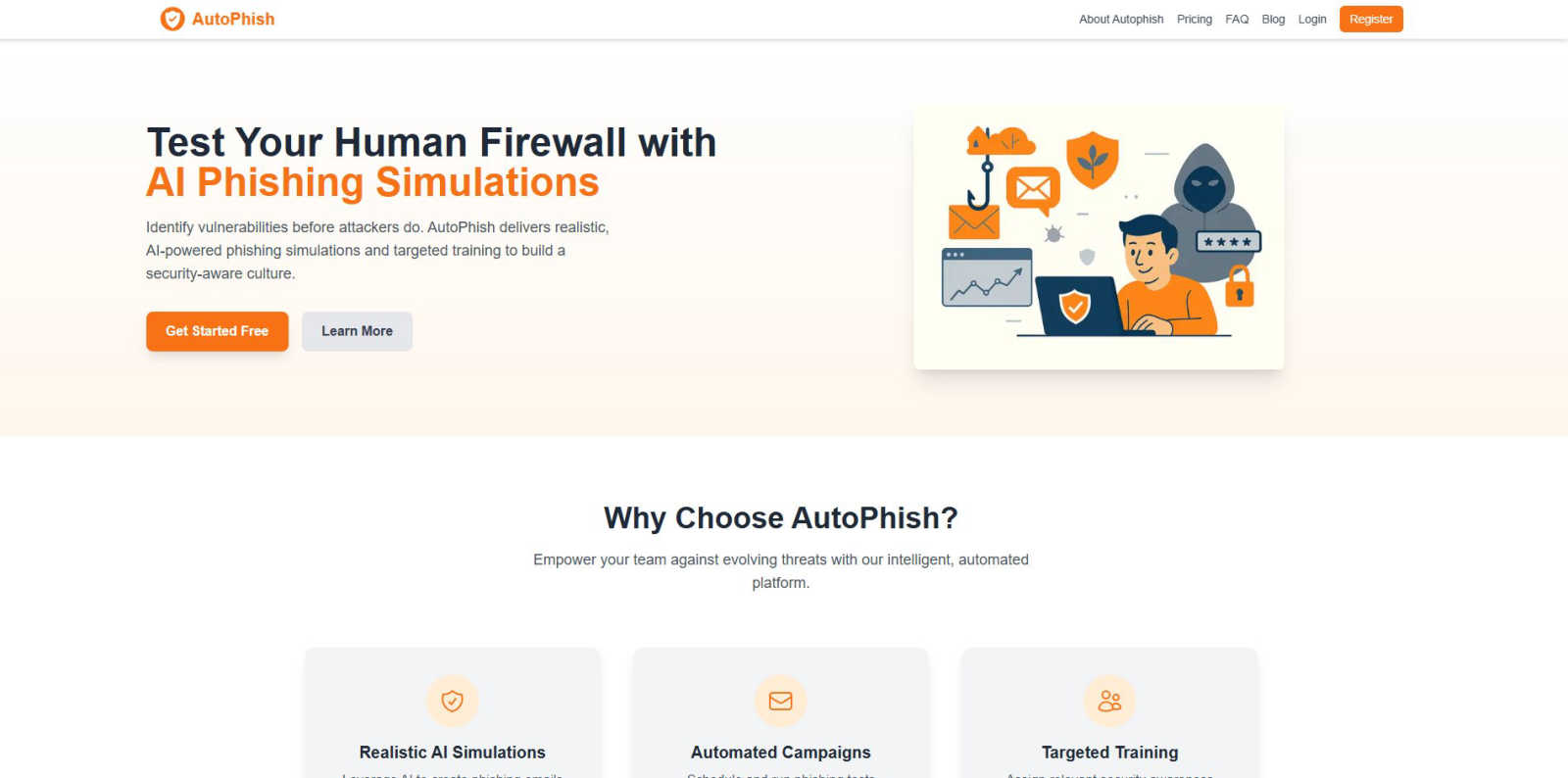
AutoPhish
Threat Watch
Feature Comparison
AutoPhish
Realistic AI-Powered Phishing Simulations
Ever wondered how convincing a phishing email tailored to your specific industry could be? AutoPhish leverages advanced artificial intelligence to generate phishing emails that are startlingly authentic. The AI analyzes real-world attack patterns and tailors the language, context, and pretext to match your company's unique profile. This high level of realism is crucial; it moves training beyond obvious scams and prepares your team for the sophisticated, targeted attacks they are most likely to encounter, making the learning experience genuinely impactful.
Automated Campaign Management
The journey of building security awareness is continuous, but managing it shouldn't be a constant manual burden. AutoPhish automates the entire lifecycle of a phishing simulation campaign. You can effortlessly schedule tests to run at optimal times, target specific employee groups, and launch multi-stage campaigns—all from a centralized dashboard. This automation ensures consistent, ongoing testing without draining IT resources, allowing you to focus on strategic analysis and improvement rather than logistical overhead.
Targeted Security Awareness Training
What happens after a user clicks a simulated phishing link? With AutoPhish, that moment becomes a powerful teaching opportunity. The platform automatically assigns follow-up security training modules based on individual user behavior during simulations and their organizational role. This means a finance employee who falls for a CEO fraud attempt receives different, context-relevant education than a developer who clicks a malicious link. This personalized approach ensures training is relevant, memorable, and directly addresses specific knowledge gaps.
Comprehensive Analytics & Reporting
Curious to know which departments are most vulnerable or which phishing tactics are most effective? AutoPhish provides deep, actionable insights through its advanced reporting dashboard. You can track key metrics like click-through rates, time-to-click, and repeat offenders across different campaigns and user groups. These analytics transform raw data into a clear narrative about your organization's security posture, enabling you to measure progress, identify trends, and make data-driven decisions to strengthen your human layer of defense.
Threat Watch
Comprehensive Risk Assessment
Threat Watch provides a thorough evaluation of an organization’s cybersecurity posture by analyzing essential security categories. This feature allows users to identify potential weaknesses and prioritize remediation efforts based on the severity of identified risks.
Real-Time Insights
Stay ahead of cyber threats with Threat Watch's real-time insights. This feature continuously monitors the digital landscape, providing organizations with up-to-date information about emerging threats and vulnerabilities, enabling timely decision-making.
Automated Reporting
With advanced automation capabilities, Threat Watch generates detailed reports that summarize critical security findings. This feature streamlines the reporting process, making it easier for security teams to communicate risks and compliance status to stakeholders.
Dark Web Monitoring
Protect your organization's sensitive data with Threat Watch's dark web monitoring feature. This capability alerts users about compromised credentials and sensitive information that may be circulating on the dark web, allowing for swift action to secure assets.
Use Cases
AutoPhish
Proactive Security Posture Assessment
Organizations seeking to move from a reactive to a proactive security stance can use AutoPhish as a diagnostic tool. By running baseline phishing simulations, security teams can uncover hidden vulnerabilities and establish a clear, quantifiable understanding of their human risk landscape before a real attacker does. This discovery allows for strategic planning and resource allocation to areas of greatest need, fundamentally strengthening the organization's overall cyber resilience.
Compliance and Regulatory Training Mandates
For companies in regulated industries like finance or healthcare, mandatory security awareness training is a common requirement. AutoPhish helps not only in delivering this training but in proving its effectiveness. The platform provides documented evidence of simulated phishing tests and completed training modules, creating an audit trail that demonstrates due diligence and a genuine commitment to educating staff, which is invaluable during compliance reviews.
Onboarding New Employees
Integrating security mindfulness from day one is crucial. AutoPhish can be configured to include new hires in gentle, educational phishing simulations as part of their onboarding process. This immediately sets the expectation that security is a shared responsibility, helps identify individuals who may need extra guidance early on, and seamlessly integrates cybersecurity into the company culture from the very start of an employee's journey.
Measuring the ROI of Security Awareness Programs
Security leaders often need to justify the investment in training programs. AutoPhish provides the concrete metrics needed to demonstrate return on investment. By tracking improvement in phishing click rates over time, correlating training completion with reduced incidents, and showcasing a maturing security culture, the platform turns abstract concepts into hard data that can be presented to executive leadership to secure ongoing support and funding.
Threat Watch
Identifying Vulnerabilities
Organizations can utilize Threat Watch to conduct regular assessments of their network and systems, identifying vulnerabilities before they can be exploited by cybercriminals. This proactive approach enhances overall security posture.
Incident Response Planning
In the event of a security incident, Threat Watch provides valuable intelligence that aids in incident response planning. Security teams can analyze compromised accounts and phishing attempts to develop strategies to mitigate future risks.
Cyber Hygiene Maintenance
Regular scans with Threat Watch help organizations maintain cyber hygiene by continuously monitoring for compromised credentials and vulnerabilities. This ongoing vigilance is essential for sustaining a secure digital environment.
Compliance Assurance
For organizations subject to regulatory requirements, Threat Watch assists in maintaining compliance by providing insights into security vulnerabilities and breaches. This feature ensures that businesses can demonstrate their commitment to cybersecurity best practices.
Overview
About AutoPhish
What if you could peer into the future of your organization's cybersecurity, not by waiting for an attack, but by proactively testing its weakest link—the human element? AutoPhish is a pioneering AI-powered platform designed to do exactly that. It transforms cybersecurity training from a static, checkbox exercise into a dynamic, engaging, and highly effective discovery process. At its core, AutoPhish specializes in creating hyper-realistic phishing simulations that mimic the sophisticated tactics used by real-world attackers. But it goes far beyond just sending test emails. This intelligent platform automates entire security awareness campaigns, from initial setup to detailed analysis, and then delivers targeted, role-specific training to those who need it most. It's crafted for organizations of all sizes—from nimble startups to sprawling enterprises—that are curious about their true security posture and committed to building a resilient, security-aware culture. The ultimate value proposition is clear: empower your team to recognize and resist threats before they can be exploited, turning your employees from potential vulnerabilities into your strongest human firewall.
About Threat Watch
Threat Watch is a sophisticated cybersecurity intelligence solution designed to empower organizations by providing them with a clear understanding of their cyber health. This innovative tool meticulously evaluates a multitude of critical security categories, such as compromised credentials, breached accounts, phishing addresses, and dark web content. By presenting a unified view of an organization’s assets, vulnerabilities, and exposures, Threat Watch enables IT professionals, security teams, and business leaders to swiftly identify and prioritize risks. The main value proposition lies in its ability to transform complex data into actionable intelligence, allowing businesses to mitigate risks faster and more effectively than ever before. With real-time insights and automated assessments, organizations can proactively safeguard their digital environments. Discover your cybersecurity health and fortify your defenses with Threat Watch, a crucial ally in the evolving landscape of cybersecurity threats.
Frequently Asked Questions
AutoPhish FAQ
How realistic are the phishing simulations?
Extremely realistic. AutoPhish uses AI to craft emails that mirror current attack trends and are customized to your industry and company context. The simulations can mimic everything from common credential harvesters to sophisticated spear-phishing and business email compromise (BEC) attempts, ensuring your team is tested against threats they are genuinely likely to face.
Is it difficult to set up and manage a campaign?
Not at all. AutoPhish is designed for ease of use. The process is streamlined into three simple steps: connect your domain, configure your campaign by choosing templates and targets, and then analyze the results. The automated scheduling and management features mean that once a campaign is set, it runs with minimal ongoing intervention, making consistent security testing effortless.
What happens if an employee fails a phishing test?
Failing a test is framed as a positive learning moment. When an employee interacts with a simulated phishing email, AutoPhish can be configured to deliver immediate, constructive feedback and then assign them targeted, bite-sized training modules relevant to the type of attack they encountered. This just-in-time education is proven to be highly effective in changing behavior and reinforcing key security concepts.
How does AutoPhish ensure the safety and privacy of our data?
Security and privacy are foundational. AutoPhish uses your verified domain to send simulations securely. Employee data is handled with strict confidentiality, and the platform is designed to be a safe training environment. It does not install malware or steal real credentials during simulations. You retain full control over your data, and all practices comply with major data protection regulations.
Threat Watch FAQ
How does Threat Watch improve cybersecurity?
Threat Watch improves cybersecurity by providing real-time insights and automated assessments that help organizations identify, prioritize, and mitigate risks effectively.
What types of threats does Threat Watch monitor?
Threat Watch monitors a wide range of threats, including compromised credentials, breached accounts, phishing addresses, and content on the dark web, ensuring comprehensive coverage.
Is Threat Watch suitable for small businesses?
Absolutely. Threat Watch is designed for organizations of all sizes, providing essential cybersecurity insights that are crucial for small businesses looking to protect their digital assets.
Can Threat Watch integrate with other cybersecurity tools?
Yes, Threat Watch can be integrated with various cybersecurity tools and platforms, enhancing the overall security ecosystem and allowing for a more coordinated approach to threat management.
Alternatives
AutoPhish Alternatives
AutoPhish is a sophisticated AI-powered platform in the business intelligence and security awareness category. It helps organizations strengthen their human firewall through realistic phishing simulations and targeted training modules. This proactive approach is key to building a resilient security culture. Users often explore alternatives for various reasons. Perhaps they need a solution that integrates more seamlessly with their existing tech stack, or they are evaluating different pricing models and scalability options. Some may seek platforms with a stronger focus on specific training content libraries or more granular reporting capabilities. When evaluating other options, it's wise to consider the core pillars of an effective program. Look for the ability to create convincing, adaptable simulations, automated workflows to maintain consistent engagement, and insightful analytics that turn data into actionable security improvements. The goal is to find a tool that not only tests your team but truly educates and empowers them.
Threat Watch Alternatives
Threat Watch is an innovative cybersecurity intelligence solution that falls under the business intelligence category, enabling organizations to assess and manage their cyber health effectively. Users often seek alternatives for various reasons, including pricing considerations, specific feature requirements, or the need for compatibility with particular platforms. When selecting an alternative, it's essential to consider factors such as the range of features offered, the ease of use, customer support, and how well the solution integrates with existing systems to ensure comprehensive protection against cyber threats.