
Oneprofile vs StatPecker
Side-by-side comparison to help you choose the right AI tool.

Oneprofile
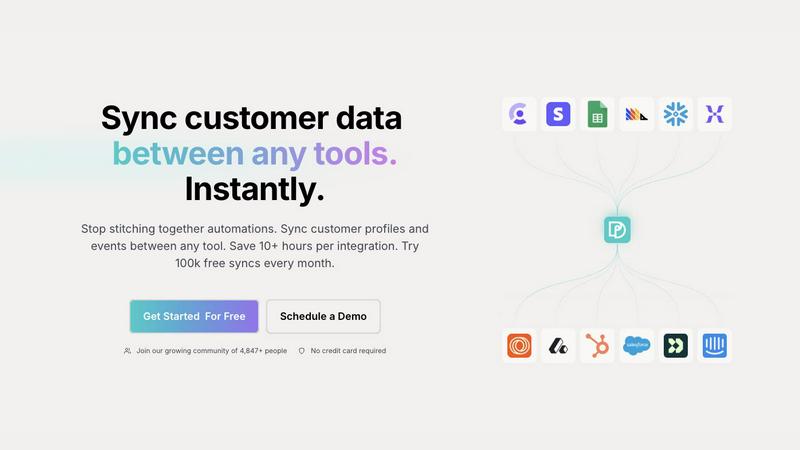
Seamlessly sync and unify customer profiles across tools to ensure consistent data and save hours on integrations.
Last updated: February 28, 2026

StatPecker
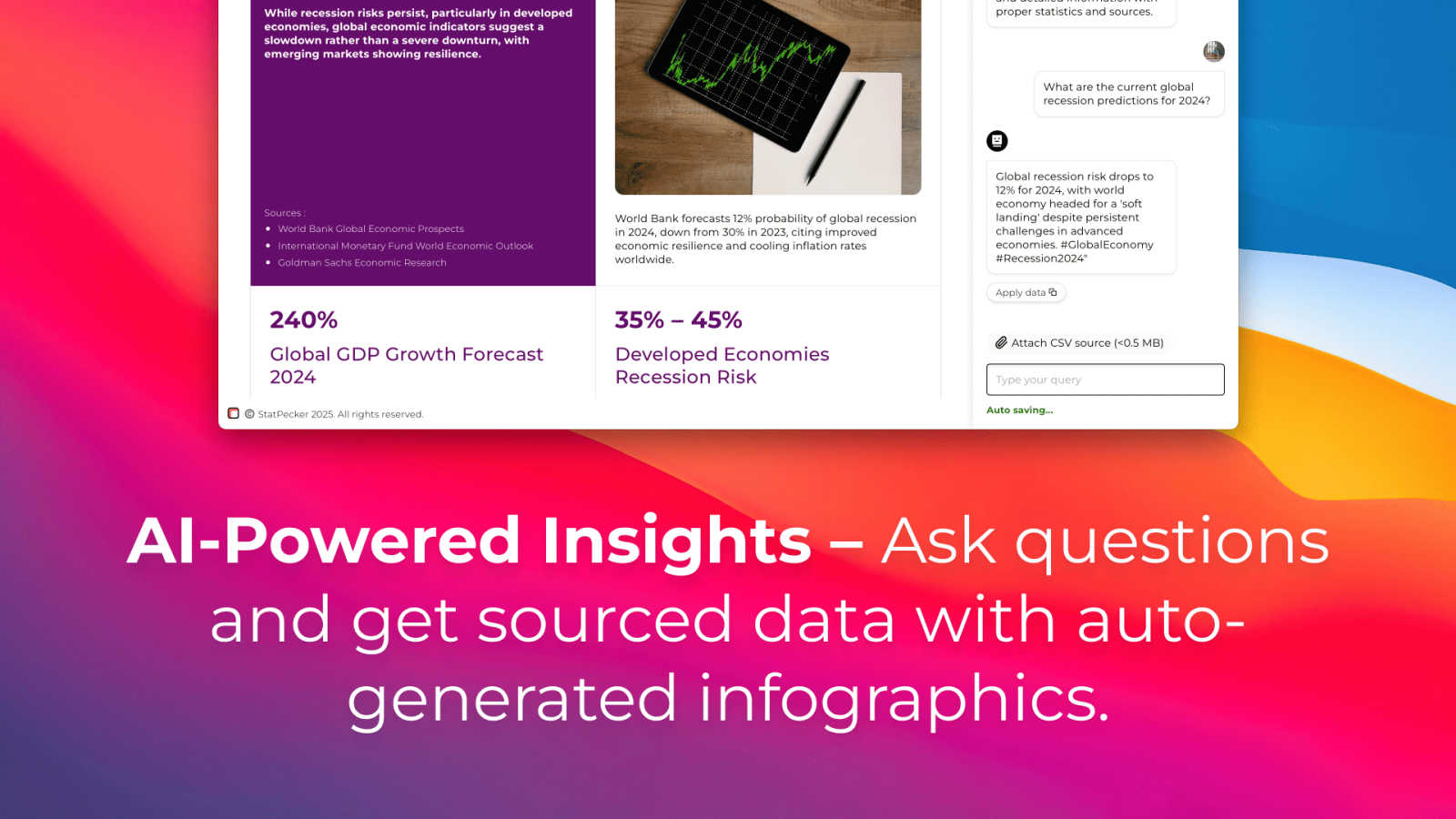
StatPecker turns your company data into quick insights and stunning visuals, empowering better decisions and.
Last updated: March 1, 2026
Visual Comparison
Oneprofile
StatPecker
Feature Comparison
Oneprofile
Unified Customer Profiles
Oneprofile excels at unifying customer profiles across different tools. This feature ensures that every system within a business refers to the same customer identity, eliminating variations and discrepancies that can arise from using multiple platforms. By providing a single, consistent view of each customer, businesses can make informed decisions and enhance their customer engagement strategies.
Real-Time Data Synchronization
With Oneprofile, customer data is synchronized in real-time, meaning any changes made in one system are instantly reflected across all connected platforms. This capability significantly reduces the risk of outdated information and ensures that teams are always working with the most current data available, fostering better collaboration and more effective communication.
Customizable Data Flow Control
Oneprofile offers businesses the ability to define how customer data flows between systems. Users can map fields automatically or manually, control the direction of data synchronization, and determine how updates are propagated. This level of customization allows companies to tailor the integration to their specific operational needs, making data management flexible and adaptable.
Smart Field Mapping
The smart field mapping feature enables users to easily align data fields between different tools. Oneprofile intelligently matches identities and fields, ensuring that the right data is sent to the right place without manual intervention. This automation reduces the time and effort required to maintain accurate data synchronization, allowing teams to focus on their core tasks.
StatPecker
Ask Your Query
With StatPecker’s intuitive interface, users can ask questions and receive instant insights from validated sources. This feature eliminates the need for complex tools and allows users to focus on their data stories rather than the intricacies of data analysis.
Publish & Embed
StatPecker makes it easy to create interactive visuals that can be seamlessly integrated into blogs, articles, and websites. This feature ensures that users can share their insights effectively, enhancing content with visually appealing graphics that captivate audiences.
Upload & Analyze CSVs
This feature allows users to upload local CSV files and extract key insights without the hassle of traditional spreadsheets. Users can analyze their data securely on their devices, making it a private and efficient way to derive meaningful conclusions from their datasets.
Download & Use Anywhere
Users can export their infographics as images, making it simple to include them in reports, presentations, and other formats. This flexibility ensures that StatPecker’s visuals can be utilized across various platforms, enhancing the reach and impact of the information presented.
Use Cases
Oneprofile
Marketing Automation
Oneprofile can revolutionize marketing automation efforts by ensuring that customer profiles are consistently updated across all marketing tools. This means that marketing campaigns can be more accurately targeted, leading to higher engagement rates and improved conversion metrics.
Customer Support Enhancement
Customer support teams benefit greatly from Oneprofile’s ability to maintain synchronized customer information. When a support agent accesses a customer's profile, they have the latest data at their fingertips, allowing for more informed and efficient service interactions that boost customer satisfaction.
Sales Team Efficiency
Sales teams can leverage Oneprofile to ensure they are working with up-to-date customer data across their CRM and other sales tools. This real-time access allows for better prospecting and follow-ups, ultimately leading to increased sales and improved client relationships.
Product Development Insights
Product teams can utilize Oneprofile to gather consistent feedback and data from various sources, ensuring that customer insights are accurately reflected in their development processes. This leads to a product that better meets customer needs and drives higher user satisfaction.
StatPecker
Content Creation
Writers and content creators can leverage StatPecker to enrich their articles with visually engaging infographics that help convey complex data clearly. This not only enhances reader engagement but also establishes credibility through data-driven storytelling.
Business Reporting
Analysts and business professionals can use StatPecker to transform raw data into insightful visuals for reports and presentations. This feature facilitates clearer communication of trends and performance metrics, enabling data-driven decision-making processes.
Educational Purposes
Educators can utilize StatPecker to create interactive educational materials that simplify complex topics for students. By visualizing data in an engaging manner, teachers can improve comprehension and retention of key concepts.
Marketing Insights
Marketers can harness StatPecker to visualize market trends and consumer behavior effectively. This enables teams to present compelling data to stakeholders, enhancing strategies with insights that drive marketing campaigns and initiatives.
Overview
About Oneprofile
Oneprofile is a groundbreaking solution designed to streamline the way businesses manage their customer data across multiple tools and platforms. In today’s fast-paced digital landscape, organizations often struggle with fragmented customer information scattered across various systems, leading to inefficiencies and confusion. Oneprofile solves this problem by synchronizing customer profiles and events in real-time across all the tools a company utilizes, including CRMs, analytics, marketing, and support platforms. This means that when customer data changes in one location, it is instantly reflected everywhere else, ensuring everyone within the organization is on the same page. By eliminating the need for manual processes and preventing integration failures, Oneprofile offers a seamless data management experience that saves time and enhances productivity. Designed for businesses of all sizes, it allows teams to focus on what truly matters—delivering exceptional customer experiences without the hassle of data discrepancies.
About StatPecker
StatPecker is an innovative AI-powered tool that transforms the way individuals and teams visualize data. Designed for a diverse audience that includes content creators, analysts, marketers, and educators, StatPecker takes raw datasets and converts them into stunning infographics in seconds. This tool alleviates the burden of manual reporting and eliminates the costs associated with hiring professional designers. Its main value proposition lies in its ability to deliver insightful and interactive visuals that enhance understanding and engagement. Whether you are enriching articles, improving business reports, or creating educational content, StatPecker provides quick, credible answers that can be easily shared and published. With features that streamline data storytelling, it empowers users to make informed decisions and effectively communicate insights, making it an essential tool for anyone who works with data.
Frequently Asked Questions
Oneprofile FAQ
How does Oneprofile ensure data consistency across different tools?
Oneprofile uses real-time synchronization to ensure that any changes made to customer data in one system are automatically updated across all connected tools, maintaining data consistency and accuracy.
Can I customize how data flows between my systems with Oneprofile?
Yes, Oneprofile allows users to define how customer data moves between systems. You can map fields, control the sync direction, and set specific triggers for updates based on your business processes.
Is there a limit to the number of syncs I can perform each month?
Oneprofile offers a generous plan that includes 100,000 free syncs every month, allowing businesses to efficiently manage their data without incurring additional costs.
What types of tools can Oneprofile connect with?
Oneprofile is designed to integrate with a wide variety of tools, including CRMs, analytics platforms, marketing automation software, and support systems, making it a versatile solution for any business stack.
StatPecker FAQ
How does StatPecker ensure data privacy?
StatPecker processes data locally on your device, which means your information remains private and secure during analysis. This feature is particularly beneficial for users concerned about data confidentiality.
Can I use StatPecker for free?
Yes, StatPecker offers a free tier that allows users to create unlimited projects, embed visuals, and conduct a limited number of AI queries and CSV uploads. This is a great way to explore the tool’s capabilities without any initial investment.
What types of files can I upload?
Users can upload CSV files of up to 50 MB to analyze their data. This allows for a wide range of data inquiries, making it easier to derive insights from various datasets.
Is StatPecker suitable for beginners?
Absolutely! StatPecker is designed with user-friendliness in mind. Its intuitive interface and straightforward features make it accessible for individuals at all skill levels, from beginners to expert analysts.
Alternatives
Oneprofile Alternatives
Oneprofile is a powerful tool designed to sync customer profiles and events across various platforms, ensuring that businesses maintain a unified view of their customers. By eliminating the need for each system to manage its own version of customer data, Oneprofile automates the synchronization process, allowing for seamless integration between CRMs, analytics, support, and marketing tools. This capability is essential in today’s data-driven landscape, where accuracy and immediacy are paramount. Users often seek alternatives to Oneprofile for a myriad of reasons, including pricing considerations, specific feature requirements, or differing platform needs. The search for a suitable alternative can also stem from the desire for more flexibility, user-friendliness, or integration options. When exploring alternatives, it’s vital to consider factors such as ease of use, the extent of integration with existing tools, pricing models, and the level of customer support provided. A thorough evaluation of these elements can lead to a better fit for your unique business requirements.
StatPecker Alternatives
StatPecker is an innovative AI-powered tool designed to transform company data into quick insights and visually stunning infographics. It falls under the category of analytics and data visualization, catering to a diverse audience that includes content creators, analysts, marketers, and educators. Users often seek alternatives to StatPecker for various reasons, such as pricing concerns, specific feature requirements, or compatibility with different platforms. When exploring alternatives, it’s essential to consider factors like ease of use, the quality of visuals produced, integration capabilities, and the overall cost-effectiveness of the solution. When choosing an alternative, prioritize tools that not only meet your immediate data visualization needs but also offer scalability for future growth. Look for user-friendly interfaces that allow for seamless interaction and efficient data analysis, as well as robust sharing and embedding options to enhance your content's reach. Ultimately, the right alternative should empower you to communicate your data-driven insights effectively without getting bogged down in the complexities of manual reporting or design.