

StatPecker
StatPecker turns your company data into quick insights and stunning visuals, empowering better decisions and.
About StatPecker
StatPecker is an innovative AI-powered tool that transforms the way individuals and teams visualize data. Designed for a diverse audience that includes content creators, analysts, marketers, and educators, StatPecker takes raw datasets and converts them into stunning infographics in seconds. This tool alleviates the burden of manual reporting and eliminates the costs associated with hiring professional designers. Its main value proposition lies in its ability to deliver insightful and interactive visuals that enhance understanding and engagement. Whether you are enriching articles, improving business reports, or creating educational content, StatPecker provides quick, credible answers that can be easily shared and published. With features that streamline data storytelling, it empowers users to make informed decisions and effectively communicate insights, making it an essential tool for anyone who works with data.
Features of StatPecker
Ask Your Query
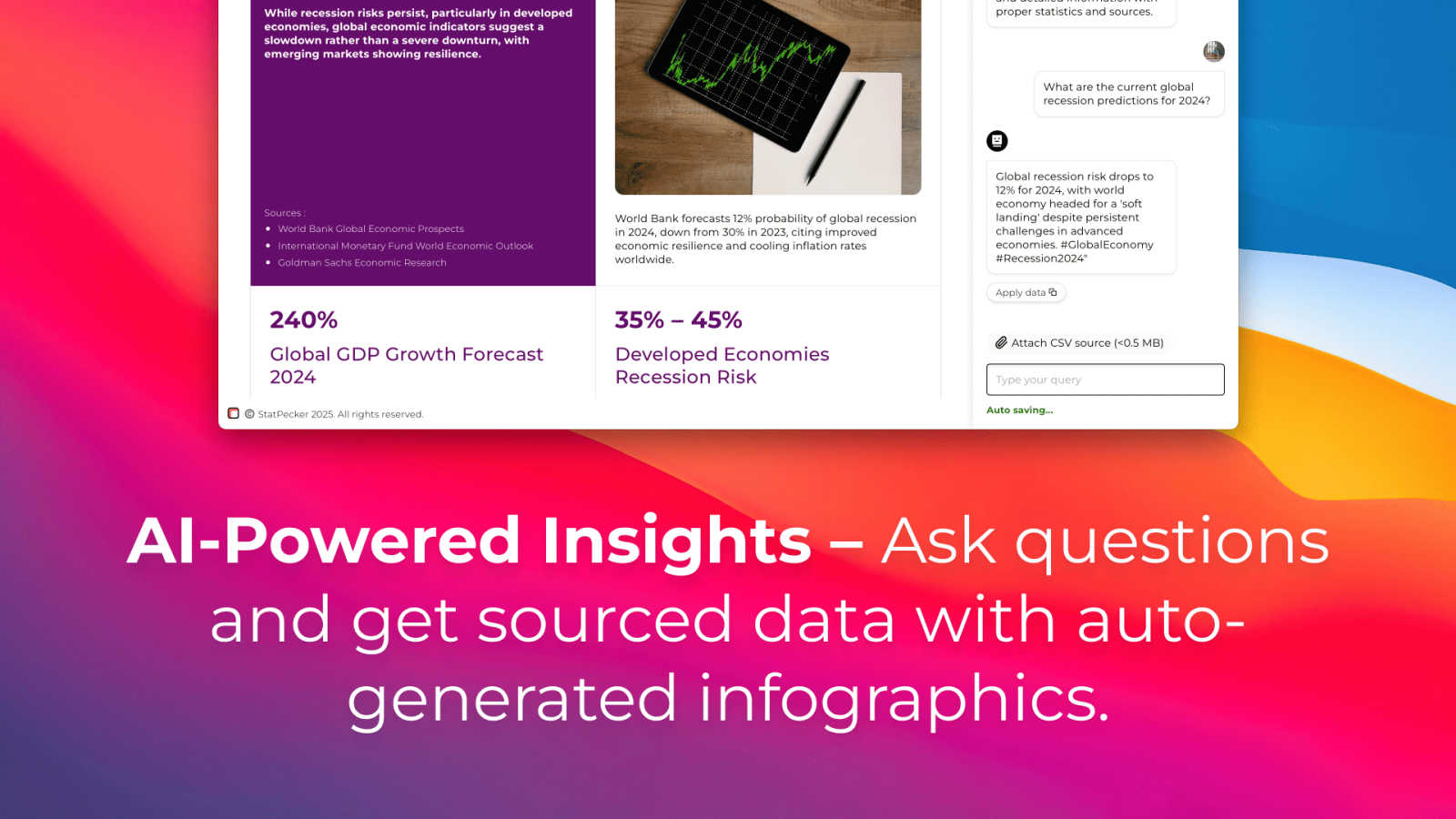
With StatPecker’s intuitive interface, users can ask questions and receive instant insights from validated sources. This feature eliminates the need for complex tools and allows users to focus on their data stories rather than the intricacies of data analysis.
Publish & Embed
StatPecker makes it easy to create interactive visuals that can be seamlessly integrated into blogs, articles, and websites. This feature ensures that users can share their insights effectively, enhancing content with visually appealing graphics that captivate audiences.
Upload & Analyze CSVs
This feature allows users to upload local CSV files and extract key insights without the hassle of traditional spreadsheets. Users can analyze their data securely on their devices, making it a private and efficient way to derive meaningful conclusions from their datasets.
Download & Use Anywhere
Users can export their infographics as images, making it simple to include them in reports, presentations, and other formats. This flexibility ensures that StatPecker’s visuals can be utilized across various platforms, enhancing the reach and impact of the information presented.
Use Cases of StatPecker
Content Creation
Writers and content creators can leverage StatPecker to enrich their articles with visually engaging infographics that help convey complex data clearly. This not only enhances reader engagement but also establishes credibility through data-driven storytelling.
Business Reporting
Analysts and business professionals can use StatPecker to transform raw data into insightful visuals for reports and presentations. This feature facilitates clearer communication of trends and performance metrics, enabling data-driven decision-making processes.
Educational Purposes
Educators can utilize StatPecker to create interactive educational materials that simplify complex topics for students. By visualizing data in an engaging manner, teachers can improve comprehension and retention of key concepts.
Marketing Insights
Marketers can harness StatPecker to visualize market trends and consumer behavior effectively. This enables teams to present compelling data to stakeholders, enhancing strategies with insights that drive marketing campaigns and initiatives.
Frequently Asked Questions
How does StatPecker ensure data privacy?
StatPecker processes data locally on your device, which means your information remains private and secure during analysis. This feature is particularly beneficial for users concerned about data confidentiality.
Can I use StatPecker for free?
Yes, StatPecker offers a free tier that allows users to create unlimited projects, embed visuals, and conduct a limited number of AI queries and CSV uploads. This is a great way to explore the tool’s capabilities without any initial investment.
What types of files can I upload?
Users can upload CSV files of up to 50 MB to analyze their data. This allows for a wide range of data inquiries, making it easier to derive insights from various datasets.
Is StatPecker suitable for beginners?
Absolutely! StatPecker is designed with user-friendliness in mind. Its intuitive interface and straightforward features make it accessible for individuals at all skill levels, from beginners to expert analysts.
Explore more in this category:
Similar to StatPecker

hotel-lobby
Two-person AI video concept in a warm orange recording booth, built around natural call-and-response performances.


Seedance 2.5 Free
Create polished AI videos from text or images online with Seedance 2.5 Free.

AutoGeo
A GEO SEO platform for creating, reviewing, publishing, and distributing multilingual content optimized for AI search visibility.


ContextBolt SEO
Research keywords, competitors, backlinks and AI visibility inside Claude or Codex, with findings saved to your SEO dashboard.