
Oneprofile vs Playwriter
Side-by-side comparison to help you choose the right AI tool.

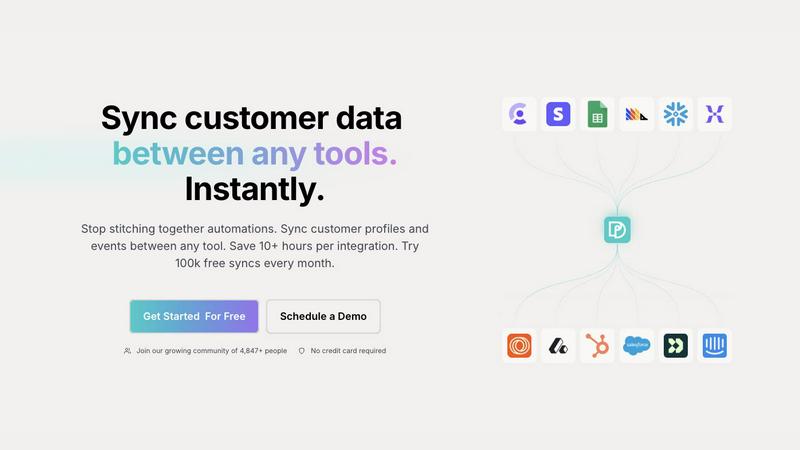
Seamlessly sync and unify customer profiles across tools to ensure consistent data and save hours on integrations.
Last updated: February 28, 2026

Playwriter
Playwriter empowers agents to control your existing Chrome browser seamlessly with full access to extensions, logins, and Playwright capabilities.
Last updated: March 18, 2026
Visual Comparison
Oneprofile
Playwriter

Feature Comparison
Oneprofile
Unified Customer Profiles
Oneprofile excels at unifying customer profiles across different tools. This feature ensures that every system within a business refers to the same customer identity, eliminating variations and discrepancies that can arise from using multiple platforms. By providing a single, consistent view of each customer, businesses can make informed decisions and enhance their customer engagement strategies.
Real-Time Data Synchronization
With Oneprofile, customer data is synchronized in real-time, meaning any changes made in one system are instantly reflected across all connected platforms. This capability significantly reduces the risk of outdated information and ensures that teams are always working with the most current data available, fostering better collaboration and more effective communication.
Customizable Data Flow Control
Oneprofile offers businesses the ability to define how customer data flows between systems. Users can map fields automatically or manually, control the direction of data synchronization, and determine how updates are propagated. This level of customization allows companies to tailor the integration to their specific operational needs, making data management flexible and adaptable.
Smart Field Mapping
The smart field mapping feature enables users to easily align data fields between different tools. Oneprofile intelligently matches identities and fields, ensuring that the right data is sent to the right place without manual intervention. This automation reduces the time and effort required to maintain accurate data synchronization, allowing teams to focus on their core tasks.
Playwriter
Existing Browser Session
Playwriter uniquely connects your agents to your actual browser session, including all logins, extensions, and cookies. This eliminates the need for fresh browser instances that come with bot detection and performance limitations, allowing agents to work as if they are you.
Full Playwright API Access
With Playwriter, agents gain access to the complete Playwright API through a single execute tool. This means they can perform any Playwright action without the constraints of predefined tools, offering a flexible and powerful automation experience.
Real-Time Collaboration
Playwriter fosters collaboration by allowing you to see exactly what your agent is doing in real-time. If the agent encounters obstacles like captchas or consent walls, you can step in, solve the issues, and then let the agent resume, ensuring a smooth workflow.
Comprehensive Debugger and Editor
The built-in debugger features breakpoints and live code editing capabilities, enabling you to troubleshoot and refine agent behavior on the fly. Network interception allows for detailed monitoring and manipulation of requests, giving you greater control over the automation process.
Use Cases
Oneprofile
Marketing Automation
Oneprofile can revolutionize marketing automation efforts by ensuring that customer profiles are consistently updated across all marketing tools. This means that marketing campaigns can be more accurately targeted, leading to higher engagement rates and improved conversion metrics.
Customer Support Enhancement
Customer support teams benefit greatly from Oneprofile’s ability to maintain synchronized customer information. When a support agent accesses a customer's profile, they have the latest data at their fingertips, allowing for more informed and efficient service interactions that boost customer satisfaction.
Sales Team Efficiency
Sales teams can leverage Oneprofile to ensure they are working with up-to-date customer data across their CRM and other sales tools. This real-time access allows for better prospecting and follow-ups, ultimately leading to increased sales and improved client relationships.
Product Development Insights
Product teams can utilize Oneprofile to gather consistent feedback and data from various sources, ensuring that customer insights are accurately reflected in their development processes. This leads to a product that better meets customer needs and drives higher user satisfaction.
Playwriter
Automated Testing
Playwriter is perfect for developers looking to automate testing processes. By allowing agents to operate within the existing browser session, you can significantly reduce setup time and ensure tests reflect real user interactions.
Data Scraping
For data analysts and researchers, Playwriter makes web scraping more efficient. Agents can navigate websites with existing logins and cookies, bypassing common barriers and collecting data seamlessly while avoiding detection.
Workflow Automation
Businesses aiming to streamline operations can utilize Playwriter to automate repetitive tasks. From filling out forms to data entry, agents can handle mundane tasks while humans focus on higher-value activities.
Educational Tools
Educators and learners can benefit from Playwriter by using it to create interactive learning tools. By enabling real-time collaboration, it allows students to explore web technologies while receiving guidance from instructors or peers.
Overview
About Oneprofile
Oneprofile is a groundbreaking solution designed to streamline the way businesses manage their customer data across multiple tools and platforms. In today’s fast-paced digital landscape, organizations often struggle with fragmented customer information scattered across various systems, leading to inefficiencies and confusion. Oneprofile solves this problem by synchronizing customer profiles and events in real-time across all the tools a company utilizes, including CRMs, analytics, marketing, and support platforms. This means that when customer data changes in one location, it is instantly reflected everywhere else, ensuring everyone within the organization is on the same page. By eliminating the need for manual processes and preventing integration failures, Oneprofile offers a seamless data management experience that saves time and enhances productivity. Designed for businesses of all sizes, it allows teams to focus on what truly matters—delivering exceptional customer experiences without the hassle of data discrepancies.
About Playwriter
Playwriter is an innovative tool designed to bridge the gap between AI agents and real-world web interactions. Unlike traditional AI agents that operate in isolated environments, often with limited functionality and high risk of bot detection, Playwriter empowers agents to leverage your actual browser session. This means your agents can work seamlessly within your logged-in environment, complete with extensions and cookies, making them far more effective for automation tasks. Ideal for developers, testers, and anyone looking to streamline web interactions, Playwriter provides a robust automation API through a single Chrome extension and CLI. With features like live debugging, network interception, and accessibility snapshots, it redefines how agents can interact with web applications, transforming repetitive tasks into efficient workflows. Whether you are automating tests, scraping data, or simply enhancing productivity, Playwriter is the tool that enhances agent capabilities while ensuring a smooth collaborative experience.
Frequently Asked Questions
Oneprofile FAQ
How does Oneprofile ensure data consistency across different tools?
Oneprofile uses real-time synchronization to ensure that any changes made to customer data in one system are automatically updated across all connected tools, maintaining data consistency and accuracy.
Can I customize how data flows between my systems with Oneprofile?
Yes, Oneprofile allows users to define how customer data moves between systems. You can map fields, control the sync direction, and set specific triggers for updates based on your business processes.
Is there a limit to the number of syncs I can perform each month?
Oneprofile offers a generous plan that includes 100,000 free syncs every month, allowing businesses to efficiently manage their data without incurring additional costs.
What types of tools can Oneprofile connect with?
Oneprofile is designed to integrate with a wide variety of tools, including CRMs, analytics platforms, marketing automation software, and support systems, making it a versatile solution for any business stack.
Playwriter FAQ
How does Playwriter ensure security?
Playwriter operates entirely on your local machine, meaning no data is sent to remote servers. This design prioritizes your privacy and security, allowing agents to interact with your browser without exposing sensitive information.
Is Playwriter compatible with other tools?
Yes, Playwriter works seamlessly with various MCP clients, including Cursor, Claude, and VS Code. This flexibility allows you to integrate it into your existing workflow without hassle.
Can multiple agents use Playwriter simultaneously?
Absolutely! The relay multiplexes sessions, meaning multiple agents or CLI instances can work with the same browser session concurrently. This makes it an excellent choice for collaborative environments.
What are the system requirements for Playwriter?
Playwriter requires a Chrome browser and a local setup for the extension and CLI. As it utilizes your existing browser session, the only requirement is that you have Chrome installed and configured with your necessary logins and extensions.
Alternatives
Oneprofile Alternatives
Oneprofile is a powerful tool designed to sync customer profiles and events across various platforms, ensuring that businesses maintain a unified view of their customers. By eliminating the need for each system to manage its own version of customer data, Oneprofile automates the synchronization process, allowing for seamless integration between CRMs, analytics, support, and marketing tools. This capability is essential in today’s data-driven landscape, where accuracy and immediacy are paramount. Users often seek alternatives to Oneprofile for a myriad of reasons, including pricing considerations, specific feature requirements, or differing platform needs. The search for a suitable alternative can also stem from the desire for more flexibility, user-friendliness, or integration options. When exploring alternatives, it’s vital to consider factors such as ease of use, the extent of integration with existing tools, pricing models, and the level of customer support provided. A thorough evaluation of these elements can lead to a better fit for your unique business requirements.
Playwriter Alternatives
Playwriter is an innovative tool that falls within the automation category, designed to give AI agents the ability to control Chrome via a command-line interface (CLI) or a more user-friendly MCP. Unlike traditional AI models that struggle with web browsing due to restrictions on access and functionality, Playwriter provides a seamless experience by allowing agents to operate within your actual browser session. Users often seek alternatives to Playwriter for various reasons, such as pricing considerations, the need for specific features, or compatibility with different platforms. When exploring alternatives, it's essential to focus on key factors that align with your automation needs. Look for tools that offer robust features, ease of integration with current workflows, and an accessible user interface. Additionally, consider the level of community support and documentation available, as these aspects can significantly impact your overall experience and efficiency in automation tasks.