
Never Drop vs securememo.app
Side-by-side comparison to help you choose the right AI tool.

Never Drop
NeverDrop transforms every handshake into a deal by capturing contacts and drafting personalized follow-ups instantly.
Last updated: February 28, 2026
securememo.app
Discover a private, open-source memo service that encrypts everything on your device.
Visual Comparison
Never Drop

securememo.app
Feature Comparison
Never Drop
AI-Powered Business Card Scanning
Never Drop allows users to scan any business card in seconds. The app utilizes advanced AI-powered optical character recognition (OCR) technology to extract all pertinent details, including name, company, title, phone number, and email, instantly. This feature eliminates the need for manual data entry and helps prevent the loss of business cards.
Automatic Email Enrichment
With Never Drop, business cards often contain generic emails or none at all. The app automatically enriches contact profiles by finding verified work emails based on the name and company details provided. This feature saves time and reduces the effort associated with manual searches on platforms like LinkedIn.
Personalized AI Drafting of Follow-Ups
Once you have scanned a business card and added context about your conversation, Never Drop generates a personalized follow-up email based on your notes and conversation context. This feature ensures that follow-ups are not generic templates but tailored messages that resonate with the lead, ready to be reviewed and sent in under two minutes.
Team Collaboration and Dashboard
Never Drop provides a comprehensive dashboard where sales teams can organize scans by event, reassign leads between team members, and track overall activity. This collaborative workspace ensures that everyone remains aligned, and no lead falls through the cracks, enhancing teamwork and efficiency.
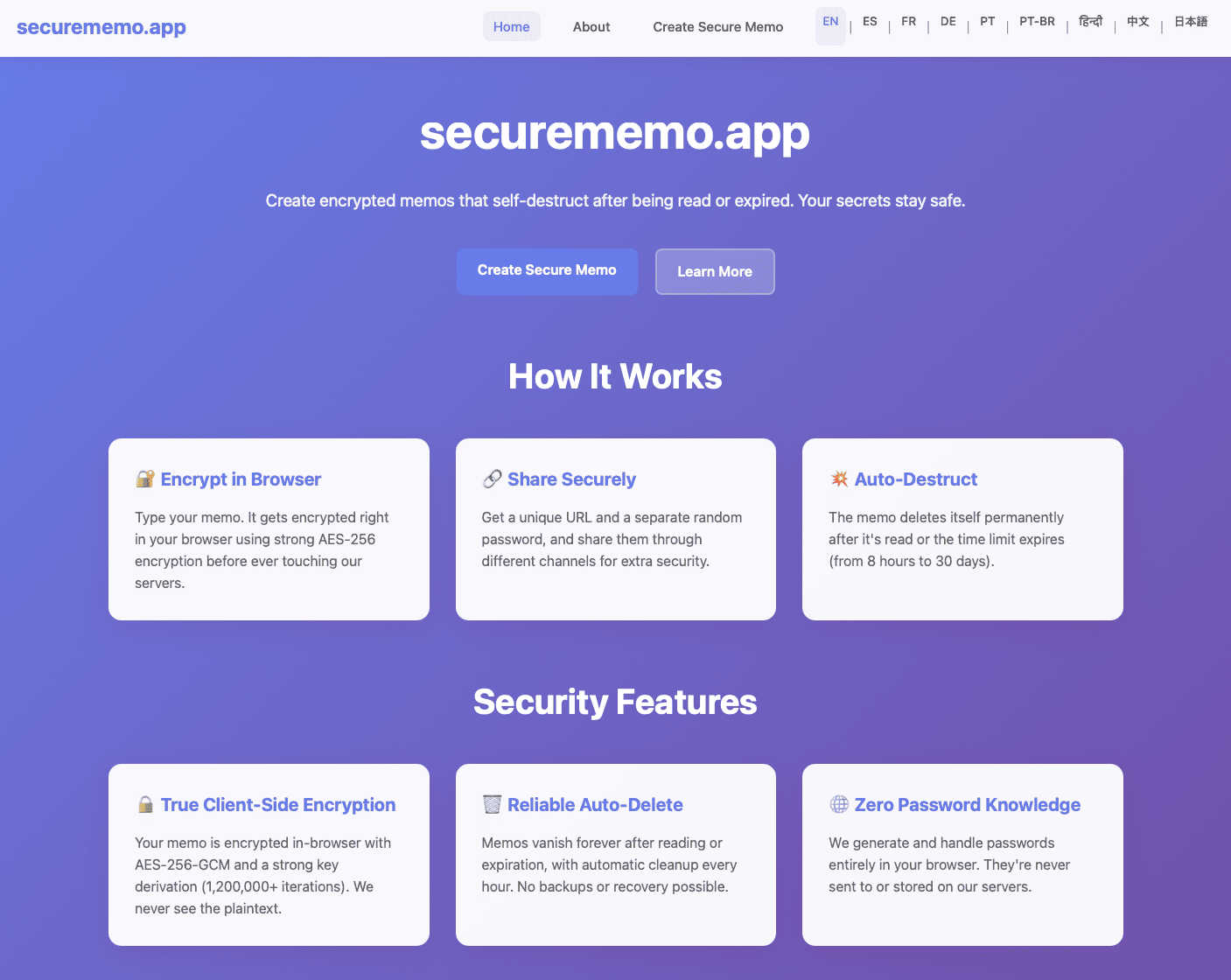
securememo.app
Client-Side Encryption
This is the foundational pillar of securememo.app's security. When you create a memo, the encryption process happens entirely within your own web browser using robust algorithms. Your sensitive text is transformed into unreadable ciphertext on your computer or phone before it ever travels over the internet to securememo.app's servers. This means the service never handles your unencrypted, plain-text data. Even if someone were to intercept the data in transit or access the servers, they would only ever see encrypted gibberish, making your information completely inaccessible to outside parties, including the service providers themselves.
Self-Destructing Notes
Each memo you create is designed to be ephemeral. Once you generate a shareable link, the note is programmed to automatically and permanently delete itself after it has been read by the recipient. This creates a one-time-view experience, ensuring the information does not persist indefinitely on any server. It's like a digital message that burns after reading, significantly reducing the risk of your sensitive data being exposed in a future data breach or being accidentally left accessible in a forgotten inbox.
Password-Protected Sharing with Zero Knowledge
Sharing is a two-key process that maximizes security. When you create a memo, the app generates a strong, random password entirely on your device. To access the note, a recipient needs both the unique link and this exact password. Crucially, the password is never sent to or stored by securememo.app's servers. You must share it through a separate, secure channel (like a Signal message or in person). This "zero-knowledge" design means the platform has no ability to decrypt your memos, as it never possesses the key, placing complete control and responsibility for the password squarely in your hands.
No-Account Anonymity & Ease of Use
Prioritizing privacy and simplicity, securememo.app requires no sign-up, no email address, and no personal information to use. You can immediately start creating and sharing encrypted notes from any modern browser. This barrier-free approach not only makes the service incredibly quick and easy to use but also enhances your anonymity. There is no digital trail linking you to the memos you create, allowing for truly discreet communication without the friction of account creation or management.
Use Cases
Never Drop
Trade Shows and Conferences
Sales teams attending trade shows and conferences can leverage Never Drop to capture leads efficiently. The ability to scan business cards on the spot and send personalized follow-ups within minutes helps in maintaining the momentum of warm leads.
Networking Events
At networking events, professionals often meet numerous potential clients and partners. Never Drop enables users to quickly scan and manage contacts, ensuring that essential details and follow-up actions are captured right after the initial meeting, improving conversion rates.
Business Dinners and Meetings
During business dinners or meetings, capturing leads can be challenging. With Never Drop, users can easily scan business cards and add voice notes about their discussions, ensuring that important insights are not lost, paving the way for effective follow-ups.
Team Management and Coordination
Sales managers can utilize Never Drop to oversee their team's lead management activities. The app's dashboard allows for tracking performance, organizing leads by event, and facilitating reassignment of leads, thus promoting a cohesive team strategy for closing deals.
securememo.app
Sharing Sensitive Login Credentials
Instead of sending a password over email or an insecure chat, you can use securememo.app to share it safely. Place the username and password in an encrypted memo, generate the link, and share the link and the auto-generated password via different channels (e.g., link in Slack, password via text message). The recipient gets one-time access, and the credentials are then wiped from the server, preventing them from being discovered later in a compromised email account.
Submitting Anonymous Tips or Feedback
For individuals who need to report sensitive information to journalists, organizations, or HR departments anonymously, this tool is ideal. A whistleblower or source can compose their message, share the secure link, and communicate the password through an anonymous method. The recipient can read the information once, and the memo self-destructs, leaving no evidence on the server that could be subpoenaed or leaked, protecting the source's identity.
Sending Private Drafts or Confidential Documents
Writers, lawyers, or business professionals can share early drafts, contract clauses, or strategic plans with colleagues or clients without fear of the document being stored on a third-party server in an unencrypted form. The self-destruct feature ensures the draft is only available for a single viewing session, encouraging focused review and preventing uncontrolled distribution of sensitive work-in-progress materials.
Secure One-Time Communication for Events
Organizers of private events, surprise parties, or sensitive meetings can distribute key details like addresses, entry codes, or itineraries to a select group. By using securememo.app, they ensure that the information is encrypted and can only be accessed by those who have both the link and the separately shared password, and that it disappears after being read, keeping the details confidential until the last moment.
Overview
About Never Drop
Never Drop is an innovative lead-capture app specifically tailored for sales teams navigating the fast-paced environments of trade shows, conferences, and networking events. This powerful tool transforms the often chaotic process of collecting and managing leads into a seamless experience. With Never Drop, users can quickly scan business cards using their smartphones, eliminating the tedious task of manual data entry. Once a card is scanned, users can enrich the captured information with voice notes or text that capture the essence of their conversations. This not only enhances the quality of lead data but also ensures that sales professionals remember vital details. The app leverages advanced AI technology to draft personalized follow-up emails within two minutes, ensuring timely communication and preventing leads from slipping through the cracks. By integrating smoothly with popular CRM systems like HubSpot, Never Drop keeps your sales pipeline clean, organized, and primed for action. Say goodbye to lost leads and embrace a streamlined follow-up process that transforms potential connections into closed deals.
About securememo.app
Imagine a digital space where your most sensitive thoughts, passwords, or confidential details can exist for just a moment, shared with absolute certainty that no one else—not even the platform itself—can ever peek inside. This is the core promise of securememo.app, a fascinating tool that redefines ephemeral and private communication. At its heart, it's a privacy-first memo service that allows you to create and share encrypted notes that self-destruct after being read, all directly from your web browser without any software installation. The magic lies in its architecture: everything you type is encrypted on your own device before a single byte of data is sent to a server. This client-side encryption model ensures that your data is technically impossible for anyone else to decipher, creating a true "zero-knowledge" environment. It's designed for anyone who values discretion—journalists sharing leads, professionals exchanging login credentials, whistleblowers submitting tips, or even individuals planning a surprise party. By eliminating the need for user accounts, securememo.app not only simplifies the process to a few clicks but also fiercely protects your anonymity. Available in over 20 languages, it invites a global audience to explore a more secure way of passing information, turning a simple memo into a digital secret that vanishes without a trace.
Frequently Asked Questions
Never Drop FAQ
What is Never Drop?
Never Drop is a lead-capture app designed for sales teams at events. It allows users to scan business cards, add voice or text context about conversations, and generates a personalized follow-up email in under two minutes. The app also enriches contacts with verified work emails and syncs everything to your CRM.
How does business card scanning work?
Users can take a photo of any business card using the Never Drop mobile app. The app employs AI-powered OCR technology to swiftly extract the contact's name, company, title, phone number, and email. For those who prefer, there is also an option to enter contact details manually.
What types of events is Never Drop suitable for?
Never Drop is ideal for trade shows, conferences, networking events, meetups, and business dinners. It is specifically designed for situations where professionals need to meet new contacts and follow up quickly, allowing users to organize scans by event for better lead tracking.
Do I need the mobile app?
Yes, the mobile app is essential for scanning business cards, recording voice context, and triggering follow-ups while on the go. Additionally, the web dashboard allows users to manage their team, review scans, configure settings, and handle billing, providing a seamless experience between the two platforms.
securememo.app FAQ
How does securememo.app ensure my data is private?
Privacy is ensured through client-side encryption and a zero-knowledge architecture. Your memo is encrypted on your device before it leaves your browser. The decryption key (password) is generated locally and never sent to our servers. We only store the encrypted data, which is mathematically impossible for us to read without the password, which we never have. Your data's privacy is cryptographically guaranteed.
What happens if someone guesses the password to my memo?
The password generated by securememo.app is a long, random string of characters designed to be extremely resistant to guessing (brute-force) attacks. It is practically impossible to guess. The security of the memo ultimately depends on you sharing this password through a secure channel. If you share the link and password together in an insecure way, the memo's security is compromised.
Can I access a memo after it has been read and self-destructed?
No. The core function of a self-destructing note is that it is permanently and immediately deleted from the server after the first successful decryption and viewing. There is no way to recover a memo after it has been read. This is a deliberate security feature to ensure ephemerality.
Do I need to install any software to use securememo.app?
No installation is required. securememo.app is a web application that runs directly in your modern web browser (like Chrome, Firefox, or Safari). You can access it from any device with an internet connection and a browser, making it highly accessible and convenient for spontaneous, secure sharing without any software commitments.