
MeetingMind vs Prompt Builder
Side-by-side comparison to help you choose the right AI tool.

MeetingMind
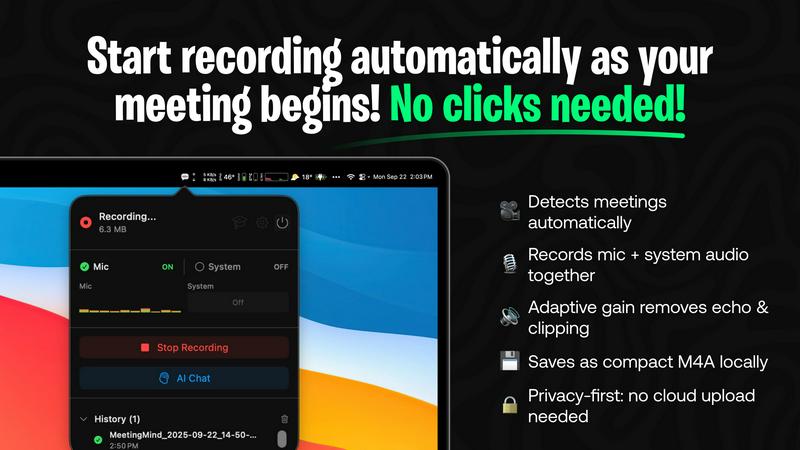
Capture every detail of your Zoom meetings effortlessly with MeetingMind's automatic recordings and intelligent.
Last updated: March 1, 2026

Prompt Builder
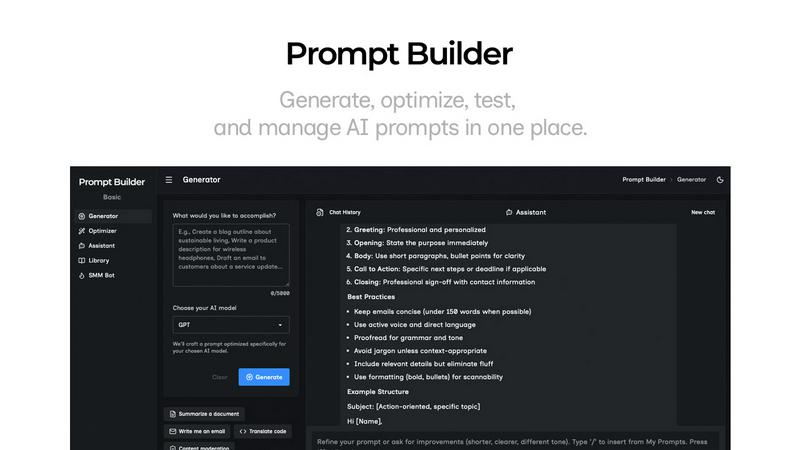
Generate, optimize, test, and manage AI prompts in one place. Turn an idea into a ready-to-use prompt in seconds.
Visual Comparison
MeetingMind
Prompt Builder
Overview
About MeetingMind
MeetingMind is an innovative intelligent meeting assistant that redefines how professionals engage with virtual meetings. Designed specifically for users of Zoom, it automatically detects and records meetings without any manual intervention, allowing participants to focus on the discussion rather than on taking notes. The tool captures both microphone and system audio, ensuring that every detail is documented accurately. With its advanced AI capabilities, MeetingMind transforms recorded content into searchable, interactive notes, providing real-time, speaker-attributed transcripts in an easy-to-read markdown format. This powerful assistant is ideal for busy executives, project managers, and team members who value productivity and collaboration, ensuring that no crucial information is ever overlooked. Furthermore, MeetingMind prioritizes user privacy with local processing architecture, while offering integration options for enhanced processing capabilities, making it a reliable choice in today's fast-paced professional environment.
About Prompt Builder
Prompt Builder is a prompt engineering workspace for writing, testing, and saving prompts. Describe the task in plain English, and it helps you create a prompt that matches the model you choose. Start with a draft, refine it in chat, save or pin versions, then run them when you are ready. It works with GPT, Claude, Gemini, Llama, Mistral, DeepSeek, Grok, Perplexity, and more. You also get an Optimizer, an assistant for quick tests, and a library of reusable prompts and templates from the community. Turn an idea into a ready-to-use prompt in seconds. Refine it in chat, save it to your Library, and run it anytime.