
Imgezy vs MyImageUpscaler
Side-by-side comparison to help you choose the right AI tool.

Imgezy
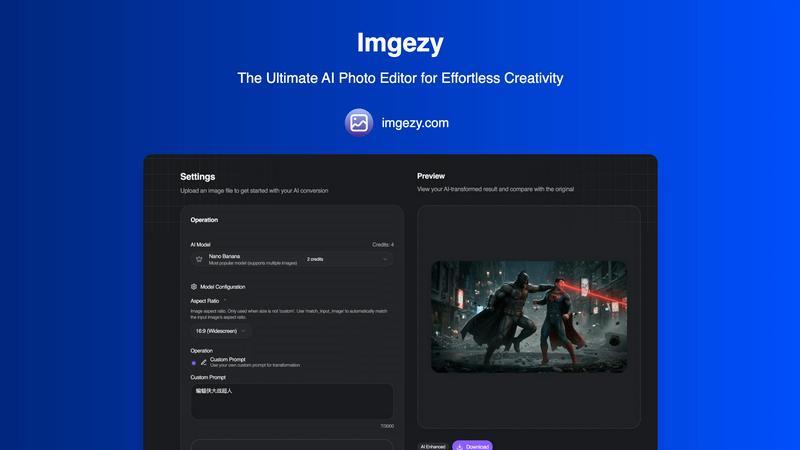
Discover how Imgezy effortlessly transforms your photos with AI-powered object removal and background changes.
Last updated: February 28, 2026

MyImageUpscaler
Enhance and upscale your images instantly with MyImageUpscaler, featuring sharp text preservation and a free tier.
Last updated: February 28, 2026
Visual Comparison
Imgezy
MyImageUpscaler

Feature Comparison
Imgezy
AI-Powered Object Removal
Discover the magic of flawlessly cleaning up your images. Imgezy's advanced AI intelligently identifies and removes unwanted elements—be it photobombers, distracting objects, or imperfections—with pixel-perfect accuracy. The technology doesn't just delete; it reconstructs the background seamlessly, leaving no trace behind. This allows you to rescue otherwise perfect shots and achieve a clean, professional look effortlessly.
Instant Background Replacement
Curious about how your portrait would look on a tropical beach or in a sleek studio? With Imgezy, you can explore endless possibilities by changing photo backgrounds instantly. The AI cleanly separates the subject from the original backdrop, allowing you to swap it for solid colors, preset scenes, or any environment you describe. It's like having a portable, AI-powered photo studio at your fingertips.
Intelligent Photo Enhancement
Uncover the hidden potential in your photos with automated enhancement. This feature goes beyond simple filters, using AI to intelligently adjust colors, lighting, contrast, and sharpness. It analyzes your image to make nuanced improvements that make your photos pop, ensuring they look their best whether viewed on a phone screen or in high-resolution print.
Batch Processing for Efficiency
For those larger projects, Imgezy offers a time-saving batch processing capability. This allows you to upload and apply similar edits to multiple images at once, streamlining your workflow. It's perfect for creators and professionals who need to maintain consistency across a series of photos, such as for product catalogs or event galleries, without editing each one individually.
MyImageUpscaler
Advanced Detail Preservation
This feature guarantees that every image retains its sharpness and intricate details during the upscaling process. Utilizing sophisticated algorithms, MyImageUpscaler ensures that even the finest elements of your images are enhanced rather than lost, resulting in stunning visuals that captivate your audience.
Rapid Processing Speed
Experience the convenience of processing images in under 10 seconds. This feature is designed for efficiency, allowing users to upscale multiple images quickly without sacrificing quality. Whether you have a tight deadline or simply want to streamline your workflow, this speed ensures you stay productive.
Versatile Upscaling Options
Choose between 2x and 4x upscaling options based on your specific needs. This flexibility allows users to select the appropriate scaling factor for their images, giving them control over the final output. Whether you need a minor enhancement or a significant boost in size, MyImageUpscaler has you covered.
Batch Processing Capability
With the ability to process up to 500 images at once, this feature is perfect for users who handle large volumes of images regularly. It saves time and effort, allowing businesses and creators to focus on other important tasks while MyImageUpscaler takes care of the heavy lifting in image enhancement.
Use Cases
Imgezy
Social Media Content Creation
For influencers, marketers, and everyday users, Imgezy is a secret weapon for crafting eye-catching social media posts. Quickly remove distracting elements from a lifestyle shot, replace a bland background with something more engaging, or enhance colors to make your feed stand out. It enables anyone to produce polished, professional-looking content that captivates their audience, all in a matter of seconds.
E-commerce Product Photography
Online sellers can explore a cost-effective way to elevate their product listings. Use Imgezy to remove price tags or studio equipment from product shots, replace backgrounds with clean white or branded settings, and enhance image clarity to make products look more appealing. This helps create a consistent, high-quality storefront that can boost customer trust and sales.
Personal Photo Restoration and Improvement
Delve into your old photo albums and give cherished memories a new lease on life. Imgezy can be used to remove scratches, dust, or unwanted people from historical photos, repair blurry areas, and enhance faded colors. It's a powerful tool for personal archiving, allowing you to preserve and improve family photos without needing expert restoration skills.
Professional Photography Workflow
Professional photographers can integrate Imgezy into their workflow to handle tedious editing tasks quickly. Use it for initial clean-up—like removing sensor dust spots or stray objects from a landscape—or to experiment with different background concepts for client portraits. This frees up valuable time to focus on the creative aspects of photography and client interaction.
MyImageUpscaler
E-Commerce Product Listings
E-commerce sellers can significantly enhance their product images, making them more appealing to potential buyers. High-quality visuals are essential for online sales, and MyImageUpscaler helps sellers create striking images that stand out in a crowded marketplace.
Social Media Content Creation
For content creators, resizing images for platforms like Instagram, YouTube, and TikTok is essential. MyImageUpscaler ensures that images maintain their quality and engagement factor, allowing creators to present their work in the best possible light without compromising on detail.
Real Estate MLS Listings
Real estate agents can utilize MyImageUpscaler to prepare high-quality images for MLS listings. By enhancing property photos, agents can attract more interest and create a compelling first impression that drives potential buyers to explore further.
Photography Workflow Optimization
Photographers often deal with large batches of images from shoots. MyImageUpscaler simplifies their workflow by allowing for quick processing of multiple images, ensuring that photographers can focus on their creative vision while the platform enhances their work efficiently.
Overview
About Imgezy
Have you ever wondered what it would be like to edit photos simply by describing your vision? Welcome to Imgezy, the revolutionary AI photo editing tool that transforms that curiosity into reality. This platform is designed for everyone, from casual smartphone photographers to seasoned professionals, who seek professional-quality results without the steep learning curve of traditional software. At its core, Imgezy is an intelligent creative partner that interprets plain language commands. Imagine uploading a photo and typing "remove the tourist in the red shirt" or "swap this dull sky for a vibrant sunset"—within seconds, powerful AI executes your vision. It democratizes advanced editing techniques like object removal, background replacement, and photo enhancement, making stunning visuals accessible for social media, e-commerce listings, or personal projects. By blending cutting-edge artificial intelligence with an exceptionally intuitive interface, Imgezy empowers users to explore their creativity freely, turning complex edits into a simple, conversational experience.
About MyImageUpscaler
MyImageUpscaler is an innovative AI-powered platform designed specifically for image enhancement and upscaling. Tailored for businesses, content creators, and professionals alike, this tool revolutionizes the way images are processed. With the ability to upscale images by 2x to 4x while preserving sharpness and enhancing fine details, MyImageUpscaler ensures that your visuals remain crisp and vibrant, no matter the application. Whether you are an e-commerce seller looking to showcase products in stunning detail, a content creator resizing images for social media, or a photographer needing to process large batches of photos, this platform offers a powerful solution. The integration of batch processing allows up to 500 images at once, making it efficient and time-saving. With a free tier that provides 10 credits without the need for a credit card, MyImageUpscaler presents a low-risk opportunity to elevate your image quality. Choose the smarter way to enhance your visuals and make a lasting impression in the digital landscape.
Frequently Asked Questions
Imgezy FAQ
How does Imgezy's AI understand what I want to edit?
Imgezy utilizes sophisticated AI models trained on vast datasets of images and text descriptions. When you type a command like "remove the person on the left," the AI analyzes your image to identify all elements, interprets your natural language instruction, and precisely locates and manipulates the specified area. It's a continuous exploration of computer vision and language processing working in harmony.
What image formats does Imgezy support?
You can begin your editing exploration with all common image formats. Imgezy supports JPG, PNG, and WebP files, ensuring compatibility with most photos from digital cameras, smartphones, and other devices. Simply drag and drop your file to start the creative process.
Is there a limit to how many images I can edit?
Yes, editing is based on a credit system. Each edit consumes a certain number of credits, which vary based on the AI model and complexity. For example, the Basic plan offers 200 credits per month, which is approximately 100 images. You can explore different subscription tiers to find a plan that matches your editing volume and curiosity.
Can I use images edited with Imgezy for commercial purposes?
This depends on your subscription plan. The Pro plan includes a commercial license, granting you the rights to use your AI-edited images in commercial projects, client work, and for-profit ventures. It's essential to check the specifics of your chosen plan to understand the usage rights for your creations.
MyImageUpscaler FAQ
What is MyImageUpscaler?
MyImageUpscaler is an AI-powered platform that enhances and upscales images, preserving fine details and sharpness. It is designed for businesses, content creators, and professionals who require high-quality visuals for various applications.
How does the processing speed of MyImageUpscaler work?
The platform processes images in under 10 seconds, making it a fast and efficient solution for users who need to upscale multiple images quickly. This rapid processing does not compromise the quality of the final output.
Are there any limitations on the free tier?
Yes, the free tier includes 10 credits for image processing with no credit card required. Users can explore the platform without financial commitment, allowing them to experience its features before considering a paid plan.
Is MyImageUpscaler suitable for batch processing?
Absolutely. MyImageUpscaler can handle batch processing of up to 500 images at once, making it ideal for users who manage large volumes of images regularly. This feature streamlines the workflow, saving time and effort.
Alternatives
Imgezy Alternatives
Imgezy is an intuitive AI photo editor that transforms images through simple text commands, placing it squarely in the innovative category of AI-powered image editing tools. It's designed to make complex edits like object removal and background changes accessible to everyone. Users often explore alternatives for various reasons. Some might be seeking different pricing models, whether a more robust free tier or a different subscription structure. Others may need specific features, like integration with other creative software, or have platform requirements, such as a dedicated mobile app or desktop version that better fits their workflow. When considering other options, it's wise to look at the core AI capabilities for editing accuracy, the quality of the final output, and the overall user experience. The goal is to find a tool that not only matches your technical needs but also feels intuitive, allowing your creativity to flow without friction.
MyImageUpscaler Alternatives
MyImageUpscaler is an AI-powered image enhancement platform designed to upscale photos with remarkable speed and precision. It falls within the productivity and management category, catering to businesses and content creators who seek to improve image quality effortlessly. Users often explore alternatives due to various factors such as pricing structures, specific features that may better suit their needs, or compatibility with different platforms. When searching for an alternative, it’s essential to consider the range of features offered, processing speed, image quality, and whether the service supports batch processing. Additionally, evaluating user experience and pricing options can help ensure that the chosen tool aligns with your unique requirements.