
AECharts vs Gomotion
Side-by-side comparison to help you choose the right AI tool.

AECharts
Discover how AECharts instantly transforms your data into animated videos for compelling presentations and reports.
Last updated: April 13, 2026

Gomotion
Transform your ideas into stunning motion graphics effortlessly with Gomotion's AI-powered design tool.
Last updated: February 28, 2026
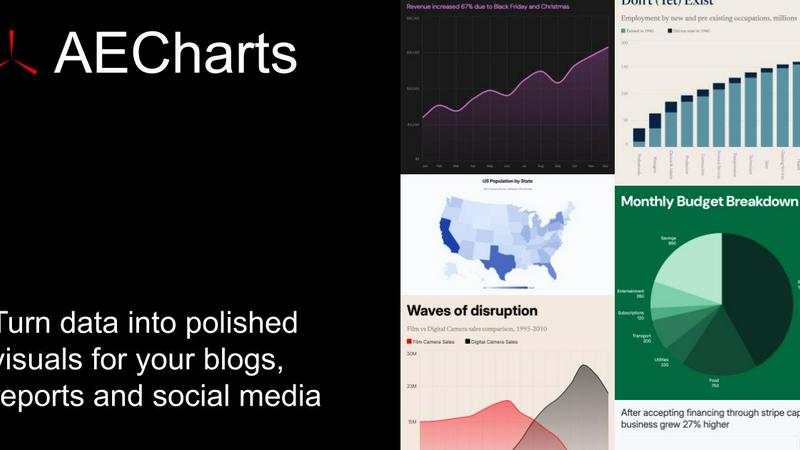
Visual Comparison
AECharts
Gomotion

Feature Comparison
AECharts
Browser-Based, No-Install Platform
Dive right into creation without any technical hurdles. AECharts runs entirely in your web browser, meaning there's no software to download, install, or update. This immediate access allows you to start exploring and building your animated charts from any computer, at any time. It removes the friction of traditional video editing suites, making professional-grade data animation an on-demand resource rather than a complex project.
Extensive Chart Library & Templates
Uncover the perfect visual for your story with a growing library of over 14 chart types. Go beyond standard bar and line charts to explore dynamic formats like bar chart races, waffle charts, treemaps, and animated numbers. Each chart type comes with a selection of pre-built, professional templates that provide a stunning starting point. These templates are fully customizable, letting you experiment with different visual styles until you find the one that makes your data sing.
Integrated Brand Kit Automation
Imagine applying your company's visual identity to every chart automatically. AECharts' Brand Kit feature allows you to set your primary colors, fonts, and logo once. Then, with a single click, every new chart you create inherits these brand elements, ensuring consistent, on-brand visuals across all your reports, presentations, and social media content. This transforms chart creation from a manual design task into a streamlined, scalable process.
Flexible Multi-Format Export
Your animated creation shouldn't be locked into a single format. AECharts provides flexible export options to fit any platform. Need a video for social media? Export an MP4. Require a still image for a report or slide deck? Download a high-resolution PNG or JPEG. The tool even offers preset aspect ratios like 16:9 for presentations, 1:1 for Instagram, and 4:5 for Reels, giving you the perfect asset for every channel without extra editing.
Gomotion
Transform Words Into Motion
Gomotion allows you to animate text effortlessly from a simple prompt. By describing how you want your text to move, you can skip the tedious keyframes and instantly get cinematic animations for titles, captions, and logos. This feature is perfect for product demos and creators who desire professional results without the hassle of traditional animation tools.
Discover the Narrative Mode
The Narrative Mode in Gomotion enables you to create fully animated stories that are ready for publishing. You can turn your script into engaging ads or short videos in minutes, complete with synced images and videos. This feature helps streamline the content creation process, making it easier to tell compelling stories through motion.
Design for Any Screen
Gomotion is designed with versatility in mind, allowing you to create animations that look stunning on any screen size, from mobile phones to desktop displays. Whether you are designing a product teaser for Instagram or TikTok, your videos will be perfectly aligned and visually appealing, ensuring that your audience has a consistent experience across all devices.
Complex Animations Made Simple
With Gomotion, creating complex animations like charts and simulations is a breeze. You can easily animate data-driven charts, making them ideal for explainers, simulations, and impactful presentations. This feature empowers users to convey information in a visually engaging way, enhancing understanding and retention.
Use Cases
AECharts
Social Media Content & Reels
Curious how to stop the scroll on crowded social feeds? Marketers and content creators use AECharts to transform dry metrics into eye-catching animated videos for platforms like LinkedIn, Instagram Reels, and TikTok. A bar chart race showing subscriber growth or an animated line chart illustrating sales trends can dramatically increase engagement, comments, and shares compared to static images, making data-driven storytelling a key part of social strategy.
Dynamic Business & Pitch Presentations
Founders, sales teams, and executives can elevate their presentations by embedding animated charts directly into PowerPoint or Google Slides. Instead of pointing to a stagnant graph, you can play a short video that builds the narrative step-by-step, highlighting key increases, decreases, or comparisons. This dynamic approach holds audience attention, makes complex data understandable, and adds a layer of professional polish to investor pitches and quarterly reviews.
Data Journalism & Editorial Content
Journalists and bloggers face the challenge of making statistics relatable and memorable for their readers. AECharts allows them to quickly create embeddable or shareable animated charts that illustrate trends in politics, economics, or social issues. An animated chart showing election poll changes over time or pandemic case fluctuations tells a more compelling and digestible story than a table of numbers, enhancing article depth and reader comprehension.
Internal Reporting & Team Updates
Managers and project leads can revolutionize boring spreadsheet updates. By converting weekly KPIs, project timelines, or performance metrics into a short, animated summary video, they can communicate progress more effectively in team meetings or email newsletters. This visual approach helps teams quickly grasp status, celebrate milestones, and identify areas needing attention, fostering a more data-literate and engaged workplace culture.
Gomotion
Social Media Content Creation
Gomotion is perfect for social media managers looking to create eye-catching animations for platforms like Instagram and TikTok. With its user-friendly interface, marketers can produce engaging posts that capture attention and drive user interaction, all without needing extensive animation skills.
Promotional Videos
Businesses can leverage Gomotion to craft compelling promotional videos that showcase their products or services. The tool’s ability to transform scripts into animated stories allows brands to convey their messages effectively and creatively, enhancing their marketing efforts.
Educational Presentations
Educators and trainers can use Gomotion to develop animated presentations that make learning more engaging. By incorporating animated charts and visuals, they can present complex information in a digestible format, keeping the audience’s attention throughout the learning process.
Brand Storytelling
Gomotion empowers brands to tell their stories in a visually captivating manner. By importing brand assets and creating animations that align with their identity, companies can build stronger connections with their audience while showcasing their values and mission through dynamic content.
Overview
About AECharts
What if you could transform your raw spreadsheet data into a captivating, animated story in just a few clicks? AECharts is a browser-based animated chart maker designed to do exactly that, eliminating the traditional barriers of complex software, steep learning curves, and expensive design resources. It serves a simple yet powerful purpose: to turn numbers into engaging video narratives. This tool is built for anyone who needs to communicate data with clarity and impact, from marketers crafting social media reels and journalists illustrating trends to researchers presenting findings and founders pitching to investors. The core value proposition is profound accessibility. You don't need any video editing experience, design skills, or to install software. By simply uploading a spreadsheet, pasting data, or connecting a Google Sheet, you can explore a world of animated charts. Choose from over 14 types, including bar chart races, line charts, and pie charts, and watch as AECharts assembles a polished, animated video in minutes. Every element is customizable, allowing you to infuse your brand's identity through colors, fonts, and logos. The final result is a versatile MP4 video ready to boost engagement on YouTube, LinkedIn, presentations, or newsletters, making powerful data visualization as straightforward as taking a screenshot.
About Gomotion
Gomotion is an innovative AI-powered motion design tool that revolutionizes the way brands create animated content. It simplifies the complexity of traditional animation software, such as After Effects, into an intuitive platform that allows users to generate stunning animations from simple text or image prompts. Targeted at marketers, content creators, and businesses, Gomotion is designed to elevate visual storytelling without the steep learning curve typically associated with motion design. Users can effortlessly transform their ideas into captivating animations, significantly enhancing their brand's visual appeal and engagement. The tool leverages advanced AI algorithms to streamline the design process, making it accessible for both novices and seasoned professionals. Whether you are aiming to create eye-catching social media content, compelling promotional videos, or engaging presentations, Gomotion offers a versatile solution that marries creativity with efficiency, allowing you to bring your stories to life like never before.
Frequently Asked Questions
AECharts FAQ
What is AECharts?
AECharts is a specialized online tool designed to create animated chart videos directly from your data. It bridges the gap between simple spreadsheet charts and complex video animation software, allowing users to produce professional, engaging data visualizations as videos (MP4) or images without any prior design or editing expertise. It's a focused solution for turning numerical data into dynamic visual stories.
Do I need coding or design skills to use it?
Absolutely not. AECharts is built specifically for users with zero coding or professional design experience. The interface is intuitive and guide-driven: you pick a chart type, input your data via paste or upload, and use simple sidebar controls to customize the visuals. The platform handles all the complex animation and rendering in the background, making sophisticated outputs accessible to everyone.
Can I import data from CSV or spreadsheets?
Yes, data import is a core strength. You can seamlessly bring your existing data into AECharts by pasting it directly from Excel or Google Sheets, uploading a CSV file, or even connecting a live Google Sheet for dynamic updates. This flexibility means you don't have to manually re-enter data, allowing you to work directly with the datasets you already use and trust in your daily workflow.
What export formats are available?
AECharts supports multiple export formats to suit various needs. For video purposes, you can export your creation as an MP4 file. For static use cases, such as including in printed reports, websites, or slides, you can download high-quality PNG or JPEG images. This multi-format support ensures you have the right asset for any platform, from YouTube videos to PowerPoint slides.
Gomotion FAQ
What is Gomotion?
Gomotion is an AI-powered motion design tool that allows users to create animations from simple text or image prompts, making animated content creation accessible to everyone, regardless of their animation skills.
How does the Narrative Mode work?
The Narrative Mode enables users to input a script and transform it into a fully animated story with synced visuals. This feature accelerates the creation of ads or videos, making it easy to publish engaging content quickly.
Can I create animations for multiple screen sizes?
Yes, Gomotion is designed to create animations that look great on any screen size, ensuring your content is optimized for mobile, tablet, and desktop displays.
Is it suitable for beginners?
Absolutely! Gomotion is tailored for both novices and experienced professionals, offering an intuitive interface that simplifies animation creation without compromising on quality.
Alternatives
AECharts Alternatives
AECharts is a browser-based animated chart maker, falling into the category of design and data visualization tools. It specializes in transforming static data into engaging video content for presentations and social media, all without requiring software installation or advanced editing skills. Users often explore alternatives for various reasons. Some may seek different pricing models or free tiers, while others need specific chart types, more advanced customization, or integration with different platforms. The need for a desktop application versus a web tool can also drive the search for a different solution. When evaluating other options, consider your core needs. Key factors include the types of charts and animations offered, export formats and quality, ease of use, and how well the tool fits into your existing workflow. The ideal alternative should not only create compelling visuals but also save you time and effort in the process.
Gomotion Alternatives
Gomotion is a cutting-edge AI-powered motion design tool that revolutionizes the way brands create animated content. As part of the design tools category, it simplifies the animation process, enabling users to generate impressive motion graphics from simple text or image prompts. However, as users explore their creative options, they often seek alternatives to Gomotion for various reasons, such as pricing, feature sets, or specific platform compatibility. When searching for an alternative, it's essential to consider factors like user-friendliness, customization options, and the quality of animations produced. A good alternative should align with your creative needs while offering flexibility and ease of use, ensuring that you can effectively enhance your brand's visual storytelling without unnecessary complexity.