
Blueberry vs Lovalingo
Side-by-side comparison to help you choose the right AI tool.

Blueberry
Blueberry is an AI-native Mac workspace that combines your editor, terminal, and browser for seamless product building.
Last updated: February 28, 2026

Lovalingo
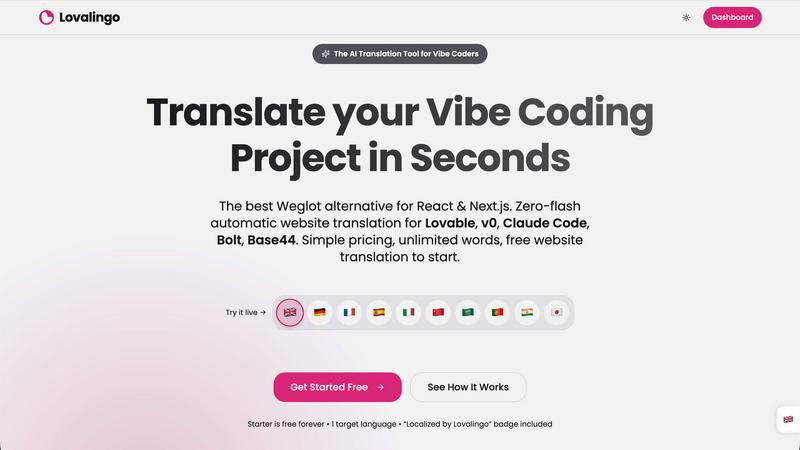
Discover how Lovalingo instantly translates and indexes your React apps with zero flash.
Last updated: February 28, 2026
Visual Comparison
Blueberry

Lovalingo
Feature Comparison
Blueberry
Unified AI-Native Workspace
Blueberry consolidates your editor, terminal, and browser into one seamless, distraction-free window. This isn't just about putting panels side-by-side; it's about creating a cohesive environment where each component is aware of the others. The integrated design ensures that your workflow remains fluid, eliminating the cognitive load of managing multiple applications and allowing you to ship products faster from a single, powerful hub designed for modern development.
Live AI Context via MCP
This is the core intelligence of Blueberry. Its built-in MCP server acts as the nervous system, giving your connected AI model (like Claude or Codex) real-time, read-only access to your entire workspace context. The AI can see your open files, monitor terminal output, and observe the live browser preview simultaneously. This creates a paradigm shift where your AI assistant has full situational awareness, enabling it to provide accurate, context-rich suggestions and answers without you ever needing to manually provide snippets or screenshots.
Pinned Apps & Visual Context
Extend your workspace's intelligence beyond code. Blueberry allows you to dock essential web apps like GitHub, Linear, Figma, or PostHog directly within the interface. These pinned apps load with your project and share context with your AI. Furthermore, you can provide visual context by capturing screenshots or using an element selector directly from the preview browser, allowing your AI to understand UI issues or design intentions at a glance.
Professional-Grade Editor & Multi-Device Preview
You don't compromise on editing power. Blueberry includes a full-featured code editor with syntax highlighting, multi-cursor support, find/replace, and Git integration. Alongside it, the preview browser isn't basic—it offers built-in views for desktop, tablet, and mobile screens. This lets you instantly see how your application renders and behaves across different devices without leaving your workspace, ensuring what you build delights every user.
Lovalingo
Zero-Flash, Render-Native Translation
Unlike traditional script-based tools that manipulate the DOM after the page loads, causing flickering and layout shifts, Lovalingo operates within your React render flow. It serves the correct translated content during the initial render, ensuring a perfectly stable layout from the first paint. This native integration guarantees a smooth, professional user experience with no visual glitches, which is crucial for maintaining trust and engagement with a global audience.
One-Prompt Installation & Vibe-Coding Ready
Designed from the ground up for AI-assisted development, Lovalingo can be integrated in about 60 seconds. You simply copy a comprehensive prompt into your AI coding tool (like Lovable or Claude Code), and it handles the entire setup—installing the NPM package, wrapping your app in the provider, and configuring the initial locales. This seamless compatibility means your development velocity remains unhindered, allowing you to maintain a rapid "vibe coding" workflow while adding powerful multilingual capabilities.
Automatic Translation & Zero Maintenance
Lovalingo completely removes the need for manual translation files. It automatically detects text content within your application and translates it on the fly. As you build and add new features, the system recognizes and translates new strings in real-time. This eradicates the tedious maintenance cycle of updating JSON files for every language whenever you change a button label or paragraph, freeing you from a significant operational burden.
Built-in Multilingual SEO Tools
Going global isn't just about UI text; it's about being found. Lovalingo automatically handles critical SEO mechanics for you. It generates multilingual sitemaps and inserts the correct hreflang tags into your page headers, telling search engines like Google which language version of a page to serve to users in different regions. This automation ensures your site is primed for global indexing from the moment you launch, helping you capture organic traffic in new markets from day one.
Use Cases
Blueberry
Rapid Prototyping & Iteration
When speed is essential, Blueberry accelerates the build-measure-learn loop. You can write code, see changes live in the preview, debug terminal output, and ask your AI for implementation advice or bug fixes—all without switching contexts. This tight integration is perfect for quickly mocking up features, experimenting with new libraries, or iterating on UI components based on immediate visual feedback.
AI-Powered Debugging & Explanation
Stuck on a cryptic error in the terminal or complex logic in your route handler? Simply ask your AI assistant. Because it sees the exact error output and the relevant code files, it can diagnose issues with remarkable accuracy. You can also ask "how does this file work?" and receive an explanation grounded in the actual codebase, turning debugging from a frustrating hunt into an interactive learning session.
Cross-Platform UI Development
Building responsive web applications requires constant checking across screen sizes. With Blueberry's integrated multi-device preview, you can write a CSS rule and immediately toggle between desktop, tablet, and phone views to verify its effect. This seamless context switch ensures your UI is robust and responsive from the very first line of styling, streamlining the front-end development process.
Onboarding & Codebase Exploration
New to a project? Use Blueberry as your exploration companion. Open the repository, and let your AI assistant tour you through the codebase. Ask questions like "What's the main data flow here?" or "How is authentication handled?" The AI, with its live access to the entire file structure and code, can provide specific, guided answers, dramatically reducing the time it takes to understand and contribute to a new codebase.
Lovalingo
SaaS Founders Scaling Internationally
For startup founders and product teams, speed to market is everything. Lovalingo allows you to validate and launch your SaaS product in multiple regions simultaneously without slowing down development. You can quickly test market fit in Germany, France, or Japan with a professionally localized product, all while continuously iterating on your core features without a separate i18n process creating bottlenecks.
Agencies Building Client Projects on AI Platforms
Development agencies using Lovable or similar platforms to deliver websites and web apps for clients can dramatically expand their service offering. With Lovalingo, they can promise and deliver multilingual sites without exponentially increasing the project's complexity, timeline, or cost. This becomes a powerful competitive advantage, allowing them to win more clients who need to reach diverse audiences.
Developers Prototyping and Building MVPs
When building a minimum viable product or a prototype, every minute counts. Developers leveraging AI coding tools need to focus on core functionality. Lovalingo removes the entire i18n consideration from the early build phase, allowing developers to craft their MVP in a single language while being confident that adding languages later will be an automatic, trivial step rather than a major refactor.
Product Teams Managing Continuous Deployment
For teams that ship updates frequently, maintaining translation files across multiple branches and features is a nightmare. Lovalingo's automatic detection and translation mean that new content pushed in a deployment is immediately ready for translation. This keeps all language versions of the app in sync automatically, ensuring a consistent global user experience without manual intervention from the development or content teams.
Overview
About Blueberry
What if your entire development environment could think alongside you? Blueberry is an AI-native product development platform for macOS that reimagines the modern builder's workspace. It elegantly unifies the three core tools—a sophisticated code editor, a powerful terminal, and a live preview browser—into a single, focused application. This eliminates the constant, distracting juggle of windows and applications, allowing you to maintain deep focus on creating and shipping web applications. Designed for modern product builders, from indie hackers to engineering teams, Blueberry's true magic lies in its context-aware AI integration. By connecting to models like Claude, Gemini, or Codex via its built-in MCP (Model Context Protocol) server, your AI assistant gains a live, holistic view of your entire project: the code you're writing, the terminal output, and the real-time browser preview. This means you can stop the tedious copy-pasting of context and start having meaningful, informed conversations with AI that understands exactly what you're building, as you build it. It's more than a tool; it's a collaborative partner for your development flow.
About Lovalingo
What if you could build for a global audience from day one, without ever touching a translation file? Lovalingo is an AI-powered translation engine designed specifically for the modern, fast-paced world of vibe coding. It completely reimagines internationalization (i18n) for developers using AI tools like Lovable, v0, Claude Code, Bolt, and Base44. Instead of the traditional, cumbersome process of managing JSON strings and manual entries, Lovalingo automates everything. It integrates natively into your React or Next.js application's render cycle, detecting and translating content in real-time. This means you can ship features at the speed of AI, and your app automatically scales to support over 20 languages instantly. It's built for SaaS founders eyeing international markets, agencies delivering client projects rapidly, and any developer who believes their time is better spent building features than managing translation spreadsheets. The core promise is simple: eliminate the maintenance headache of i18n and unlock seamless global growth.
Frequently Asked Questions
Blueberry FAQ
What is MCP and why is it important?
MCP stands for Model Context Protocol, an open standard developed by Anthropic. It's crucial because it provides a secure, structured way for AI models to access tools and data. In Blueberry, the built-in MCP server safely exposes your workspace's context (files, terminal, browser) to AI models. This means the AI operates with a rich, real-time understanding of your project without ever needing direct access to your system, ensuring both powerful assistance and security.
Is Blueberry just for web development?
While Blueberry is explicitly designed as a premier platform for building web applications, its core features are beneficial for many software projects. The unified workspace and AI context are powerful for any development task that involves writing code, running commands, and needing live feedback. However, its optimized preview browser and web-focused workflow make it particularly exceptional for full-stack and front-end web development.
Can I use my own AI API keys?
Yes, Blueberry is model-agnostic. While it showcases integrations with popular models like Claude, Gemini, and Codex, it is designed to connect to any AI model that supports the MCP standard. You can configure it to use your preferred model by providing your own API keys and endpoints, giving you the flexibility to choose the AI assistant that best fits your workflow and budget.
Is Blueberry really free?
Yes, Blueberry is currently 100% free during its beta period. The team is focused on gathering feedback and refining the product with its early community of users. There is no indication of specific future pricing plans in the provided materials, but the product is completely free to download and use for macOS while it remains in beta.
Lovalingo FAQ
How does Lovalingo compare to manual i18n libraries like react-i18next?
While traditional libraries give you fine-grained control, they require you to manually wrap every string, manage massive JSON files for each language, and constantly update them. Lovalingo automates this entire process. Imagine managing 700 words across 5 languages—that's 3,500 manual entries with i18n. Lovalingo handles it all automatically, in real-time, as you build, making it ideal for rapid development cycles.
Is there really no flickering or layout shift with Lovalingo?
Correct. This is a key differentiator from script-based services like Weglot. Those tools load your page in the default language first, then run a script to find and replace text, which often causes a visible "flash." Lovalingo is a React library that integrates at the component level, determining and rendering the correct language during the initial React render cycle, so the page paints correctly the first time, with no post-load DOM manipulation.
What happens to my existing English (or default language) content?
Your original source content remains completely intact and untouched. Lovalingo works by detecting text nodes in your React components and serving the appropriate translation from its cloud-based engine at render time. You continue to write and build your app in your preferred language, and Lovalingo handles the multi-language presentation layer seamlessly.
Can I edit the automatic translations if they aren't quite right?
Yes. While the automatic AI translations are high-quality and context-aware, the platform provides controls for professional linguists or your team to review and fine-tune translations. This ensures brand voice, technical terminology, and cultural nuances are perfectly captured, giving you the best of both worlds: full automation with the option for human-in-the-loop refinement.
Alternatives
Blueberry Alternatives
Blueberry is a macOS application designed for developers, specifically within the integrated development environment (IDE) category. It consolidates the essential tools of an editor, terminal, and browser into a single, unified workspace to streamline workflow and reduce context switching. Users often explore alternatives for various practical reasons. These can include budget constraints, the need for cross-platform compatibility beyond macOS, or a desire for different feature sets, integrations, or user interface philosophies. The search for the right tool is a personal journey in optimizing one's development environment. When evaluating alternatives, consider your core needs. Key factors include the depth of native integrations, support for your preferred programming languages and frameworks, the overall user experience, and how well the tool facilitates the specific workflow you aim to enhance, whether it's AI-assisted coding, web development, or system operations.
Lovalingo Alternatives
Lovalingo is a modern solution for translating and indexing React applications, designed to automate the entire internationalization process. It belongs to the category of developer tools focused on i18n and SEO, aiming to eliminate the traditional headaches of manual JSON management and broken layouts. Users often explore alternatives for various reasons, such as budget constraints, specific feature requirements, or compatibility with different tech stacks beyond React-based frameworks. When searching for a different tool, it's natural to consider factors like pricing models, the depth of SEO automation, and the core translation methodology. Some solutions prioritize ease of use over developer control, while others might offer broader platform support at the cost of integration complexity. The key is to identify what matters most for your project's workflow and growth trajectory. Evaluating an alternative requires a clear understanding of your needs. Consider the importance of a zero-flash user experience, the level of automation for sitemaps and hreflang tags, and how the tool handles content updates. The goal is to find a solution that not only translates words but also seamlessly supports your app's performance and global discoverability without creating new maintenance burdens.