
AI Image Editor vs PhotoFuse
Side-by-side comparison to help you choose the right AI tool.

AI Image Editor
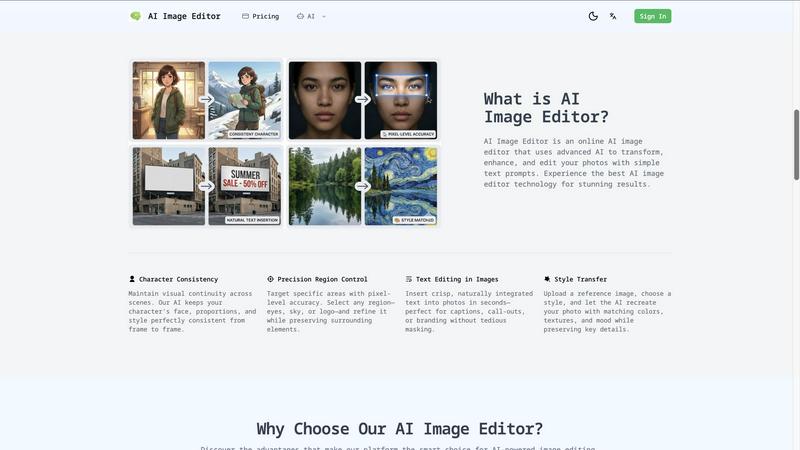
Transform and enhance your photos effortlessly with AI Image Editor using simple text prompts for stunning results.
Last updated: February 28, 2026

PhotoFuse
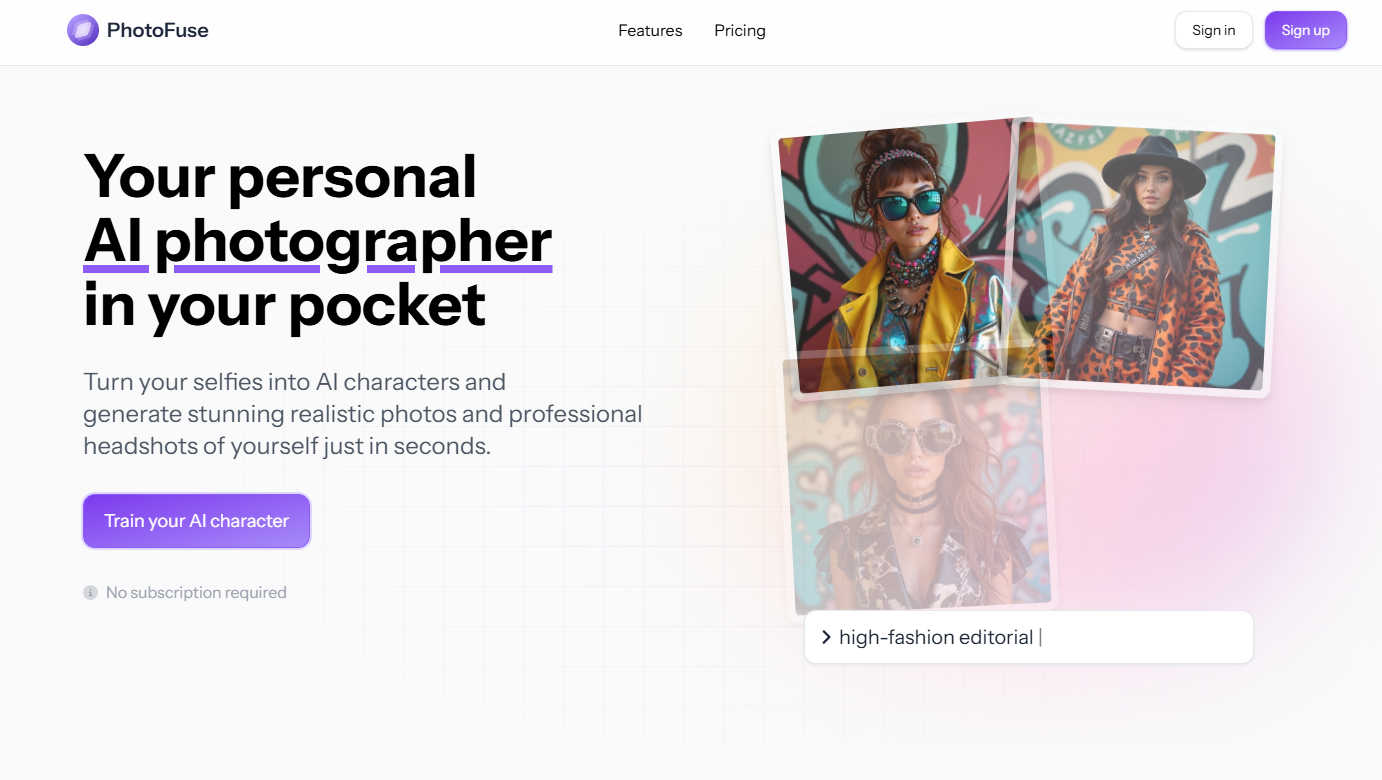
Discover your perfect AI headshot, crafted from a simple selfie in seconds.
Last updated: March 1, 2026
Visual Comparison
AI Image Editor
PhotoFuse
Feature Comparison
AI Image Editor
Text-to-Edit Technology
This cutting-edge feature allows users to describe their desired edits in natural language, making the editing process intuitive and user-friendly. The AI understands your instructions and applies the changes instantly, eliminating the need for complicated manual adjustments.
Background Removal & Replacement
Transform your images effortlessly by removing backgrounds with a single click or replacing them with custom scenes. This feature is particularly beneficial for product photography and portraits, helping to create a polished and professional look for any image.
AI Image Upscaling
Enhance your photos to up to 4K quality while preserving intricate details and clarity. This feature is perfect for transforming low-resolution images into sharp, print-ready files, ensuring your visuals maintain their impact across various platforms.
Photo Restoration
Revitalize old, damaged, or faded photographs with our AI-powered restoration feature. The tool intelligently repairs scratches, colorizes, and enhances vintage images, bringing them back to life while preserving their original charm and character.
PhotoFuse
AI Character Training
Dive into the fascinating process of teaching the AI to recognize and replicate your unique likeness. By simply uploading 10-15 photos of yourself or a subject, you train a personalized AI character model. The system provides clear guidance for the best results, ensuring the AI captures your distinct features accurately. This foundational step requires no technical skills or complex prompts, making the advanced technology accessible to everyone and setting the stage for limitless creative generation.
Intuitive Template Playground
Explore a vast and continuously expanding gallery of pre-made, beautiful templates designed to spark your imagination. This intuitive playground allows you to replicate any style from the curated collection or manually design your own scene with ease. Choose from professional settings, solid color backgrounds, or natural tones, then mix and match expressions, hairstyles, outfits, and accessories. This feature removes all creative barriers, letting you craft the perfect image through simple selection rather than complicated prompt engineering.
Professional-Grade Customization
Craft headshots that feel authentically you with granular control over every visual element. Select from a range of professional, casual, or creative outfits like shirts, blouses, and blazers. Pair them with accessories like glasses or jewelry. Fine-tune the vibe with approachable smiles, confident neutral expressions, or any hairstyle. This level of detail ensures every generated image is polished, on-brand, and ready for professional platforms like LinkedIn, resumes, or company websites.
Fast, Parallel Generation & Sharing
Experience the thrill of instant creation. Once your scene is set, generate 1-4 stunning variations in just a few seconds. The platform supports unlimited parallel generations, allowing you to experiment with multiple ideas simultaneously. Love a result? Download it immediately with full commercial rights and share it anywhere. Want tweaks? Adjust your selections and regenerate effortlessly. This rapid, iterative workflow makes creative exploration both efficient and deeply satisfying.
Use Cases
AI Image Editor
Content Creation for Marketing
Marketers can use AI Image Editor to create eye-catching visuals for social media, advertisements, and blogs. By simply describing the desired edits or enhancements, they can produce stunning images that capture attention and drive engagement without needing advanced design skills.
E-commerce Product Photography
Online retailers can benefit from the background removal and replacement feature, allowing them to create clean, professional product images that stand out. This capability is essential for enhancing product visibility and appeal in crowded marketplaces.
Social Media Enhancements
Social media influencers and enthusiasts can elevate their posts with tailored edits. Whether it’s changing backgrounds or adjusting colors, AI Image Editor helps users create visually striking images that resonate with their audience.
Personal Photo Projects
Hobbyists and photography enthusiasts can explore their creativity by transforming their personal photos. With features like style transfer and photo restoration, users can create unique art pieces or restore cherished memories effortlessly.
PhotoFuse
Elevating Professional Profiles
Professionals across industries can discover the power of a perfect first impression. Generate a suite of professional headshots tailored for LinkedIn, corporate websites, or speaker profiles. Experiment with different backgrounds and outfits to match various professional contexts—from a formal boardroom setting to a more approachable, creative industry vibe—all without scheduling a photographer.
Creating Unique Brand Personas
Content creators, marketers, and small business owners can explore new dimensions of their brand identity. Use PhotoFuse to create consistent, hyper-realistic AI characters that serve as brand mascots, spokespeople, or models for marketing materials. This allows for the rapid production of diverse, on-brand visual content for social media, advertising, and websites, saving significant time and production costs.
Exploring Creative Self-Expression
Unleash your curiosity and explore alternate versions of yourself in a fun, risk-free environment. Transform your selfies into AI characters set in fantastical scenes, historical periods, or artistic styles. It’s a playground for personal creativity, perfect for social media avatars, gaming profiles, or simply satisfying the question, "What would I look like as a character in my favorite story?"
Streamlining Visual Content Production
Freelancers, agencies, and teams can discover a more agile workflow for visual projects. Quickly generate model shots for product mock-ups, create diverse character visuals for storyboards, or produce professional headshots for entire teams under a consistent style. The tool’s speed and flexibility make it an invaluable asset for meeting tight deadlines and scaling visual content creation.
Overview
About AI Image Editor
AI Image Editor is an innovative online platform that redefines photo editing by allowing users to manipulate images through simple text prompts. Imagine effortlessly enhancing, transforming, or completely reimagining your photos without the steep learning curve of traditional software like Photoshop. This tool is tailored for content creators, marketers, small business owners, and hobbyists who aspire to achieve stunning visual results but may lack the time or technical expertise required for complex editing. At its heart, AI Image Editor leverages advanced artificial intelligence to interpret your descriptions, enabling you to execute intricate edits and transformations in mere seconds. The primary value proposition lies in its commitment to democratizing high-end image editing; you provide the vision and the image, and the AI manages the detailed execution, yielding polished and creative results without any technical barriers. This platform invites you to explore the limits of your creativity while providing the tools necessary for professional-grade outcomes.
About PhotoFuse
Ever wondered what it would be like to have a personal photographer on call, ready to craft your perfect professional image or a fantastical AI character version of you? Welcome to PhotoFuse, an innovative AI tool that transforms that curiosity into reality. At its core, PhotoFuse is your personal AI photographer, designed to turn a simple collection of your selfies into hyper-realistic AI characters or stunning, studio-quality professional headshots in mere seconds. This tool is crafted for anyone looking to elevate their visual identity without the hassle of photoshoots, expensive equipment, or technical expertise. Whether you're a professional aiming to refresh your LinkedIn profile with a polished headshot, a content creator seeking unique AI personas for your brand, or simply someone curious to explore creative new versions of yourself, PhotoFuse opens a world of visual possibilities. Its magic lies in a remarkably user-friendly process: upload 10-15 photos, select from beautiful templates or customize your scene, and let the AI generate tailor-made images. With flexible, subscription-free pricing and full commercial rights, PhotoFuse empowers you to explore, create, and own your digital image with unprecedented ease and creativity.
Frequently Asked Questions
AI Image Editor FAQ
How does AI Image Editor work?
AI Image Editor utilizes advanced artificial intelligence to interpret your text prompts and apply the desired changes to your images. Simply upload your photo, describe the edits you want, and the AI will execute them.
What types of images can I upload?
You can upload images in various formats, including JPEG, PNG, GIF, and WEBP, with a maximum file size of 20MB and dimensions up to 4096 x 4096 pixels. For the best results, use high-quality images.
Is there a learning curve to using the AI Image Editor?
No! The AI Image Editor is designed to be user-friendly, allowing anyone to edit images without prior experience. Simply describe what you want, and the AI will handle the rest, making it accessible for everyone.
Can I save my edited images in different formats?
Yes, you can export your edited images in multiple formats, including PNG, JPEG, and WEBP, with customizable quality settings to suit your needs. This flexibility ensures your images are ready for any application.
PhotoFuse FAQ
How many photos do I need to start?
You'll need to upload between 10 to 15 photos of the person you want to turn into an AI character. The system provides clear guidance on the types of photos (e.g., varied angles, expressions, lighting) that yield the best results. This diverse set helps the AI model learn and accurately replicate the subject's unique facial features for high-quality generations.
Do I need a subscription to use PhotoFuse?
No, PhotoFuse operates on a flexible credit system without forcing a mandatory subscription. You can choose a recurring monthly or yearly plan for a steady credit allowance, or simply opt to purchase credit packs on demand. This pay-as-you-go freedom allows you to explore and use the tool according to your own needs and budget.
What can I do with the photos I generate?
You retain full commercial rights to all images you generate with PhotoFuse. This means you can legally use your AI headshots and characters for both personal and professional purposes, including on commercial websites, in marketing materials, on social media, and in advertising campaigns, without any additional licensing fees.
How long does it take to generate images?
After training your AI character and selecting your template or custom scene, the generation process itself is incredibly fast. You can typically expect to receive 1 to 4 variations of your image within just a few seconds. The platform also supports unlimited parallel generations, letting you create multiple images at once for even faster workflow.
Alternatives
AI Image Editor Alternatives
AI Image Editor is an innovative online platform that falls under the category of image and photo editing tools, leveraging advanced artificial intelligence to transform images based on simple text prompts. Users often seek alternatives to such tools for a variety of reasons, including pricing structures that fit their budget, specific feature sets that align with their editing needs, or compatibility with different operating systems and devices. When searching for an alternative, it's essential to consider factors such as ease of use, the robustness of editing capabilities, and the level of customer support provided. --- [{"question": "What is AI Image Editor?", "answer": "AI Image Editor is an online platform that enables users to edit photos by simply describing their vision through text prompts."},{"question": "Who is AI Image Editor for?", "answer": "AI Image Editor is designed for content creators, marketers, small business owners, and hobbyists who want stunning visual results without the complexity of traditional editing software."},{"question": "Is AI Image Editor free?", "answer": "Information about pricing for AI Image Editor is not provided, so users should check the official website for details."},{"question": "What are the main features of AI Image Editor?", "answer": "Key features include Character Consistency, Precision Region Control, and advanced text-based editing capabilities."}]
PhotoFuse Alternatives
PhotoFuse is a fascinating tool in the AI image generation space, specifically designed to transform personal selfies into professional headshots and creative avatars. It acts as a personal AI photographer, simplifying a process that once required professional equipment and skills. Users often explore alternatives for various reasons. Some may seek different pricing models, whether a one-time purchase or a more generous free tier. Others might look for specific features, like more artistic styles, higher-resolution outputs, or compatibility with different devices and operating systems. The quest for the perfect tool is driven by unique creative and practical needs. When evaluating other options, consider what matters most for your projects. Key factors include the quality and realism of the AI output, the level of customization available, the ownership rights over generated images, and the overall ease of use. The ideal platform aligns with your budget while empowering your creative vision without compromise.