
Alternatives to SupaSidebar
Explore the best alternatives and competitors to SupaSidebar.
Explore 20 alternatives to SupaSidebar. Compare features, pricing, and find the best fit for your needs.

MD to Text
Convert Markdown to plain text online. Remove formatting instantly, copy readable output, and keep every conversion private in your browser.

AUTOMATER.ai
A tray helper for every AI coding tool: one searchable library of past sessions, waiting alerts and usage across 9 providers.

stackledge
A human-vetted discovery directory for practical AI tools, SaaS apps, and custom n8n workflows, free from bot-scraped spam and dead links.

Kody Tools
Free collection of online developer utilities, code formatters, and digital converters designed to streamline your daily workflow.

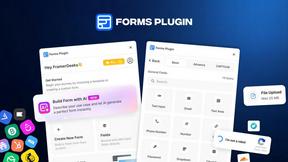
Forms Plugin
The #1 Native Form Builder Plugin for Framer - No Code, No Embeds, No External Platforms.

Product Launch Checklist
A free launch checklist for SaaS, apps, AI tools and more. Every step says why it matters and when you can skip it.




PerPageFax
PerPageFax lets you send a fax online from any browser for a flat $0.50 per page — no account, no subscription, no fax machine.


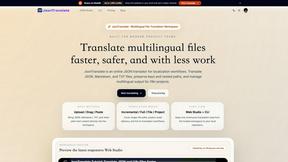
JsonTranslate
Translate JSON, Markdown, and TXT files while preserving keys, nested paths, and project structure.

Glanced
Follow news, blogs, newsletters, and podcasts in a free RSS reader, with AI summaries, top stories, full-text search, saved searches, and a catalog.



Create Fillable PDFs
Create interactive PDF forms quickly and easily online. Add text fields, checkboxes, dropdowns, and signatures to any PDF.


About SupaSidebar Alternatives
SupaSidebar is a macOS productivity tool that reimagines your menubar as a universal command center. It belongs to the category of workflow and information management apps, designed to centralize your links, files, and folders for instant access. This approach helps users cut through digital clutter and maintain focus. People often explore alternatives for various reasons. Perhaps they need a solution that works across multiple operating systems, or they have specific budget constraints. Others might be looking for a different feature mix, such as deeper integration with certain cloud services or a distinct organizational philosophy. When evaluating options, consider what truly streamlines your personal workflow. Look at how an app captures information, its search capabilities, and its overall design philosophy. The goal is to find a tool that feels like a natural extension of your thinking process, reducing friction rather than adding another system to manage.
FAQs about SupaSidebar Alternatives
What is SupaSidebar?
SupaSidebar is a native macOS menubar application that acts as a central hub to instantly save, organize, and access your links, files, and folders from any browser or Finder window.
Who is SupaSidebar for?
It's for researchers, creators, and professionals who want a more organized and fluid workflow, helping anyone who juggles multiple resources and projects stay in a state of flow.
What are the main features of SupaSidebar?
Its core features include a Universal Command Panel for instant search and a Live Tabs & Recents Overview that shows open browser tabs and recently visited sites.
Is SupaSidebar secure?
Yes, SupaSidebar runs natively on your Mac and its 'Recents' feature tracks browsing history privately on your device for the last 48 hours.