
Alternatives to RecordFlow
Explore the best alternatives and competitors to RecordFlow.
Explore 20 alternatives to RecordFlow. Compare features, pricing, and find the best fit for your needs.
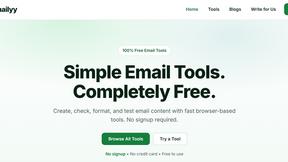
Emailyy
Free email tools for signatures, subject lines, HTML previews, word counts, and email headers. Browser-based, simple to use, and no signup required.

Uniclip
Clip pages, take full-page screenshots and batch-capture list data to Notion, Feishu, Obsidian, Markdown, CSV or JSON.
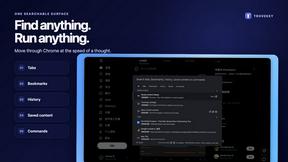
TroveKey
Search tabs, Chrome bookmarks and history, run browser commands, and save webpages and social posts locally—no account.

LightScreen
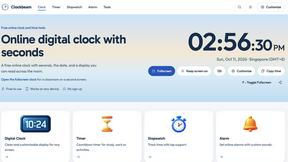
Free fullscreen light screen tool online. Turn any display into a flashlight, ambient light, or solid-color screen. No download or sign-up.
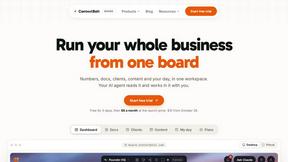
Context Board
Context Board brings your numbers, docs, clients, content and day into one workspace that Claude and Codex can read and update.

@fuck.it - email with attitude
Private email. Pure. Secure. Exclusive. No ads, no tracking, no data selling. GDPR compliant, EU-hosted.
MD to Text
Convert Markdown to plain text online. Remove formatting instantly, copy readable output, and keep every conversion private in your browser.
AUTOMATER.ai
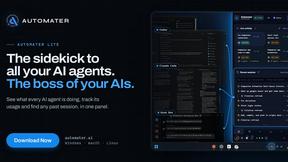
A tray helper for every AI coding tool: one searchable library of past sessions, waiting alerts and usage across 9 providers.


stackledge
A human-vetted discovery directory for practical AI tools, SaaS apps, and custom n8n workflows, free from bot-scraped spam and dead links.
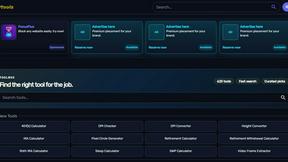
Kody Tools
Free collection of online developer utilities, code formatters, and digital converters designed to streamline your daily workflow.
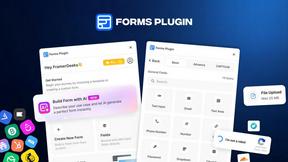
Forms Plugin
The #1 Native Form Builder Plugin for Framer - No Code, No Embeds, No External Platforms.
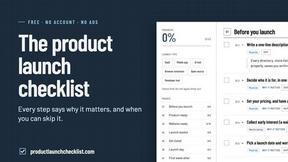
Product Launch Checklist
A free launch checklist for SaaS, apps, AI tools and more. Every step says why it matters and when you can skip it.



About RecordFlow Alternatives
RecordFlow exists in the productivity and management category, offering a specialized bridge between Zoom and Google Drive. It solves a very specific pain point: the manual, tedious chore of downloading and organizing cloud recordings before they expire or eat up costly storage quotas. People begin searching for alternatives for a variety of reasons, often starting with pricing structures that don't fit their budget, a need for a different cloud destination like Dropbox or OneDrive, or a desire for more granular control over the sync triggers and file naming conventions. Some users might also be looking for a tool that integrates with a different video conferencing platform, or they simply want to explore what other automation workflows exist in this niche. When evaluating any alternative, the core criteria should always start with reliability and security. You need a solution that handles large video files without corruption and uses robust encryption for your sensitive meeting data. Next, consider the breadth of the sync: does it capture everything—video, audio, transcripts, and chat logs—or just the MP4 file? Finally, examine the automation depth. A good alternative should offer the same "set it and forget it" peace of mind, with options like automatic retries on failure and the ability to backfill historical recordings, ensuring you never lose a critical conversation again.
FAQs about RecordFlow Alternatives
What is RecordFlow?
RecordFlow is a productivity tool that automatically backs up your Zoom cloud recordings to Google Drive. It transfers every file type—video, audio, transcripts, and chat logs—organized by year and date, immediately after a meeting ends. The setup takes about 60 seconds, and then the entire process runs automatically, forever, with no manual downloads or forgotten files.
Who is RecordFlow for?
RecordFlow is built for professionals who rely on Zoom recordings and cannot afford to lose them. This includes coaches, consultants, therapists, professors, and small teams. It is especially useful for anyone who needs a simple, hands-off way to archive their recordings without paying for unnecessary Zoom storage or spending time on manual file management.
What are the main features of RecordFlow?
Key features include automatic syncing of new recordings within minutes, a backfill of the past two years of Zoom cloud recordings, and optional auto-delete that frees up Zoom storage once the Drive copy is verified. The transfer is reliable by design, using chunked transfers for large files, smart deduplication to avoid duplicates, and automatic retries if something fails.
Is RecordFlow secure?
Yes, security is a core design principle. RecordFlow uses OAuth 2.0 for authentication and AES-256 encryption for data protection. Importantly, recordings stream directly to your Google Drive—the service never stores your files on its own servers, ensuring your sensitive meeting data remains under your control at all times.