
Alternatives to Anime Maker
Explore the best alternatives and competitors to Anime Maker.
Explore 20 alternatives to Anime Maker. Compare features, pricing, and find the best fit for your needs.
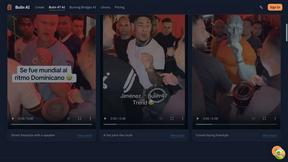
Bulin AI
Upload one portrait. Bulin AI puts you in the official Bulin 47 freestyle. The source video guides the moves and camera. No prompt.
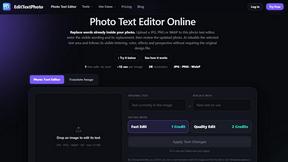
EditTextPhoto
AI-powered image text editor to edit, replace, fix, or translate text in images while preserving the original font, color, size, and style.

Rumpelstiltskin AI Video Generator
Make the viral Rumpelstiltskin tiptoe dance meme video from two photos
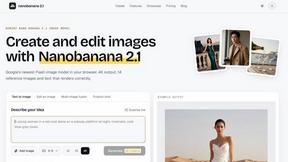
nanobanana 21
A fast image studio for creating and editing high-quality images with accurate details, readable text, and consistent characters.
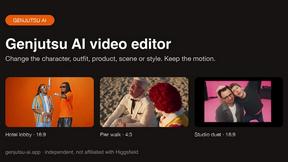
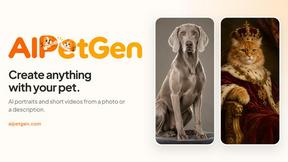
AIPetGen
AIPetGen turns a photo of your dog, cat, or other pet, or a written description, into a new picture or a short animation.

Hotel Lobby AI Video Generator
Turn two photos into a Hotel Lobby dance video in the orange A COLORS SHOW booth.



hotel-lobby
Two-person AI video concept in a warm orange recording booth, built around natural call-and-response performances.
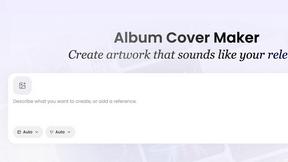
AI Album Cover Maker
Create release-ready album covers from a prompt or photo. Generate, refine, and export art for singles, EPs, mixtapes, and playlists.
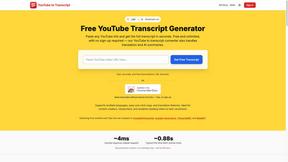
GetYouTubeTranscript
Free YouTube transcripts on the web, a Chrome extension, and an API + MCP server so AI assistants can read YouTube.
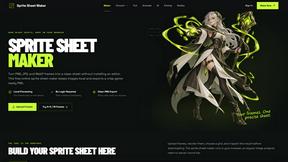
Sprite Sheet Maker
A free browser-based toolkit for creating, cutting, converting, and previewing sprite sheet animations.
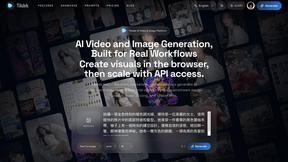
Seedance 2.5 Free
Create polished AI videos from text or images online with Seedance 2.5 Free.
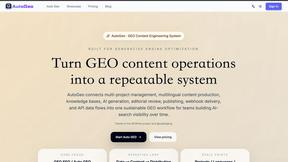
AutoGeo
A GEO SEO platform for creating, reviewing, publishing, and distributing multilingual content optimized for AI search visibility.
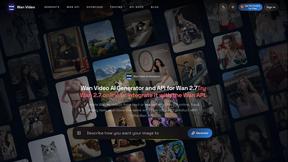
Wan Video
Create Wan videos from text, images, references, or clips with Wan 2.7 workflows, task history, cost estimates, and API access.

About Anime Maker Alternatives
Anime Maker sits at the intersection of content creation and AI image generation, offering a specialized browser-based toolkit for anyone looking to transform text prompts or photos into anime-style visuals. Whether you are crafting original characters, designing logos, or experimenting with image-to-video concepts, this platform streamlines the creative process for artists, game teams, marketers, and fans alike. However, as versatile as it is, creators often find themselves exploring other options due to shifting needs like budget constraints, a desire for different artistic styles, or the need for more advanced video editing capabilities beyond the core generation modes. When searching for an alternative, it helps to first clarify your primary goal: are you focused on character design, rapid prototyping for a game, or simply having fun with filters and avatars? Look for platforms that offer similar generation modes but also consider export flexibility, pricing models, and whether they support batch processing for larger projects. Some users prioritize community features or mobile accessibility, while others need deeper customization controls for fine-tuning outputs. The best fit will align with your specific workflow, whether that means faster rendering, a wider range of artistic filters, or more robust image-to-video capabilities.
FAQs about Anime Maker Alternatives
What is Anime Maker?
Anime Maker is an AI-powered creative platform that allows users to generate anime-style images, original characters, logos, filters, and image-to-video concepts from text prompts or photos. It provides a focused browser workflow for quickly exploring visual ideas across multiple generation modes, making it a versatile tool for both casual creators and professionals.
Who is Anime Maker for?
Anime Maker is designed for a broad audience including artists, creators, game development teams, marketers, and anime fans. It caters to anyone who needs to rapidly prototype anime-style visuals, whether for character design, branding, social media content, or personal projects, without requiring advanced technical skills.
Is Anime Maker free?
Based on the provided product content, there is no explicit mention of a free tier or pricing structure. Users should check the official platform for current pricing details, as many AI generation tools offer limited free credits with subscription plans for higher usage or premium features like higher resolution exports and faster processing.
What are the main features of Anime Maker?
Anime Maker offers multiple generation modes including text-to-image, photo-to-anime, character and logo creation, AI filters, and image-to-video concept generation. It is built for a browser-based workflow, allowing users to quickly iterate on ideas and export results ready for use in projects, games, or marketing materials.