

Sprite-AI
Describe your dream pixel sprite and watch Sprite-AI bring it to life in seconds, no drawing required.
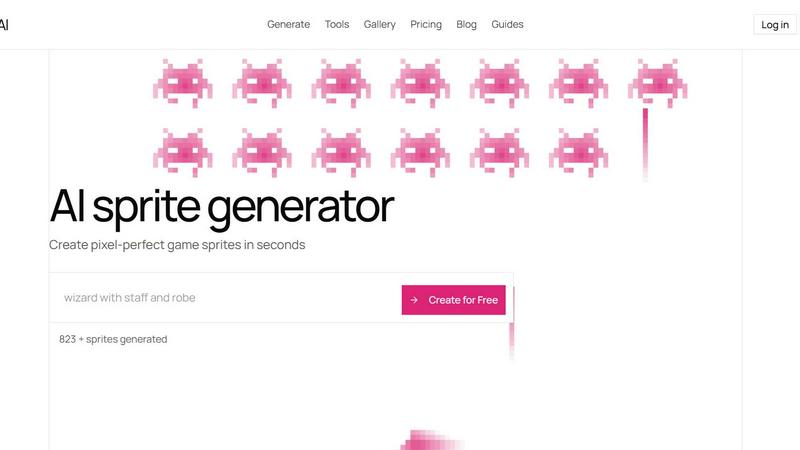
About Sprite-AI
Sprite-AI is an AI-powered pixel art generator designed specifically for indie game developers, hobbyists, and prototypers who need high-quality 2D assets without the wait or the artistic overhead. At its core, Sprite-AI lets you describe a sprite in plain English—something like "fire-breathing dragon with red scales" or "medieval knight with sword and shield"—and the platform produces a clean, game-ready pixel art image in seconds. You choose from standard sizes like 32x32, 64x64, or 128x128 pixels, and the output is correctly sized for the role you need, whether that is a tiny icon, an inventory item, a character, or a full hero or boss sprite. What makes Sprite-AI truly stand out is the built-in pixel editor that appears after generation. This editor lets you paint, erase, fill, and color-pick to fine-tune every single pixel before you export. The final output is a transparent PNG that drops straight into any major game engine like Unity, Godot, GameMaker, or Unreal. Beyond the core tool, Sprite-AI offers a community gallery for inspiration, prompt guides to help you craft better descriptions, and a token-based pricing model so you only pay for what you actually generate. It is built for curiosity and exploration, inviting you to experiment with ideas and see what emerges.
Features of Sprite-AI
Natural Language Prompting
Describe any sprite concept in plain English and Sprite-AI interprets your words into pixel art. You can be as simple or as detailed as you like, from "cute slime monster green" to "ninja with spiky yellow hair and a katana." The AI understands context and style cues, so you can explore variations quickly without any technical drawing skills.
Multiple Output Sizes and Roles
Sprite-AI generates sprites in 16x16, 32x32, 64x64, and 128x128 pixel sizes, each appropriate for different game roles. Icons and small UI elements work best at 16x16 or 32x32, while characters and enemies shine at 64x64. For heroes, bosses, or detailed equipment, the 128x128 size gives you room for intricate pixel work.
Built-in Pixel Editor
After a sprite is generated, you can open it in an integrated pixel editor that feels intuitive and responsive. Use paint, erase, fill, and color-pick tools to adjust any pixel. This feature lets you fix small details, tweak color palettes, or add your own creative touches before finalizing the asset.
Seamless Game Engine Export
Every sprite exports as a transparent PNG file that is ready to import into Unity, Godot, GameMaker, or Unreal Engine. There is no manual cleanup or conversion needed. You can also download in SVG format on higher-tier plans, giving you vector scalability for larger projects.
Use Cases of Sprite-AI
Rapid Prototyping for Game Jams
During a game jam, time is the most precious resource. Sprite-AI lets you generate a full set of sprites for a character, enemy, or item in seconds. You can describe exactly what you need, get a usable asset, and drop it into your engine immediately. This speed frees you to focus on gameplay mechanics and level design.
Indie Game Development with Limited Art Resources
Small indie teams often lack a dedicated pixel artist. Sprite-AI bridges that gap by producing consistent, high-quality sprites from text descriptions. You can generate a knight, a dragon, a magic staff, or a potion icon without hiring external help. The pixel editor then lets you polish the output to match your game's visual style.
Creating Consistent Asset Sets for RPGs
Role-playing games demand many visual assets, from weapons and armor to monsters and NPCs. With Sprite-AI, you can generate an entire inventory of items or a bestiary of creatures using the same prompting style. The token-based model means you only pay for what you use, making it cost-effective for large projects.
Educational and Hobbyist Pixel Art Exploration
Hobbyists and learners can use Sprite-AI to understand how pixel art works. By generating a sprite and then editing it in the pixel editor, you learn about color palettes, shading, and composition. The community gallery also serves as a source of inspiration and a place to share your creations with others.
Frequently Asked Questions
How does the AI generate sprites from my text description?
Sprite-AI uses a specialized machine learning model trained on thousands of pixel art examples. When you type a description like "8-bit dragon with red scales breathing fire," the AI interprets the key elements, style cues, and composition. It then generates a pixel art image that matches your request at the selected size. The more specific you are, the closer the result will be to your vision.
Can I edit the generated sprite after it is created?
Yes, absolutely. Every sprite you generate can be opened in the built-in pixel editor. This editor includes tools for painting, erasing, filling areas with color, and picking colors from existing pixels. You can adjust any detail, fix alignment, or add new elements before you export the final image. This gives you full creative control over the final asset.
What file formats and sizes are available for export?
Sprites can be exported as transparent PNG files, which are compatible with every major game engine including Unity, Godot, GameMaker, and Unreal. On higher-tier plans, you also get SVG export for vector scalability. Available sizes include 16x16, 32x32, 64x64, and 128x128 pixels. You can choose the size that best fits your game's resolution and the role of the sprite.
How does the token-based pricing work?
Sprite-AI uses a subscription model with three tiers: Starter, Creator, and Studio. Each tier gives you a set number of sprites per month. For example, the Starter plan includes 8 sprites monthly, while the Creator plan offers 20 and the Studio plan provides 75. You can cancel anytime, and unused sprites do not roll over. The current launch pricing offers a 38% discount on Creator and Studio plans for a limited time.
Pricing of Sprite-AI
Sprite-AI offers three subscription tiers. The Starter plan is $5 per month and includes 8 game-ready sprites, direct export to any game engine, and access to the community gallery. The Creator plan is $8 per month (discounted from $13) and includes 20 unique sprites, PNG and SVG export, private art storage, and uncensored generations. The Studio plan is $24 per month (discounted from $39) and includes 75 sprites per month plus all Creator features. All plans are cancelable anytime, and the discounted prices are locked in for the first 386 subscribers.
Similar to Sprite-AI

CloneWebsite
Clone any webpage pixel-perfect, export HTML/CSS/ZIP or React/Vue components.

ImageAgent
Create and edit AI images through conversation, using text or reference images and refining results in chat.

AppIconGenerator
Generate iOS and Android app icons from any image and export all platform sizes for free.

Budgetpixel AI
Create AI images, videos, music, and designs in one workspace with multiple models, powerful editing tools, and API access.

CADCraft
Free open-source 2D CAD in Rust with precise drafting, DWG/DXF support, and MCP/JSON/CLI automation for AI agents.

ogimagegenerator.dev
Paste a URL and AI designs on-brand Open Graph images from your page's colours, fonts and logo. Free, no sign-up.

Screen Issues
Free Online Screen Test Tool - Instantly diagnose dead pixels, lines, color issues, and flickering. Multiple test modes, no download needed.

ImageGenerator
Create and edit AI images online with multiple models, text-to-image, image-to-image, background removal, and upscaling.