
Sketch To
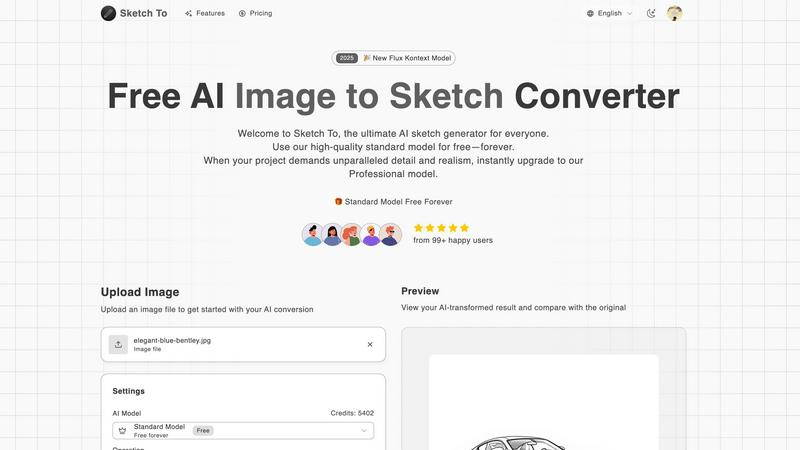
Transform your photos into exquisite sketches effortlessly with Sketch To's advanced AI-powered converter for all.
About Sketch To
Sketch To is a groundbreaking AI-powered tool that revolutionizes the way artists, designers, and creative enthusiasts approach their work. By seamlessly converting images into sketches and vice versa, it provides a unique platform for exploring artistic expression. With its advanced artificial intelligence technology, users can transform photographs into breathtaking artistic sketches that capture the essence of the original image, or elevate hand-drawn artwork into stunning photorealistic images. This flexibility makes Sketch To ideal for both casual creators seeking to enhance their personal projects and professionals aiming for high-quality results. The platform is designed for ease of use, requiring no software installations or subscriptions, thus making creativity accessible to everyone. New users can enjoy a free standard model with trial credits to explore the tool's capabilities, while those seeking superior realism can opt for the Professional model. By simplifying the artistic conversion process, Sketch To empowers users to produce unique artwork effortlessly, ensuring it becomes an essential addition to the toolkit of anyone passionate about visual creativity.
Features of Sketch To
Image to Sketch Conversion
Transform your photographs into stunning pencil sketches with Sketch To's advanced AI technology. This feature enables artists and designers to create beautiful, artistic representations of their images with just a few clicks, making it a valuable tool for enhancing creativity.
Sketch to Image AI
With the Sketch to Image AI feature, users can convert their hand-drawn sketches into realistic images that showcase impressive detail and texture. This capability is particularly beneficial for professionals who want to present their concepts with a high level of realism, appealing to clients and audiences alike.
Instant Processing
Experience the power of instant processing with Sketch To's robust AI engine that delivers results in seconds. This feature allows users to quickly generate their desired artistic transformations, making it perfect for those working under tight deadlines or for rapid creative exploration.
High Resolution Output
Sketch To ensures that all generated artwork is available in high resolution, suitable for both digital sharing and professional printing. This feature guarantees that users can produce gallery-quality images that maintain their integrity across various mediums, whether for personal use or commercial projects.
Use Cases of Sketch To
Social Media Content Creation
Sketch To is an excellent tool for social media managers and influencers who want to create eye-catching visuals. By transforming ordinary photos into artistic sketches, users can enhance their online presence and engage their audience with unique, visually appealing content.
Professional Design Projects
Designers can use Sketch To to elevate their concepts and presentations. By converting sketches into photorealistic images, they can provide clients with a vivid representation of their ideas, facilitating better communication and understanding of the design vision.
Educational Purposes
Teachers and students can benefit from Sketch To by using it as a creative tool for school projects and presentations. Students can transform their drawings into professional-quality images or create artistic representations of historical events or scientific concepts, making learning more engaging.
Personal Art Projects
For hobbyists and art enthusiasts, Sketch To offers a platform to explore and expand their creativity. Users can easily convert their photographs into sketches or enhance their hand-drawn art, allowing them to experiment with different styles and techniques in a fun and user-friendly environment.
Frequently Asked Questions
What types of images can I upload to Sketch To?
You can upload various image formats, including JPEG and PNG files, to use with Sketch To's conversion features. The platform supports a maximum file size of 5MB for uploads.
Is there a cost associated with using Sketch To?
Sketch To offers a free standard model with trial credits for new users. However, if you require superior quality and detail, you can opt for the Professional model, which is available for a monthly fee.
How long does it take to process an image?
Sketch To's advanced AI engine processes images almost instantaneously. You can expect to receive your transformed artwork within seconds, allowing for quick creative exploration.
Can I use Sketch To for commercial purposes?
Yes, you can use Sketch To for commercial projects if you upgrade to the Professional model. This model provides enhanced detail and realism, making it suitable for professional use in design and marketing.
Similar to Sketch To

GPT Image 2 API
Generate and edit production-ready images with GPT Image 2 API using detailed prompts, references, clear text rendering, and developer-friendly workfl

Clawra AI
The ultimate AI Girlfriend experience: roleplay with images and videos.

Imagine2
Private browser-based AI image generation and editing with text-to-image, targeted edits, and multi-image references.

NodeStory
One-click UGC videos, product photo sets, and reusable AI workflows, with 30+ image and video models in one studio.

IsThisAIImage
Free AI image checker: upload a photo for AI-generated and deepfake scores, a clear verdict, and optional generator hints.


Best Face Swap
Best Face Swap lets you explore frame-consistent face replacement for photos, videos, and GIFs with dedicated workflows for free, NSFW, and multiple.

SALBCALC Crack Analyzer
Snap a photo of any concrete crack and discover instantly if it's a simple DIY fix or a call-your-engineer emergency.