

online audio test
Explore your device's audio capabilities with free mic, speaker, latency, and hearing tests that deliver instant results right in your browser.
About online audio test
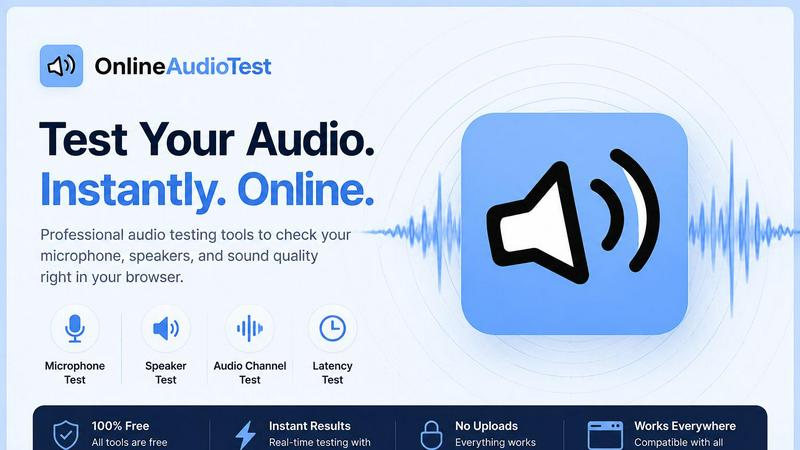
Have you ever wondered if your microphone is truly capturing your voice, or if your headphones are delivering the full spectrum of sound they promise? OnlineAudioTest.com is a free, browser-based suite of audio diagnostic tools designed to answer these questions and more. It is a comprehensive collection of utilities that let you test, analyze, and understand your audio hardware with zero friction. There are no downloads, no sign-ups, and no app store visits required. Simply open your browser, click a button, and get instant, honest feedback about your audio setup. This tool is for everyone: from remote workers troubleshooting why their video call audio is cutting out, to musicians checking their studio monitors, to gamers measuring Bluetooth latency for competitive play, to curious individuals wanting to estimate their hearing range. The core value proposition is clarity and speed. Every tool is focused on a single task, providing clear, actionable results without bloat or confusing interfaces. Your privacy is also a foundational principle; all microphone audio is processed entirely within your browser using the Web Audio API, meaning nothing is ever sent to a server. Whether you are testing a built-in laptop mic, a USB desk mic, a Bluetooth headset, or a pair of wired headphones, this platform gives you the power to diagnose issues, verify performance, and gain a deeper understanding of your audio hardware, all from the convenience of your web browser.
Features of online audio test
Mic Check Online
This feature is your first stop for verifying that your microphone is working correctly. It instantly detects your connected microphone, whether it is a built-in laptop mic, a USB desk mic, a Bluetooth headset, or an earphone mic. Once detected, you see a real-time input level meter and a live waveform that responds to your voice, confirming the mic is active. You can then record a short sample and play it back instantly to hear exactly how you sound to others. This tool is invaluable for diagnosing mute issues, low volume, or hardware recognition problems before an important call or recording session.
Left Right Audio Test
This tool is designed to test the stereo imaging of your speakers, headphones, or earphones. It plays distinct audio signals, including pink noise and sine tones, to the left and right channels separately. This allows you to verify that your audio output is correctly configured, identifying issues like faulty channels (where one side is silent or distorted) or swapped left and right audio output. This is essential for anyone who relies on accurate spatial audio, such as gamers needing to hear enemy footsteps, music producers checking their mix, or video editors ensuring dialogue is panned correctly.
Audio Latency Test
This feature measures the delay between your computer sending an audio signal and you hearing it, reported in milliseconds. It is a critical diagnostic tool for anyone using Bluetooth audio, AirPods, or wireless gaming headsets. The test provides precise measurements for both wired and wireless connections, helping you identify problematic latency that can cause audio to be out of sync with video during calls, streaming, or gaming. By measuring this delay, you can make informed decisions about your audio setup, such as switching to a wired connection for lower latency or adjusting sync settings in your software.
Hearing Test
This tool uses a pure tone sweep generated by the Web Audio API to estimate the highest frequency you can hear. It is a fascinating and informative way to get a rough idea of your hearing range, which naturally decreases with age. The test plays tones at increasing frequencies, and you simply click when you can no longer hear the sound. The result gives you an estimated frequency threshold and a corresponding "hearing age." While not a substitute for a professional audiology exam, it is a quick, private, and engaging way to check your hearing health from the comfort of your home.
Use Cases of online audio test
Troubleshooting Remote Work Audio Issues
Imagine you are on an important video call and colleagues say they cannot hear you. Instead of panicking, you can open the Mic Check Online tool to instantly verify your microphone is detected and capturing audio. If they say your audio is choppy, you can run the Audio Latency Test to see if your Bluetooth headset has a high delay. If you hear crackling from your speakers, the Left Right Audio Test can help identify a faulty channel. This suite turns a frustrating guessing game into a precise, data-driven diagnosis, allowing you to fix the problem or explain the issue to IT support with clear evidence.
Verifying New Audio Hardware
You just bought a new pair of studio headphones or a gaming headset. How do you know they are working correctly and not defective? You can use the Left Right Audio Test to ensure both drivers are producing sound and that the stereo image is correct. Then, use the Headphone Test (which includes frequency sweeps) to listen for any rattles, distortion, or tonal imbalances across the entire frequency range. This gives you the confidence that your new hardware is performing as intended, or the evidence you need to return a faulty unit before the return window closes.
Diagnosing Bluetooth and Gaming Latency
For gamers, especially those playing rhythm games or fast-paced shooters, audio latency is a critical performance factor. If you notice your gunshot sounds are slightly delayed from the visual action, you can use the Audio Latency Test to measure the exact delay of your wireless headset. This data helps you decide if you need to switch to a low-latency codec, use a wired connection, or adjust in-game audio settings. The same test is invaluable for diagnosing lip-sync issues when watching videos on a smart TV or using a Bluetooth speaker.
Exploring Personal Hearing Health
Curiosity about your own hearing is a natural and powerful driver. A music lover might wonder if they can still hear the high-frequency harmonics in their favorite songs. A parent might be concerned about their teenager's headphone use. The Hearing Test offers a private, no-pressure way to get a baseline estimate of your high-frequency hearing range. The result is a simple number and an estimated hearing age, which can be a compelling starting point for a conversation about hearing conservation or a reason to schedule a check-up with an audiologist.
Frequently Asked Questions
Do I need to download any software or create an account?
No, absolutely not. All tools on OnlineAudioTest.com run directly in your web browser using standard web technologies like the Web Audio API. There are no downloads, no installers, and no sign-up forms. You simply visit the website, grant microphone permission when prompted, and the tool works instantly. This makes it incredibly convenient for quick checks on any device, whether it is your own computer, a friend's laptop, or a public computer.
Is my microphone audio recorded or sent to a server?
Your privacy is a core design principle. All audio processing for tools like Mic Check Online and the Spectrum Analyzer happens entirely within your browser. The audio data is analyzed locally using JavaScript and the Web Audio API. Nothing is ever uploaded, recorded, or sent to any external server. When you record and play back a sample in the mic test, the audio stays on your device. This ensures your conversations and environment remain completely private.
Why is my microphone not detected by the tool?
If the tool does not detect your microphone, the most common reason is that your browser has not been granted permission to access it. Look for a small camera or microphone icon in your browser's address bar and ensure permission is allowed. On some operating systems, you may also need to check your system sound settings to ensure the correct microphone is selected as the default input device. If you are using a Bluetooth headset, make sure it is properly paired and connected before running the test.
How accurate is the Hearing Test compared to a professional audiogram?
The Hearing Test on OnlineAudioTest.com is designed as a quick, informative screening tool, not a replacement for a professional medical evaluation. It uses a pure tone sweep to estimate your highest audible frequency, which is a key indicator of hearing health. However, the accuracy can be affected by your headphones' frequency response, background noise in your room, and the volume level you set. For a comprehensive and medically valid assessment of your hearing, you should always consult with a licensed audiologist.
Similar to online audio test

RemoveObjectFromPhoto
Remove unwanted objects, people, and text from photos with AI for clean, natural-looking results in seconds.


LaunchIntel
Your AI agent picks relevant directories, submits your product in your browser and tracks every step. One-time purchase.


CloneWebsite
Clone any webpage pixel-perfect, export HTML/CSS/ZIP or React/Vue components.

CADCraft
Free open-source 2D CAD in Rust with precise drafting, DWG/DXF support, and MCP/JSON/CLI automation for AI agents.

ogimagegenerator.dev
Paste a URL and AI designs on-brand Open Graph images from your page's colours, fonts and logo. Free, no sign-up.

Screen Issues
Free Online Screen Test Tool - Instantly diagnose dead pixels, lines, color issues, and flickering. Multiple test modes, no download needed.