

About MiFoto
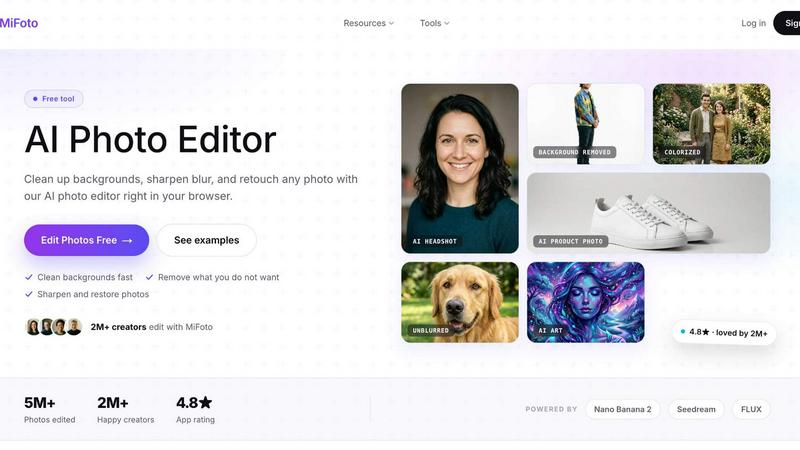
MiFoto is an all-in-one free AI photo editor that makes image editing fast and accessible from a browser. Upload a photo and use AI to remove backgrounds, erase unwanted objects or people, sharpen blurry images, upscale resolution, retouch portraits, restore and colorize old photos, or generate new images from text. MiFoto also includes tools for AI headshots, avatars, product photography, passport photos, face swaps, background generation, and photo enhancement. It is built for creators, small businesses, online sellers, job seekers, families, and anyone who wants polished results without learning complex software. Edit selfies, travel photos, product images, pet pictures, social media content, and old family photographs in a few simple steps. MiFoto keeps faces, products, and details looking natural while automating time-consuming edits. It is free to start, works on phones and computers, requires no design experience, and brings more than 50 AI-powered photo tools together.
Similar to MiFoto

Leadeon
AI growth tool for X and LinkedIn: write posts in your voice, schedule at your best times, find leads on X and see what works.

Riff
Riff writes replies, DMs and posts with Gemini Nano inside Chrome. Runs on your computer, no account or API key, and never posts for you.

Bulin AI
Upload one portrait. Bulin AI puts you in the official Bulin 47 freestyle. The source video guides the moves and camera. No prompt.

TryH3 - MiniMax H3 Video Generator
Try MiniMax Hailuo H3 video generation in the browser

Hotel Lobby AI
Two photos become one hotel lobby video. One person stands on each side of the hanging microphone. No prompt.


hotel-lobby
Two-person AI video concept in a warm orange recording booth, built around natural call-and-response performances.

Seedance 2.5 Free
Create polished AI videos from text or images online with Seedance 2.5 Free.