

AssetCenter
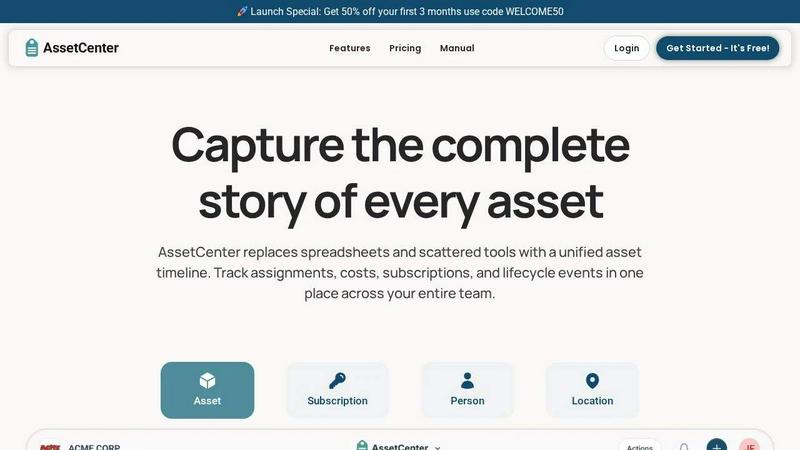
AssetCenter reveals the full story of every asset from acquisition to retirement with a unified timeline for your entire organization.
About AssetCenter
AssetCenter is a modern asset management platform that invites organizations to stop guessing and start tracking. It is designed for teams who have grown tired of scattered spreadsheets, disconnected systems, and the nagging feeling that something important has been misplaced or overlooked. At its core, AssetCenter provides a single, unified timeline for every asset, subscription, person, and location in your organization. This means from the moment an asset is acquired through its entire lifecycle until it is decommissioned or retired, every single event is captured in one clear, chronological view. Think of it as the definitive story of each resource, told in order. It is built for flexibility, allowing any industry from healthcare and construction to education, IT, and manufacturing to tailor the platform to their unique workflows. Instead of forcing you into rigid categories, AssetCenter empowers you to create custom categories, fields, and timeline events that mirror how your team actually operates. Whether you are tracking a fleet of vehicles, expensive medical equipment, software licenses, or office furniture, the platform gives you complete visibility and control. Its main value proposition is eliminating the chaos of scattered data. By creating a single source of truth that is easy to understand and act upon, AssetCenter helps teams make smarter decisions, reduce inefficiencies, and maintain full accountability for every resource under their care. It is a discovery tool that reveals the hidden patterns and costs within your organization.
Features of AssetCenter
Unified Timeline for All Events
Every asset, subscription, person, and location in AssetCenter has its own dedicated timeline. This feature allows you to see everything that has happened to a resource at a single glance. You can track the entire journey from acquisition, where you record the purchase cost and vendor, through assignments that show where the resource is currently located and who is responsible for it. You can also log quick notes for informal observations, assign follow-up tasks or to-dos for future action, and record specific events like maintenance, repairs, vandalism, oil changes, firmware updates, or factory resets. Finally, the timeline captures the decommission stage, documenting retirement or resale. This chronological view eliminates the need to jump between multiple systems or spreadsheets to understand an asset's history.
Customizable Categories and Timeline Events
AssetCenter understands that no two organizations are alike. This feature allows you to create unlimited, industry-specific categories to organize your assets and subscriptions exactly how your business needs them. Whether you are tracking vehicles, machinery, software licenses, or office equipment, you can easily add or adjust categories as your organization grows. Beyond categories, you can fully customize the timeline events themselves. The platform includes prebuilt events for the three main lifecycle stages: Acquisition, Lifecycle, and Decommission. However, you are not locked into these. You can modify the prebuilt events or create entirely new ones to match your unique workflows. This flexibility ensures the software adapts to your processes, not the other way around.
Bulk Import Templates for Rapid Onboarding
Getting started with a new system can be daunting, but AssetCenter makes it remarkably simple with its bulk import feature. You can go to the bulk import page and download ready-made Excel templates. These templates are designed to help you quickly and accurately load all of your existing data into the platform. You fill in the templates with all of your assets, subscriptions, people, and locations. Once the spreadsheet is complete, you simply upload it into AssetCenter. This feature dramatically reduces the time it takes to get up and running, allowing you to migrate from spreadsheets or legacy systems in minutes rather than days or weeks. It is the fastest path from setup to having full visibility.
Comprehensive Dashboard for Organizational Visibility
The dashboard is the command center of AssetCenter, bringing everything together into a single, intuitive view. It allows you to track overall costs, stay ahead of upcoming expirations for subscriptions or warranties, and identify end-of-life assets that may need to be replaced. You can see recent activity across all your resources without needing to jump between different pages or modules. This feature is designed to give you a high-level understanding of your entire organization's asset health at a moment's notice. It helps you spot trends, identify bottlenecks, and make proactive decisions rather than reacting to surprises. The dashboard transforms raw data into actionable insights, helping you maintain control and reduce operational inefficiencies.
Use Cases of AssetCenter
Tracking IT Hardware and Software Licenses
An IT department can use AssetCenter to gain complete control over its technology stack. By creating custom categories for laptops, monitors, servers, and software subscriptions, the team can track every item from purchase to retirement. The unified timeline shows when a laptop was assigned to a new employee, when a software license is up for renewal, or when a server received a critical firmware update. This eliminates the chaos of managing multiple spreadsheets and helps IT teams ensure compliance, plan for upgrades, and quickly answer questions like "Who has the spare monitor?" or "When is our Adobe license expiring?".
Managing Medical Equipment in Healthcare
Hospitals and clinics can leverage AssetCenter to manage expensive and critical medical devices. Each piece of equipment, from an MRI machine to a simple blood pressure cuff, can have its own timeline. The team can log maintenance events, record calibration checks, track assignments to specific departments or rooms, and document repairs. The dashboard provides visibility into the overall cost of equipment maintenance and helps identify devices that are nearing the end of their useful life. This proactive approach ensures that life-saving equipment is always in working order and that the organization is compliant with health and safety regulations.
Overseeing Construction and Heavy Machinery
Construction companies can use AssetCenter to track their most valuable assets: heavy machinery, tools, and vehicles. Each piece of equipment can be assigned to a specific job site or operator. The timeline allows managers to log routine maintenance like oil changes, record any damage or vandalism, and track the transfer of equipment between locations. The bulk import feature is invaluable for getting an existing fleet into the system quickly. With the dashboard, project managers can see which equipment is underutilized, which needs servicing, and the total cost of ownership for each machine, leading to better resource allocation and reduced downtime.
Organizing Office Furniture and Supplies for Facility Management
Facility managers can use AssetCenter to bring order to the physical workplace. They can create categories for desks, chairs, monitors, and other office supplies. Each item can be tracked from acquisition, with its purchase cost and vendor recorded, through its assignment to a specific employee or department. The timeline can log transfers when an employee moves to a new desk, repairs for a broken chair, or a note about a missing keyboard. This system provides a single source of truth for all physical assets within the office, making it easy to plan for new hires, manage office moves, and accurately track the total value of the organization's physical property.
Frequently Asked Questions
How does the free trial work and what is included?
You can start a free trial of AssetCenter without providing a credit card. The trial includes 25 assets and has no time limit, meaning you can explore the platform at your own pace. You get full access to the entire platform, including the unified timeline, custom categories, bulk import templates, and the comprehensive dashboard. This allows you to thoroughly evaluate how AssetCenter can help your organization gain better visibility and control. You can cancel at any time.
Can I customize AssetCenter for my specific industry?
Absolutely. AssetCenter is built for flexibility and can be tailored to fit any industry, including healthcare, construction, education, government, nonprofit, IT, agriculture, manufacturing, and entertainment. You can create unlimited, custom categories that match your specific assets and subscriptions. You can also customize the timeline events to reflect your unique workflows, such as "oil change" for a vehicle or "calibration check" for a medical device. The software adapts to your processes, not the other way around.
How do I get my existing data into AssetCenter?
AssetCenter provides a straightforward bulk import feature to help you migrate your existing data quickly. You can download Excel templates from the bulk import page within the application. These templates are pre-formatted for assets, subscriptions, people, and locations. You simply fill in the templates with your current data and then upload the completed spreadsheet into AssetCenter. This process allows you to get up and running in minutes, even if you have hundreds or thousands of items to track.
What kind of events can I log on an asset's timeline?
The unified timeline is designed to capture the full story of any asset. You can log a wide variety of events, including acquisition details like purchase cost and vendor, assignments to people or locations, quick notes for informal observations, and to-do items for follow-up tasks. You can also log specific lifecycle events such as maintenance, repairs, vandalism, oil changes, firmware updates, and factory resets. Finally, you can record the decommission stage, including retirement or resale. You can also create your own custom events to match your specific needs.
Explore more in this category:
Similar to AssetCenter

Novastart
Apps and files on an infinite canvas where people and AI agents work together.

MD to Text
Convert Markdown to plain text online. Remove formatting instantly, copy readable output, and keep every conversion private in your browser.

AUTOMATER.ai
A tray helper for every AI coding tool: one searchable library of past sessions, waiting alerts and usage across 9 providers.

stackledge
A human-vetted discovery directory for practical AI tools, SaaS apps, and custom n8n workflows, free from bot-scraped spam and dead links.

Kody Tools
Free collection of online developer utilities, code formatters, and digital converters designed to streamline your daily workflow.

What's on the menu
Smart translate any restaurant menu

Forms Plugin
The #1 Native Form Builder Plugin for Framer - No Code, No Embeds, No External Platforms.

Product Launch Checklist
A free launch checklist for SaaS, apps, AI tools and more. Every step says why it matters and when you can skip it.