

AnyToURL
Discover how to instantly transform any file into a secure, shareable link with effortless ease.
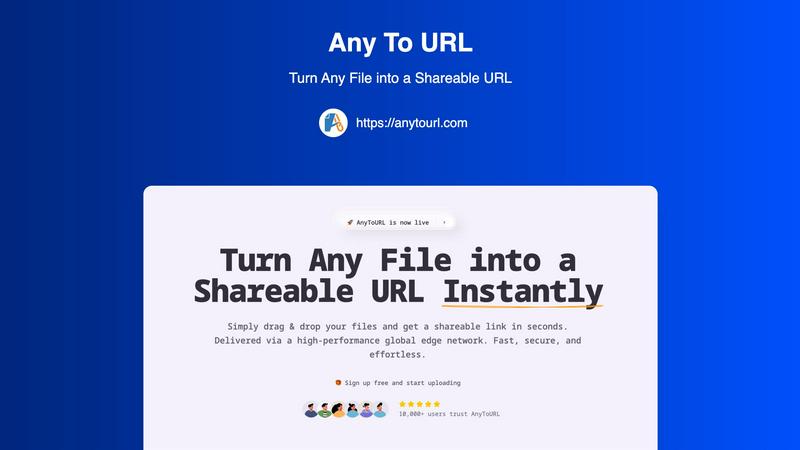
About AnyToURL
Ever wondered what it would be like to share a file as easily as sharing a link? AnyToURL makes that curiosity a reality. It's an innovative file-sharing platform engineered to dissolve the friction from digital transfers. At its core, AnyToURL performs a simple yet powerful transformation: it turns any file you upload—be it an image, video, PDF, or code snippet—into a clean, shareable URL within seconds. This process bypasses the need for clunky email attachments, slow uploads to cloud drives, or complex permission settings. But what truly sets it apart? The platform is built on a global edge Content Delivery Network (CDN), primarily powered by Cloudflare, which ensures your files are delivered at lightning speed to recipients anywhere in the world. Designed for a wide audience, from individuals sharing vacation photos to professionals distributing design mockups or marketing assets, AnyToURL champions a user-friendly, drag-and-drop interface that requires zero technical expertise. It combines this effortless usability with thoughtful security features like optional password protection, offering peace of mind for sensitive documents. By removing barriers, AnyToURL invites you to explore a new, streamlined dimension of file sharing where the only limit is your imagination.
Features of AnyToURL
Drag-and-Drop Simplicity
The cornerstone of the AnyToURL experience is its supremely intuitive interface. You can forget about navigating through complex menus or filling out tedious upload forms. The entire process begins with a simple, natural action: dragging your file from your desktop and dropping it onto the upload area. This immediate, tactile interaction removes all technical barriers, making instant link generation accessible to users of every skill level. It's designed to feel as effortless as moving a file between folders on your own computer.
Instant Shareable URL Generation
Once your file is uploaded, the magic happens instantly. AnyToURL doesn't keep you waiting; it immediately generates a short, clean, and direct URL for your file. This link is ready to be copied with a single click and shared through any channel you prefer—email, messaging apps, social media, or embedded directly into websites. This feature transforms a static file into a dynamic, accessible resource that can be distributed globally in the time it takes to say "share."
Smart In-Browser File Previews
Sharing is one thing, but what does the recipient experience? AnyToURL enhances this by offering smart file previews for supported formats like images, PDFs, and documents. This means your colleagues or clients can view the content directly within their web browser without the need to download it first. It streamlines feedback loops, accelerates review processes, and provides a seamless, professional viewing experience that respects the recipient's time and device storage.
Global Edge CDN for Lightning-Fast Delivery
Have you ever sent a file only to hear the recipient is still waiting for it to load? AnyToURL tackles this head-on by delivering all files via a high-performance global edge network, leveraging infrastructure from providers like Cloudflare. This means your file is cached and served from servers located geographically close to your recipient, ensuring consistently fast download speeds and reliable access no matter where in the world they are located.
Use Cases of AnyToURL
UX and Design Professionals Sharing Mockups
For designers and UX professionals, quick feedback is crucial. AnyToURL allows them to instantly share high-fidelity mockups, wireframes, or prototypes with clients and team members. The in-browser preview feature is particularly valuable here, as stakeholders can view designs immediately without specialized software, leading to faster iteration cycles and more efficient collaboration on visual projects.
Marketing Teams Distributing Campaign Assets
Marketing campaigns often involve distributing a large number of assets—logos, brand guidelines, high-resolution images, and press kits—to internal teams, external agencies, or partners. AnyToURL simplifies this distribution logistically. Teams can upload assets and share a single link, and recipients worldwide can access them quickly via the CDN. The password protection option adds a layer of security for pre-release or sensitive brand materials.
Product Managers Sharing Documentation
Product managers frequently need to share product specifications, requirement documents, and resource guides with distributed engineering, design, and stakeholder teams. AnyToURL provides a perfect solution for disseminating these resources without clogging email inboxes. The instant link generation ensures everyone has the latest version, and the global CDN guarantees fast access for team members in different time zones.
Individuals Sharing Personal Media and Files
Beyond professional use, AnyToURL is perfect for everyday file sharing. Whether you need to send a batch of vacation photos to family, a video clip to a friend, or a PDF document to a landlord, the platform removes the hassle. The simple drag-and-drop and instant link process is far quicker than using most cloud storage services for one-off shares, making personal digital sharing effortless and immediate.
Frequently Asked Questions
What file types does AnyToURL support?
AnyToURL supports a wide array of over 50 different file types, catering to diverse needs. This includes common image formats (JPG, PNG, GIF), documents (PDF, DOCX, PPTX), video files, code snippets, and many more. This extensive compatibility ensures that whatever file you need to share, the platform is likely equipped to handle it seamlessly and generate a preview when applicable.
How long do my files stay available on the free tier?
On the free tier of AnyToURL, your uploaded files are stored and remain accessible via their unique URL for a period of 24 hours. After this time, the link will expire and the file will be removed from the system. This is ideal for temporary, quick shares. For permanent storage and links that do not expire, you would need to explore the platform's paid upgrade options.
Is there a file size limit for uploads?
Yes, there are file size limits that vary by tier. For users on the free plan, the maximum file size for a single upload is 50MB. This is sufficient for many documents, high-resolution images, and short videos. Paid plans significantly increase this limit, supporting file sizes up to 10GB, which accommodates larger media files, software packages, and comprehensive design assets.
How does the password protection feature work?
The password protection feature adds a vital layer of security for sensitive files. When uploading, you have the option to set a custom password for that specific file's link. Once set, anyone attempting to access the URL will be prompted to enter the exact password before they can view or download the file. This ensures that only intended recipients with the password can access your confidential documents, designs, or media.
Explore more in this category:
Similar to AnyToURL

stackledge
A human-vetted discovery directory for practical AI tools, SaaS apps, and custom n8n workflows, free from bot-scraped spam and dead links.

Kody Tools
Free collection of online developer utilities, code formatters, and digital converters designed to streamline your daily workflow.

What's on the menu
Smart translate any restaurant menu

Forms Plugin
The #1 Native Form Builder Plugin for Framer - No Code, No Embeds, No External Platforms.

Product Launch Checklist
A free launch checklist for SaaS, apps, AI tools and more. Every step says why it matters and when you can skip it.


