
Seeddance vs YouTube to Transcript
Side-by-side comparison to help you choose the right AI tool.

Seeddance
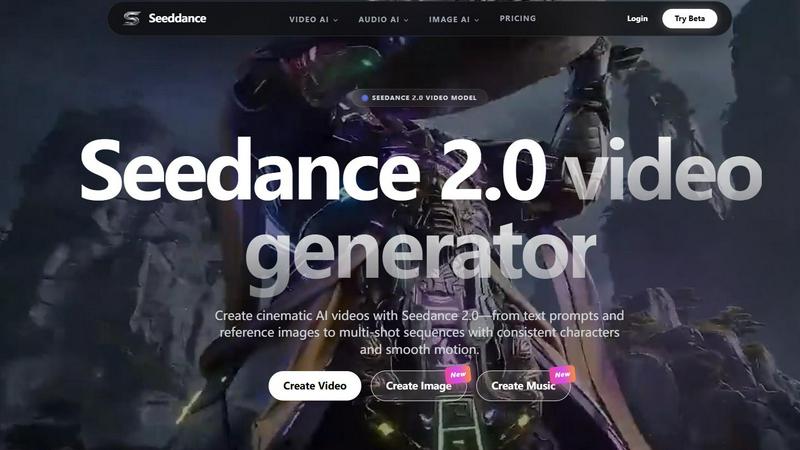
Discover how Seedance 2.0 transforms your text and images into cinematic AI videos with smooth motion and consistent characters.
Last updated: April 13, 2026

YouTube to Transcript
Easily convert any YouTube video into accurate transcripts for free, with no signup or limits on usage.
Last updated: March 3, 2026
Visual Comparison
Seeddance
YouTube to Transcript

Feature Comparison
Seeddance
Seedance 2.0 Video Generator
Dive into the heart of the platform with the Seedance 2.0 model, engineered for cinematic quality. This feature allows you to generate videos directly from text descriptions or by using an image as a creative springboard. What sets it apart is its sophisticated ability to maintain consistency across multiple shots, enabling you to create sequences where characters, aesthetics, and motion flow together seamlessly, pushing beyond single, disjointed clips into the realm of coherent visual narratives.
AI-Powered Viral Effects Library
Unleash a wave of playful creativity with a constantly growing library of over 60 one-click AI video effects. Ever wondered what it would look like for a photo to break into dance or share a heartfelt hug? This feature makes it effortlessly possible. It's designed for rapid, engaging content creation, allowing users to apply trendy, attention-grabbing transformations to their images and videos, perfect for crafting posts that stand out on social media platforms.
Multi-Modal Creative Studio
Seeddance transcends being a single-tool wonder by integrating a full suite of generative AI capabilities. Beyond video, you can explore its AI image generator for creating reference shots or keyframes, and its text-to-music audio generator to compose original soundtracks and sound effects. This interconnected studio approach lets you ideate and produce all assets for a project—visuals, motion, and audio—within a single, cohesive platform.
Cutting-Edge Model Playground
For the AI enthusiast who loves to experiment, Seeddance offers access to a rotating roster of the latest models. The platform frequently integrates new releases like Kling 3 for bringing images to life with motion, Vidu Q3, and Grok Imagine Video for rapid image-to-cinematic clip conversion. This feature ensures creators always have their fingers on the pulse of the most advanced generative technology available.
YouTube to Transcript
Completely Free
YouTube to Transcript stands out by offering its services entirely free of charge. There are no hidden costs, no premium tiers, and no catches. Users can enjoy unlimited access to transcript generation without worrying about fees, making it a truly accessible tool for everyone.
Multi-language Support
The platform excels in its ability to support translations into over 125 languages. This feature is invaluable for global communication, allowing users to translate transcripts into their preferred language with just one click, thus broadening the reach of video content.
No Video Length Restrictions
Unlike many other transcription services, YouTube to Transcript imposes no limits on video duration. Whether you are transcribing a short clip or a lengthy documentary, this tool can handle it all, providing flexibility for different user needs and scenarios.
Clean and Usable Formatting
The transcripts generated are not only accurate but also come with clean formatting. This is essential for users looking to repurpose content for SEO, create study notes, or prepare written content from video sources. The ability to download as a TXT file makes it even more convenient for various applications.
Use Cases
Seeddance
Social Media Content & Viral Campaigns
Creators and marketers can rapidly produce a high volume of eye-catching, trend-aligned content. Use the viral effects for fun, engaging posts, or leverage Seedance 2.0 to generate unique, cinematic short clips for Instagram Reels, TikTok, or YouTube Shorts that tell a brand story or capture a mood without the need for expensive filming equipment or crews.
Concept Visualization & Storyboarding
Filmmakers, writers, and game developers can use Seeddance as a powerful pre-visualization tool. Quickly generate video clips or keyframes from script excerpts or descriptive text to explore scene compositions, character appearances, and atmospheric styles. This allows for iterative experimentation and provides a tangible visual reference to communicate creative ideas to teams or stakeholders.
Personalized Digital Art & Entertainment
Artists and hobbyists can explore new frontiers of digital expression. Transform your own drawings or photographs into animated sequences, create music to accompany your visual art, or craft entirely AI-generated short films. It's a sandbox for personal projects, allowing you to experiment with styles and narratives that would be difficult or impossible to achieve through traditional means.
Prototyping for Advertising & Marketing
Advertising agencies and product teams can prototype commercial concepts at lightning speed. Generate multiple video variants for A/B testing, create mock-ups for potential ad campaigns, or produce compelling product explainer videos directly from concept descriptions. This significantly accelerates the creative ideation phase and reduces costs associated with traditional pre-production.
YouTube to Transcript
Educational Purposes
Students can leverage YouTube to Transcript to convert educational videos into text, making it easier to study complex subjects. By having access to transcripts, they can quickly reference important information without having to rewatch videos.
Content Creation
Content creators can use the tool to extract transcripts from their own videos or others', facilitating the creation of blog posts, social media content, or podcast scripts. This streamlines the content repurposing process and enhances productivity.
Research and Analysis
Researchers can benefit from transcribing interviews or discussions available on YouTube. This allows for easier analysis of spoken content, enabling a clearer understanding of various viewpoints or data presented in video format.
Accessibility Enhancement
YouTube to Transcript can significantly improve accessibility for individuals with hearing impairments. By providing transcripts of videos, the tool ensures that everyone can engage with content, regardless of their auditory capabilities, thus promoting inclusivity.
Overview
About Seeddance
What if you could conjure entire cinematic worlds from a single sentence or a still image? Seeddance invites you on that very adventure. It's not just another AI tool; it's an all-in-one creative platform built for the curious explorer, the aspiring filmmaker, and the social storyteller. At its core is the powerful Seedance 2.0 model, a next-generation AI video generator designed to transform your text prompts and reference images into smooth, high-definition videos with remarkable multi-shot consistency. This means you can craft scenes where characters and styles remain coherent, opening the door to genuine short-form storytelling. But the exploration doesn't stop at video. The platform is a vibrant creative suite, also offering AI-powered image generation, text-to-music tools, and a playful library of viral effects that can make photos dance, hug, or kiss in one click. Seeddance positions itself as a unified creative stack, empowering users to ideate, visualize, animate, and score their ideas in one intelligent environment. Whether you're a content creator seeking viral magic, a marketer prototyping ad concepts, or simply an artist experimenting with new forms of expression, Seeddance provides the playground to bring your wildest imaginative seeds to life.
About YouTube to Transcript
YouTube to Transcript is a revolutionary web-based utility that transforms how we interact with video content. Designed specifically for content creators, students, researchers, and professionals, this tool allows users to effortlessly extract high-quality transcripts and subtitles from any YouTube video by simply pasting the video URL. With its user-friendly interface, YouTube to Transcript prioritizes accessibility and efficiency, ensuring that anyone can harness the power of video content in text form. Imagine being able to quickly pull out key points from a lecture, create searchable content for your blog, or prepare study notes without having to watch the video multiple times. This tool is not just about convenience; it represents a significant leap in how we can engage with digital media, making information more accessible and actionable.
Frequently Asked Questions
Seeddance FAQ
What is Seedance 2.0 and how is it different?
Seedance 2.0 is the flagship next-generation AI video model within the Seeddance platform. It specializes in generating high-quality, cinematic-style videos from text prompts or reference images. Its key differentiator is a strong focus on motion coherence and multi-shot consistency, allowing users to create sequences where elements like characters and visual style remain stable across different shots, enabling more complex storytelling than typical single-prompt video generators.
Is there a free way to try Seeddance?
Yes, you can begin your creative exploration with a free tier that provides access to core features of the platform. This allows you to test the video, image, and audio generation capabilities. For more advanced needs like higher resolutions, longer video generations, batch processing, and faster generation times, paid subscription plans are available that unlock these premium features.
What can I actually create with this platform?
Your creative possibilities are vast. You can create cinematic video clips from simple text descriptions, generate dynamic video variations from a single reference image, and build multi-shot sequences with consistent characters. Beyond video, you can generate images for inspiration or as video inputs, compose original music and sound effects, and apply fun, viral AI effects to existing photos and videos for social media.
How does Seeddance handle content safety and copyright?
The platform is designed for creative flexibility but operates under a clear content policy that prohibits illegal or harmful material. Users are responsible for ensuring they have the rights to any content they upload or reference. For generated content, commercial usage rights typically depend on your subscription plan, with paid subscribers generally granted broader licenses for commercial use compared to free tier users.
YouTube to Transcript FAQ
Is YouTube to Transcript free to use?
Yes, YouTube to Transcript is completely free to use. There are no registration requirements, hidden fees, or premium tiers, allowing users to generate transcripts without any financial commitment.
How do I get a transcript of a YouTube video?
To obtain a transcript, simply copy the URL of the YouTube video you wish to transcribe and paste it into the input field on the YouTube to Transcript website. Click the generate button, and the transcript will be produced instantly.
How long does it take to generate the transcript?
The process is incredibly swift, with transcripts being generated in just a few seconds after the video URL is submitted. This efficiency allows users to access the text they need without unnecessary delays.
Can I download the transcript?
Absolutely! Once the transcript is generated, users can easily copy the text to their clipboard or download it as a TXT file, making it convenient to save and use as needed.
Alternatives
Seeddance Alternatives
Seeddance is a versatile AI creative platform that excels in the video and image generation categories. It combines cinematic AI video creation from text or images with tools for generating music and viral visual effects, all powered by its advanced Seedance 2.0 model. Users often explore alternatives for various reasons. Some may be seeking a different pricing structure or a free tier with more generous limits. Others might need a platform focused on a single specialty, like only image generation, or require specific integrations for their workflow. When evaluating other options, consider your primary creative goal. Look for the core capability you need, whether it's multi-shot video consistency, high-quality image generation, or unique AI effects. Also, assess the user experience, output quality, and how well the tool fits into your existing creative process.
YouTube to Transcript Alternatives
YouTube to Transcript is a dynamic, web-based utility that falls under the categories of Education & Learning, Productivity & Management, and Video. It empowers users to extract high-quality transcripts and subtitles from YouTube videos effortlessly, making it a valuable tool for content creators, students, and researchers alike. However, users frequently seek alternatives due to various factors such as pricing models, specific feature sets, or the compatibility of the platform with their needs. When exploring alternatives, it's essential to consider aspects like cost-effectiveness, language support, ease of use, and the absence of restrictions on video length. Look for options that offer similar functionalities without compromising on quality or requiring cumbersome registration processes. By doing so, you can find the right tool that suits your individual needs and enhances your content creation or learning experience.