
SVG to 3D vs VeoNano
Side-by-side comparison to help you choose the right AI tool.
SVG to 3D
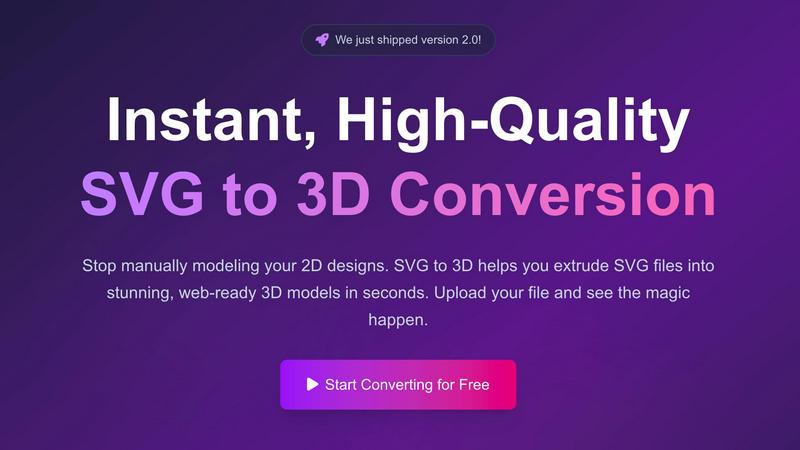
Effortlessly transform your SVG designs into stunning 3D models with our fast, professional, and browser-based tool.
Last updated: February 28, 2026

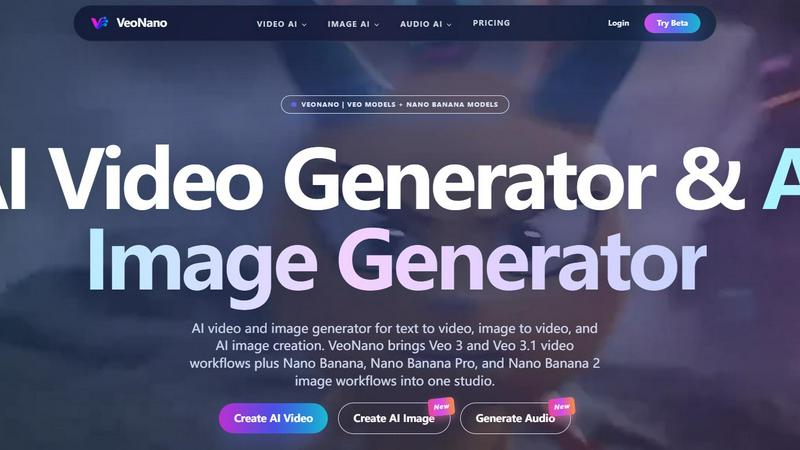
VeoNano seamlessly blends AI video, image, and audio generation for captivating content creation in one powerful studio.
Last updated: April 13, 2026
Visual Comparison
SVG to 3D
VeoNano
Feature Comparison
SVG to 3D
One-Click to GLB for the Web
Optimized for web developers, this feature allows users to export high-performance GLB files with a single click. These files are ready for immediate use in Three.js or React Three Fiber projects, making it effortless to enhance web applications with engaging 3D graphics.
3D-Print Ready
SVG to 3D supports clean STL exports, ensuring that your designs are perfectly formatted for 3D printing. This feature allows you to seamlessly take your 2D designs from screen to physical object, streamlining the fabrication process without requiring complex CAD software.
Advanced Material System
The platform's advanced material system lets users apply realistic PBR materials, custom textures, and professional lighting effects to their 3D models. This capability elevates the visual quality of the models, making them stand out in any project and providing a polished finish that impresses clients and stakeholders alike.
Lightning-Fast Processing
With optimized algorithms, SVG to 3D converts SVG files to 3D models almost instantaneously. Users can expect rapid results, transforming their designs within seconds rather than minutes, thus enhancing productivity and allowing for more creative experimentation in less time.
VeoNano
Seamless Text-to-Video Generation
VeoNano's text-to-video feature allows users to generate cinematic AI videos directly from text prompts. This means you can input script ideas and watch as Veo 3.1 creates visually engaging content, complete with native audio, smooth motion, and a high degree of scene consistency. This feature is perfect for creating compelling narratives or marketing videos without the need for extensive video editing skills.
High-Fidelity Image Generation
With the Nano Banana models, VeoNano offers high-fidelity image generation capabilities. Users can create detailed concept frames, storyboards, and marketing visuals with rich textures and stronger subject consistency. The various Nano Banana workflows provide flexibility, enabling creators to produce images that meet their specific project needs, whether for social media campaigns or professional presentations.
Integrated Audio Generation
VeoNano goes beyond video and image creation by offering an AI audio generator. Users can easily generate sound effects, voiceovers, or musical compositions to complement their videos. This feature allows for a seamless workflow, eliminating the need to switch between different tools and ensuring that audio elements enhance the visual storytelling effectively.
Comprehensive Model Studio
The platform features a model studio that combines both Veo and Nano Banana models in one workspace. This integration allows users to explore and utilize a variety of AI models for video, image, and audio generation, streamlining the creative process. This centralized studio environment makes it easy to manage projects and experiment with different models, ensuring that creativity knows no bounds.
Use Cases
SVG to 3D
Create Interactive 3D Logos and Icons
Transform your brand identity by converting SVG icons into interactive 3D models. This use case is especially beneficial for web developers looking to add depth and interactivity to their projects, creating a more engaging user experience.
Enhance Your Website
Utilize the tool to elevate your web designs. By converting SVG graphics into 3D models, you can create a visually striking and immersive website that captures the attention of visitors and enhances the overall aesthetic appeal of your online presence.
From Digital Design to Physical Object
Bring your 2D designs to life by creating 3D models that are ready for fabrication. This use case is ideal for artists and makers who want to 3D print their logos, art, or custom parts without the hassle of using complicated software, enabling a straightforward transition from digital to physical.
Add Depth to Your UI/UX Designs
Use SVG to 3D to create mockups of UI elements that feature depth and realistic lighting. This approach not only impresses clients and stakeholders but also helps in visualizing user interactions in a more dynamic and engaging manner.
VeoNano
Marketing Campaigns
VeoNano is perfect for creating engaging marketing campaigns. By leveraging its text-to-video and high-fidelity image generation, marketers can rapidly produce promotional videos and visuals that resonate with their target audience, driving engagement and conversions.
Social Media Content Creation
Content creators can use VeoNano to develop eye-catching social media content. With the ability to generate videos and images quickly, users can maintain a consistent posting schedule, keeping their audience engaged with fresh and dynamic visuals.
Storyboarding and Concept Development
For filmmakers and animators, VeoNano serves as an invaluable tool for storyboarding and concept development. The high-fidelity images generated can be used to visualize scenes, while the text-to-video feature can help in illustrating the flow of the narrative, making the pre-production process more efficient.
Educational and Training Videos
VeoNano can also be utilized in educational settings to create informative training videos. Whether it is for corporate training or educational institutions, the ability to generate clear and concise videos from text prompts allows for effective knowledge dissemination and engagement.
Overview
About SVG to 3D
SVG to 3D is an innovative web-based tool designed to effortlessly transform 2D SVG vector graphics into stunning 3D models in mere seconds. Catering specifically to developers, designers, and 3D printing enthusiasts, this tool addresses the common frustration of having to use heavyweight software like Blender or Cinema 4D for simple tasks like extrusion. With SVG to 3D, you can upload your SVG file and watch as it morphs into a high-quality 3D model, ready for web integration or 3D printing. The platform is engineered for professional use, offering advanced controls that allow for fine-tuning of every detail, from thickness to materials. Its user-friendly interface ensures that anyone can create intricate 3D designs without the steep learning curve typically associated with 3D modeling software. Ultimately, SVG to 3D provides a fast, efficient, and accessible solution for bringing your 2D designs to life.
About VeoNano
VeoNano is an innovative all-in-one AI platform designed to streamline the creation of cinematic videos and high-fidelity images through advanced AI technology. It combines the functionalities of text-to-video, image-to-video, and AI image generation, making it a versatile tool for content creators, marketers, and businesses looking to enhance their visual storytelling. By integrating Veo 3 and Veo 3.1 video workflows alongside the Nano Banana model family, including Nano Banana Pro and Nano Banana 2, VeoNano offers users a comprehensive studio experience. Whether you are producing engaging advertisements, captivating storyboards, or dynamic social media content, VeoNano empowers you to transform your ideas into visually stunning realities with ease and efficiency. With its user-friendly interface and robust capabilities, it is perfectly suited for professionals and enthusiasts alike who seek to harness the power of AI in their creative processes.
Frequently Asked Questions
SVG to 3D FAQ
How does SVG to 3D work?
SVG to 3D works by allowing users to upload an SVG file, after which the tool processes the file and converts it into a 3D model. Users can then adjust settings like thickness and bevels before exporting the final model in various formats.
What file formats can I export my 3D model in?
You can export your 3D models in several formats, including GLB, GLTF, OBJ, and STL. This versatility ensures compatibility with a range of 3D frameworks and 3D printing applications.
Is there a limit on the size of SVG files I can upload?
Yes, the maximum file size for uploads is 5 MB. Keeping your SVG files within this limit ensures that the conversion process remains quick and efficient.
Is my data secure when using SVG to 3D?
Absolutely. Your files are processed locally in your browser whenever possible, ensuring that your designs remain private and secure, with no need to upload sensitive files to external servers.
VeoNano FAQ
What is VeoNano?
VeoNano is a comprehensive AI platform that specializes in cinematic video and image creation. It integrates multiple workflows, including text-to-video and high-fidelity image generation, allowing users to create visually stunning content for various applications.
Is VeoNano free to try?
Yes, VeoNano offers a starter tier that includes credits for users to explore AI video generation, image-to-video creation, and AI audio production. This allows potential users to experience the platform before committing to paid plans for enhanced features.
Can I turn one image into video with VeoNano?
Absolutely. VeoNano allows users to upload reference images and generate image-to-video clips with dynamic camera motion and prompt guidance, making it ideal for ads, storyboards, and creative projects.
What can I create with VeoNano?
Users can create a wide array of content with VeoNano, including cinematic videos, marketing visuals, storyboards, social media clips, and even audio elements to finalize their projects, all within a single platform.
Alternatives
SVG to 3D Alternatives
SVG to 3D is an innovative tool designed to transform 2D SVG vector graphics into high-quality 3D models, catering to the needs of developers, designers, and 3D printing enthusiasts. As part of the AI Assistants category, it streamlines the conversion process, allowing users to create stunning 3D visuals effortlessly without the need for complex software like Blender or C4D. Users often seek alternatives due to various reasons such as pricing, feature sets, ease of use, and compatibility with different platforms. When choosing an alternative, it's essential to consider factors like the quality of the output, user interface, available support, and the ability to integrate with existing workflows. Finding a solution that aligns with specific needs can significantly enhance the creative process and project outcomes.
VeoNano Alternatives
VeoNano is an innovative all-in-one AI platform that specializes in video and image generation, offering capabilities such as text to video, image to video, and AI image creation. With its integration of Veo 3 and Veo 3.1 video workflows, alongside Nano Banana, Nano Banana Pro, and Nano Banana 2 image workflows, VeoNano serves as a comprehensive studio for users seeking to enhance their creative projects. Users often seek alternatives to VeoNano for a variety of reasons, including pricing considerations, specific feature requirements, or the need for compatibility with certain platforms. When exploring alternatives, it's essential to evaluate factors such as user interface, customization options, support services, and the overall value provided by the platform. This careful analysis can lead to discovering a solution that best fits your unique creative needs.