
Perkoon vs Quickfix AI
Side-by-side comparison to help you choose the right AI tool.

Experience free and unlimited peer-to-peer file transfers with Perkoon, no signup needed and your files stay private.
Last updated: March 4, 2026

Quickfix AI
Discover what's slowing you down with AI-powered system diagnostics and plain-English insights.
Last updated: February 28, 2026
Visual Comparison
Perkoon

Quickfix AI
Feature Comparison
Perkoon
Peer-to-Peer (P2P) File Transfer
Perkoon’s flagship feature allows users to send files directly between browsers without relying on a central server. This method eliminates size limits, making it possible to transfer large files for free while ensuring privacy and security since the data never passes through Perkoon’s servers.
Encrypted Cloud Storage
For instances when recipients are offline, Perkoon offers encrypted cloud storage that temporarily holds files until they can be accessed. This feature is paid but is designed to cover the operational costs of running the servers, ensuring that your files are safe and secure.
AI Integration
Perkoon is built for the AI age, offering native tools that allow AI agents to interact directly with the service. This eliminates the need for screen scraping, allowing for more efficient automation and smoother file transfers, making it an ideal solution for developers and tech enthusiasts.
Simple Command Line Interface (CLI)
For advanced users, Perkoon provides a straightforward CLI tool that enables seamless integration with various applications and systems. This feature allows users to transfer files using command line instructions, catering to those who prefer a more technical approach to file management.
Quickfix AI
Comprehensive One-Click Diagnostics
With a single scan, Quickfix AI delivers a complete health report of your system. It meticulously analyzes key components including real-time CPU usage, memory pressure, GPU load, disk health and available space, battery condition (health percentage and cycle count), and even your security protection status and network connection speeds. This all-in-one dashboard eliminates the need to open multiple system monitors, giving you a unified and immediate understanding of your computer's vital signs.
Conversational AI Explanations
This is where curiosity meets clarity. Not sure what a high memory pressure means or which app is draining your battery? Simply ask the built-in AI assistant questions in plain English. It reads your entire diagnostic report and responds with easy-to-understand explanations and tailored recommendations, like identifying that your Mac is slow because Chrome is using 45% of the CPU. It turns intimidating data into a helpful, guided conversation.
Secure Remote Sharing with Codes
Designed for collaboration and support, this feature allows you to gain insights into another person's system effortlessly. By generating a unique sharing code, you or an IT professional can remotely view a diagnostic report without needing direct access to the machine. It’s an invaluable tool for tech support teams or for helping friends and family troubleshoot issues from afar, all within a secure framework.
Cross-Platform Compatibility
Quickfix AI ensures no user is left out of the discovery process. It offers dedicated applications for both Windows and macOS operating systems. This broad compatibility means whether you're on a personal MacBook, a Windows gaming rig, or managing a mixed-ecology office, you can utilize the same powerful diagnostic and explanatory tools to understand and optimize any system in your care.
Use Cases
Perkoon
Collaborative Projects
Perkoon is perfect for teams working on collaborative projects who need to share large files quickly and efficiently. The P2P transfer method allows team members to send and receive files in real-time, enhancing productivity and teamwork.
Remote Work
For remote workers, Perkoon simplifies the process of sharing files with colleagues and clients. Whether sending presentations, reports, or large datasets, users can rely on Perkoon to deliver their files securely and without delay.
Academic Research
Researchers can utilize Perkoon to share large datasets or documents with collaborators without worrying about size limitations or data privacy. The secure transfer methods ensure that sensitive information remains confidential.
Content Creation
Content creators, such as video editors or graphic designers, benefit from Perkoon’s ability to transfer large media files swiftly. The lack of size limits enables creatives to collaborate on projects without the hassle of file compression or quality loss.
Quickfix AI
The Perplexed Troubleshooter
You hear your computer's fan whirring loudly or notice everything has become sluggish, but you have no idea why. Instead of diving into confusing system logs, you use Quickfix AI. It runs a scan, and you can immediately ask, "Why is my computer so loud and slow?" The AI pinpoints the exact processes causing high CPU usage and suggests which applications to close or update, transforming frustration into a quick solution.
The Performance-Optimizing Enthusiast
Gamers, developers, video editors, and power users who want to squeeze every bit of performance from their hardware use Quickfix AI for deep insights. They can monitor GPU and CPU temperatures during intensive tasks, check for memory bottlenecks, and ensure their storage drives are healthy. The AI can answer specific queries like, "Is my RAM speed bottlenecking my game?" helping them make informed upgrades and adjustments.
The Efficient IT Support Professional
IT teams can revolutionize their support workflow. Instead of lengthy remote desktop sessions, they send a simple download link to an end-user. Once the user runs Quickfix AI and provides the sharing code, the IT pro instantly sees a full diagnostic report on their own dashboard. This allows for rapid, accurate diagnosis of issues—from failing hard drives to misconfigured security settings—dramatically reducing resolution time.
The Proactive Security Auditor
For individuals and small teams concerned with digital safety, Quickfix AI acts as a first-line security check. It provides a clear overview of critical security settings like firewall and FileVault status on Mac. Users can proactively ask the AI, "Is my system's security configured correctly?" and receive understandable feedback on their protection status, helping them identify potential vulnerabilities before they become problems.
Overview
About Perkoon
Perkoon is a revolutionary file transfer service that prioritizes simplicity, privacy, and user empowerment. Designed for a wide array of users, from casual file sharers to tech-savvy professionals, Perkoon provides a refreshing alternative to traditional file transfer methods that often come laden with restrictions and hidden costs. Its primary value proposition lies in its commitment to offering a truly free peer-to-peer (P2P) file transfer solution without compromising on user experience. With no size limits and no mandatory sign-ups, Perkoon allows users to transfer files directly between browsers, ensuring that data remains private and secure. When recipients are offline, Perkoon offers a paid cloud storage option that securely holds files until they are ready to be accessed. With built-in AI tools and automation capabilities, Perkoon is designed for the modern age, making it a versatile choice for anyone looking to share files effortlessly and without the baggage of conventional services.
About Quickfix AI
Ever wondered what's really going on inside your computer? Quickfix AI is your personal digital detective, an AI-powered system diagnostics tool designed to demystify your machine's health and performance in plain English. It transforms complex technical data into clear, actionable insights, making it the perfect companion for anyone curious about their system's inner workings. Whether you're troubleshooting a mysterious slowdown, optimizing for peak performance, or simply satisfying your curiosity, Quickfix AI provides a comprehensive snapshot of your CPU, memory, storage, battery, security, and network status. Its core magic lies in an intelligent AI assistant that reads your full diagnostic report and converses with you, offering specific recommendations without requiring any technical expertise. Built for the modern user, it serves a wide audience from perplexed individuals and tech enthusiasts to professional IT support teams, all through a process that takes under a minute from download to detailed diagnosis.
Frequently Asked Questions
Perkoon FAQ
How does Perkoon keep my files private?
Perkoon ensures your files remain private by using P2P technology for transfers, meaning your data never touches their servers. For cloud transfers, files are encrypted, adding an extra layer of security.
What happens if the recipient is offline?
If the recipient is offline, Perkoon will hold the file securely in encrypted cloud storage until the recipient is available to access it. This feature is part of the paid offering.
Can I use Perkoon on any browser?
Perkoon works best on Chrome, Edge, and Brave, which have no limitations. Users of Firefox and Safari may experience some restrictions, so it is advisable to use compatible browsers for optimal performance.
How can I earn extra storage with Perkoon?
You can share your unique referral link with others. When they sign up and transfer files, both you and the new user earn extra cloud storage, making it a mutually beneficial arrangement.
Quickfix AI FAQ
Is Quickfix AI free?
Yes, Quickfix AI offers a free version that allows you to download the application, run comprehensive system scans, and chat with the AI assistant to get explanations and recommendations for your own machine. This provides substantial value for personal troubleshooting and curiosity. The website also mentions "Pricing" and "Enterprise" tiers, indicating that advanced features or team-oriented capabilities may be available under paid plans.
Is my data secure?
Quickfix AI is designed with security in mind. The diagnostic data is processed to provide your report and facilitate the AI conversation. For the remote sharing feature, data is accessed only through a unique, one-time sharing code that you control. The company provides a Data Processing Addendum (DPA) and a Privacy Policy, which detail their commitment to handling your system information responsibly.
Do I need technical knowledge?
Absolutely not. This is the core purpose of Quickfix AI. It is built specifically for users with little to no technical background. The entire interface and the AI assistant are designed to explain complex system information in plain, conversational English. You just need to be curious enough to ask a question about your computer's behavior.
How does the sharing code work?
The sharing code enables secure, remote diagnostics. First, the person needing help downloads and runs Quickfix AI on their computer and starts a scan. Upon completion, the application generates a unique, temporary code. This code is then shared with the helper (like an IT support agent). The helper enters this code into their own Quickfix AI interface to instantly view the read-only diagnostic report from the other machine, allowing for remote troubleshooting without invasive software.
Alternatives
Perkoon Alternatives
Perkoon is a user-friendly file transfer service that falls under the category of productivity and management tools. It offers a refreshingly straightforward approach to sharing files, utilizing peer-to-peer technology to facilitate direct transfers without the need for sign-ups or artificial limitations. Users often seek alternatives to Perkoon for various reasons, including specific feature requirements, pricing structures, or compatibility with different platforms. As you explore your options, consider factors such as ease of use, privacy policies, transfer speed, and whether the service aligns with your specific needs for file management. When selecting an alternative to Perkoon, it's essential to prioritize your requirements and values. Look for services that maintain a strong focus on user privacy, provide reliable transfer speeds, and offer flexibility in terms of file size limits. Additionally, consider how well the platform integrates with your existing tools and workflows, as a seamless user experience can significantly enhance productivity. By keeping these aspects in mind, you can find an option that best suits your file transfer needs.
Quickfix AI Alternatives
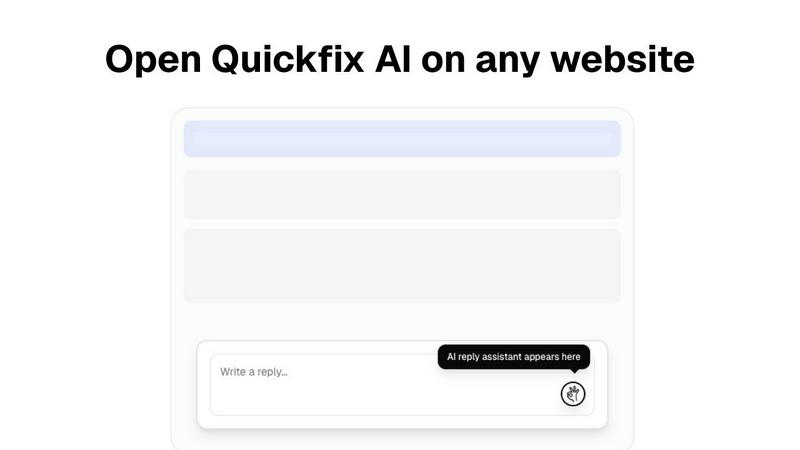
Quickfix AI is a powerful browser extension in the productivity and management category, designed to instantly generate AI-powered replies across email and social platforms. It’s a tool for anyone seeking to streamline digital communication and reclaim time. Users often explore alternatives for various reasons. Perhaps they need a different pricing model, require integration with a specific niche platform, or are looking for a feature set tailored more closely to creative writing versus quick responses. The search for the right tool is a personal journey. When evaluating other options, consider your core needs. Look at the balance between automation and control, the depth of platform compatibility, and the quality of language output. The ideal alternative should feel like a natural extension of your workflow, enhancing your unique communication style without adding complexity.