
LinkedInPro vs Proofapp
Side-by-side comparison to help you choose the right AI tool.
Discover how your casual photos can instantly become polished, professional LinkedIn headshots.
Last updated: February 28, 2026

Proofapp
Transform feedback into visual comments on your website, streamlining collaboration and reducing miscommunication.
Last updated: March 4, 2026
Visual Comparison
LinkedInPro
Proofapp

Feature Comparison
LinkedInPro
AI-Powered Studio Transformation
Dive into the magic of advanced artificial intelligence that meticulously analyzes your uploaded photo. The AI goes beyond simple filters, intelligently enhancing lighting, refining skin tones, sharpening focus, and applying professional-grade adjustments to the background and composition. It's like having a digital portrait artist and photographer working in tandem to extract a magazine-ready headshot from your casual snapshot, all while preserving your authentic likeness.
Instant Results & Seamless Workflow
Curious about how fast you can go from a selfie to a professional asset? LinkedInPro is built for immediacy. The process is remarkably streamlined: upload a clear photo from your device or take one directly through the platform, and within seconds, you receive your enhanced result. This frictionless experience is designed for the modern professional who values efficiency, removing lengthy waiting periods and complicated editing software from the equation.
User-Friendly Photo Guidelines
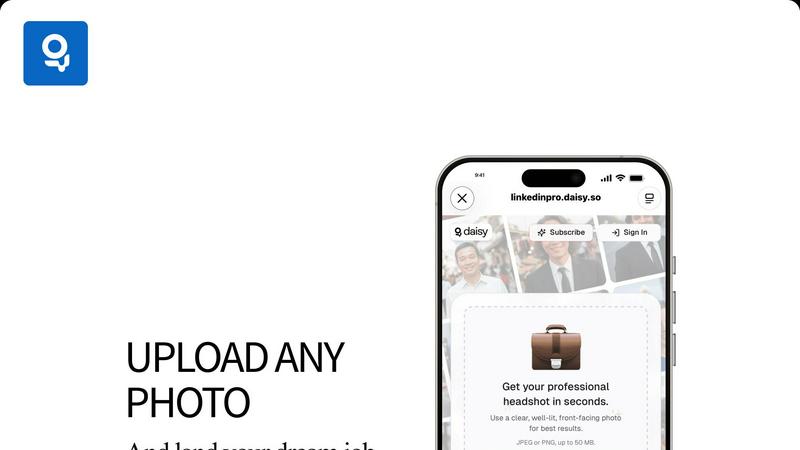
To help you achieve the absolute best outcome, LinkedInPro provides clear, intuitive guidance. The platform recommends using a clear, well-lit, front-facing photo as your starting point. These simple instructions ensure the AI has optimal material to work with, allowing its algorithms to perform at their peak and deliver a result that looks naturally professional, not artificially generated.
Secure and Private Processing
Your privacy and data security are paramount. LinkedInPro processes your images with a strong commitment to confidentiality. The service is built on secure infrastructure, and your uploaded photos are handled with care, used solely for the purpose of generating your headshot. You can explore the tool with peace of mind, knowing your professional image is in safe hands.
Proofapp
Visual Commenting
With Proofapp, users can click anywhere on a screenshot to leave contextual feedback. This eliminates confusion over vague comments like "top left, under the nav," allowing for precise communication regarding design adjustments.
Multi-Breakpoint Testing
Proofapp automatically captures screenshots at both desktop and mobile breakpoints. This feature ensures that all aspects of a website are reviewed, providing a comprehensive understanding of how the design performs across devices.
Real-time Collaboration
Experience seamless teamwork as comments from your team appear in real-time. This feature enables users to reply, resolve issues, and track progress collectively, fostering an efficient and responsive workflow.
Secure Share Links
Generate secure, expirable links to share projects with clients easily. While clients can view and comment on designs, they do not need to create an account, making it straightforward for everyone involved in the project.
Use Cases
LinkedInPro
The Job Seeker's First Impression
Imagine applying for your dream role. Before a recruiter reads a single word of your resume, they see your profile picture. LinkedInPro equips job seekers with a headshot that conveys competence, approachability, and professionalism. This powerful visual cue can significantly increase profile views and signal that you are serious about your career, helping you stand out in a crowded applicant pool.
The Entrepreneur Building a Brand
For entrepreneurs and freelancers, your face is often the face of your business. A polished, consistent headshot across LinkedIn, your company website, and speaking engagement profiles builds credibility and trust. LinkedInPro provides an affordable way to establish this professional visual identity, reinforcing your brand's reputation and making you more memorable to potential clients and partners.
The Professional Seeking a Profile Refresh
Career evolution deserves a visual update. Whether you've been promoted, changed industries, or simply haven't updated your photo in years, LinkedInPro offers a quick and effective solution. It allows established professionals to modernize their online presence with a current, high-quality image that accurately reflects their current role and seniority, ensuring their digital persona matches their real-world achievements.
The Networker Enhancing Visibility
Active networking requires a profile that attracts connections. A professional headshot makes your profile appear more complete, active, and engaging. When you comment on posts, publish articles, or send connection requests, a great photo makes you more recognizable and approachable, fostering stronger professional relationships and increasing your visibility within your industry.
Proofapp
Freelancers
Freelancers can leverage Proofapp to present their work professionally while efficiently collecting feedback from clients. By utilizing visual comments, they can save time on revisions and focus on delivering high-quality projects.
Small Development Teams
For small dev teams, Proofapp streamlines the client approval process without the burden of enterprise pricing. This allows teams to maintain productivity and keep projects moving forward with clear and actionable feedback.
Design Teams
Design teams benefit from precise visual feedback pinned right where it matters. This organized method of communication helps to reduce design revisions and enhances the overall quality of the final product.
Marketing Teams
Marketing teams can visually review landing pages and campaigns with their entire team. By using Proofapp, they ensure that all members are aligned on project goals and can provide instant feedback on visual elements.
Overview
About LinkedInPro
Have you ever wondered what a truly professional headshot could do for your online presence? LinkedInPro invites you to explore that very question. It's an innovative AI-driven platform designed to transform the way professionals present themselves in the digital world. At its core, LinkedInPro is a sophisticated image enhancement tool that takes your everyday photos and, in mere seconds, reimagines them as studio-quality professional headshots. This process eliminates the traditional barriers of expensive photoshoots, complex scheduling, and the anxiety of being in front of a camera. The tool is crafted for a wide spectrum of users: from the ambitious job seeker aiming to make a powerful first impression, to the entrepreneur building a personal brand, and the established professional seeking a polished profile refresh. Its primary value proposition is profound in its simplicity: democratizing access to high-quality professional imagery. By making it accessible to everyone regardless of budget, location, or technical skill, LinkedInPro empowers individuals to confidently showcase their best selves. It's not just about improving a photo; it's about unlocking potential, attracting the right opportunities, and presenting a version of yourself that commands attention and respect in your career journey.
About Proofapp
Proofapp is an innovative visual feedback and website review platform designed to streamline collaboration among designers, developers, and their clients. By enabling users to upload any website URL, Proof automatically captures high-quality screenshots for both desktop and mobile views. This intuitive tool allows reviewers to pin comments directly on the design, engage in threaded discussions, attach necessary files, and mark feedback as resolved—all without requiring an account. Proofapp stands out with features like real-time notifications, Slack integration, and support for multiple pages, making it ideal for freelancers gathering client input or agencies managing numerous projects. By transforming feedback into a visual and organized format, Proofapp eliminates the chaos of scattered emails and ambiguous revision notes, enhancing productivity and ensuring actionable insights.
Frequently Asked Questions
LinkedInPro FAQ
What kind of photo should I upload for the best results?
For optimal results, we recommend uploading a clear, well-lit, front-facing photo. Ensure your face is fully visible without harsh shadows, sunglasses, or hats. The photo should be in focus and taken against a relatively simple background. This gives our AI the best possible foundation to create a stunning, natural-looking professional headshot.
What file formats and sizes does LinkedInPro support?
You can explore LinkedInPro's capabilities by uploading images in either JPEG or PNG format. The platform supports files up to 50 MB in size, which accommodates most high-resolution photos from modern smartphones and digital cameras, ensuring your starting image is of sufficient quality.
How does LinkedInPro ensure the privacy of my photos?
We take your privacy seriously. Your uploaded photos are processed securely and are used solely for the purpose of generating your AI-enhanced headshot. We do not claim ownership of your images. For full details, please refer to our Privacy Policy, which outlines our strict data handling and security practices.
Is there a limit to how many headshots I can generate?
The specific usage limits or subscription tiers for generating headshots would typically be outlined on our pricing or subscription page. We encourage you to check the current plans available on our website for the most up-to-date information on what's included in your chosen level of service.
Proofapp FAQ
How does Proofapp improve feedback communication?
Proofapp enhances feedback communication by allowing users to leave visual comments directly on screenshots. This ensures that all feedback is contextual and eliminates misunderstandings that often arise from written communication.
Do clients need an account to provide feedback?
No, clients can provide feedback through secure share links without needing to create an account. This simplifies the feedback process and encourages more timely input from clients.
What security features does Proofapp offer?
Proofapp includes enterprise-level security features, such as role-based permissions and audit logs. This ensures that sensitive data is handled securely, giving users peace of mind while collaborating with clients.
Is there a free trial available for Proofapp?
Yes, Proofapp offers a generous free trial that allows users full access for 60 days without a credit card required. This trial enables potential users to explore the platform's capabilities before committing to a subscription.
Alternatives
LinkedInPro Alternatives
LinkedInPro is an AI-powered tool in the productivity and management category, designed to transform everyday photos into professional LinkedIn headshots. It simplifies the process of creating a polished online presence, making high-quality imagery accessible without a professional photoshoot. Users often explore alternatives for various reasons. Some may seek different pricing models or subscription plans, while others might need specific features, like integration with other platforms or a wider range of editing controls. The search is driven by a desire to find the perfect fit for individual needs and budgets. When evaluating options, consider the core value: the quality and authenticity of the AI-generated images. Look at the diversity of styles offered, the ease of the user experience, and the overall cost-effectiveness. The goal is to find a tool that not only enhances your photo but also feels intuitive and delivers results that truly represent you.
Proofapp Alternatives
Proofapp is a visual feedback and website review platform designed to enhance collaboration between designers, developers, and their clients. By capturing screenshots of both desktop and mobile views, it allows users to provide targeted feedback directly on the designs. This tool falls under the category of design tools, enabling teams to streamline their review processes and manage feedback effectively. Users often seek alternatives to Proofapp for various reasons, including pricing structures, specific feature sets, or platform compatibility. When exploring alternatives, it's essential to consider factors such as ease of use, integration capabilities, and the ability to handle multi-page projects. Finding a solution that meets your unique workflow needs can significantly enhance your design review process and improve overall efficiency.