
Imgezy vs Nano AI
Side-by-side comparison to help you choose the right AI tool.

Imgezy
Discover how Imgezy effortlessly transforms your photos with AI-powered object removal and background changes.
Last updated: February 28, 2026

Nano AI
Nano AI is your all-in-one creative platform for rapid AI image generation, editing, and transformation.
Last updated: February 28, 2026
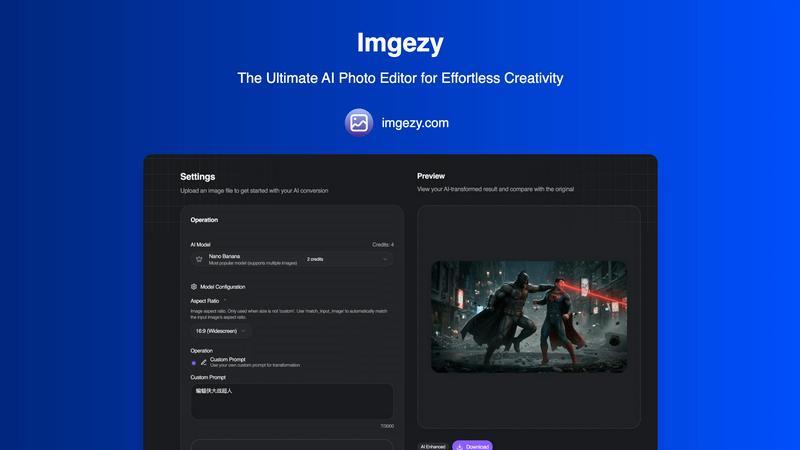
Visual Comparison
Imgezy
Nano AI

Feature Comparison
Imgezy
AI-Powered Object Removal
Discover the magic of flawlessly cleaning up your images. Imgezy's advanced AI intelligently identifies and removes unwanted elements—be it photobombers, distracting objects, or imperfections—with pixel-perfect accuracy. The technology doesn't just delete; it reconstructs the background seamlessly, leaving no trace behind. This allows you to rescue otherwise perfect shots and achieve a clean, professional look effortlessly.
Instant Background Replacement
Curious about how your portrait would look on a tropical beach or in a sleek studio? With Imgezy, you can explore endless possibilities by changing photo backgrounds instantly. The AI cleanly separates the subject from the original backdrop, allowing you to swap it for solid colors, preset scenes, or any environment you describe. It's like having a portable, AI-powered photo studio at your fingertips.
Intelligent Photo Enhancement
Uncover the hidden potential in your photos with automated enhancement. This feature goes beyond simple filters, using AI to intelligently adjust colors, lighting, contrast, and sharpness. It analyzes your image to make nuanced improvements that make your photos pop, ensuring they look their best whether viewed on a phone screen or in high-resolution print.
Batch Processing for Efficiency
For those larger projects, Imgezy offers a time-saving batch processing capability. This allows you to upload and apply similar edits to multiple images at once, streamlining your workflow. It's perfect for creators and professionals who need to maintain consistency across a series of photos, such as for product catalogs or event galleries, without editing each one individually.
Nano AI
Flash-Speed AI Image Generation
Harness the power of the Nano Banana model for near-instantaneous visual creation. Whether you're starting from a text prompt or transforming an existing image, the platform orchestrates the entire pipeline to deliver results in under ten seconds. This flash generation eliminates frustrating render waits, allowing your ideas to materialize almost as fast as you think them, keeping your creative momentum unstoppable.
Magic Edit with Inpainting & Outpainting
Reimagine any part of your image using simple natural language commands. Need to change a shirt color, add an object, or expand the background canvas? Just highlight the area and type what you want. This powerful inpainting and outpainting capability lets you fix, alter, and enhance specific regions without complex software, truly enabling you to "fix it in post" without ever leaving the post-production maze of other applications.
Deep Style Tuning & Control
Move beyond generic filters. Nano AI, paired with the Nano Banana style model, offers unprecedented granular control over the aesthetic of your generations. Simply describe the desired lighting, texture, or composition—like "Renaissance lighting on cyberpunk geometry"—and the AI faithfully interprets your vision. This allows for sophisticated style generation and transfer, empowering you to craft uniquely tailored visuals from a simple prompt.
All-in-One Creative Workspace
Nano AI consolidates your entire workflow into one intuitive space. It combines text-to-image generation, image-to-image transformation, and a growing library of utility tools like background removal, image conversion, and resizing. With shared galleries and upcoming features like Prompt Labs and dedicated Editors, every experiment, team review, and final export is managed in a unified environment, eliminating disruptive app-switching and lost momentum.
Use Cases
Imgezy
Social Media Content Creation
For influencers, marketers, and everyday users, Imgezy is a secret weapon for crafting eye-catching social media posts. Quickly remove distracting elements from a lifestyle shot, replace a bland background with something more engaging, or enhance colors to make your feed stand out. It enables anyone to produce polished, professional-looking content that captivates their audience, all in a matter of seconds.
E-commerce Product Photography
Online sellers can explore a cost-effective way to elevate their product listings. Use Imgezy to remove price tags or studio equipment from product shots, replace backgrounds with clean white or branded settings, and enhance image clarity to make products look more appealing. This helps create a consistent, high-quality storefront that can boost customer trust and sales.
Personal Photo Restoration and Improvement
Delve into your old photo albums and give cherished memories a new lease on life. Imgezy can be used to remove scratches, dust, or unwanted people from historical photos, repair blurry areas, and enhance faded colors. It's a powerful tool for personal archiving, allowing you to preserve and improve family photos without needing expert restoration skills.
Professional Photography Workflow
Professional photographers can integrate Imgezy into their workflow to handle tedious editing tasks quickly. Use it for initial clean-up—like removing sensor dust spots or stray objects from a landscape—or to experiment with different background concepts for client portraits. This frees up valuable time to focus on the creative aspects of photography and client interaction.
Nano AI
Rapid Social Media Content Creation
Content creators and social media managers can generate a week's worth of unique, on-brand visuals in minutes. Use text-to-image to brainstorm post concepts, then quickly iterate with different styles and aspect ratios (1:1, 9:16) for Instagram, Twitter, or TikTok. The speed and variety enable constant testing of new aesthetics and immediate capitalizing on trending visual themes like "Vaporwave City" to keep audiences engaged.
Marketing Campaign Asset Development
Marketing teams can rapidly prototype and produce campaign assets. Generate multiple ad mockups, banner concepts, and promotional graphics from a single campaign brief. Use image-to-image to maintain brand consistency across variations, and employ Magic Edit to swap in different products or messaging swiftly. The shared gallery feature streamlines collaboration and approval processes, accelerating time-to-market.
Concept Art & Design Ideation
Graphic designers and concept artists can use Nano AI as a powerful brainstorming partner. Quickly visualize abstract ideas, explore different artistic styles from chibi art to watercolor paintings, and generate multiple compositional drafts. The platform allows for fast iteration on concepts, helping to solidify creative direction before committing to detailed manual work in traditional design software.
E-commerce Product Visualization
Online retailers can create compelling lifestyle and product imagery without expensive photoshoots. Generate background scenes for product isolation, use inpainting to place items in different settings, or create consistent stylized imagery for an entire catalog. The background removal tool instantly cleans up product shots, while style tuning ensures all visuals align with the brand's aesthetic.
Overview
About Imgezy
Have you ever wondered what it would be like to edit photos simply by describing your vision? Welcome to Imgezy, the revolutionary AI photo editing tool that transforms that curiosity into reality. This platform is designed for everyone, from casual smartphone photographers to seasoned professionals, who seek professional-quality results without the steep learning curve of traditional software. At its core, Imgezy is an intelligent creative partner that interprets plain language commands. Imagine uploading a photo and typing "remove the tourist in the red shirt" or "swap this dull sky for a vibrant sunset"—within seconds, powerful AI executes your vision. It democratizes advanced editing techniques like object removal, background replacement, and photo enhancement, making stunning visuals accessible for social media, e-commerce listings, or personal projects. By blending cutting-edge artificial intelligence with an exceptionally intuitive interface, Imgezy empowers users to explore their creativity freely, turning complex edits into a simple, conversational experience.
About Nano AI
What if your creative workspace could anticipate your next move? Nano AI is the all-in-one creative platform that transforms that curiosity into reality. It's a unified digital studio built for graphic designers, content creators, and marketing professionals who are tired of juggling disparate apps. At its core, Nano AI leverages the cutting-edge Nano Banana model to offer lightning-fast text-to-image and image-to-image generation, delivering visual results in under ten seconds. This isn't just about speed; it's about maintaining creative flow. The platform seamlessly integrates advanced editing tools like background removal, inpainting, and outpainting with granular style control, allowing you to draft, refine, and polish ideas without ever leaving a single, cohesive workspace. With features like shared galleries for team collaboration and the promise of upcoming 4K neural upscaling, Nano AI ensures your concepts evolve from fleeting inspiration to high-quality, shippable assets faster than ever. It's more than a tool; it's a partner in the creative process, designed to keep you in the moment and ahead of the deadline.
Frequently Asked Questions
Imgezy FAQ
How does Imgezy's AI understand what I want to edit?
Imgezy utilizes sophisticated AI models trained on vast datasets of images and text descriptions. When you type a command like "remove the person on the left," the AI analyzes your image to identify all elements, interprets your natural language instruction, and precisely locates and manipulates the specified area. It's a continuous exploration of computer vision and language processing working in harmony.
What image formats does Imgezy support?
You can begin your editing exploration with all common image formats. Imgezy supports JPG, PNG, and WebP files, ensuring compatibility with most photos from digital cameras, smartphones, and other devices. Simply drag and drop your file to start the creative process.
Is there a limit to how many images I can edit?
Yes, editing is based on a credit system. Each edit consumes a certain number of credits, which vary based on the AI model and complexity. For example, the Basic plan offers 200 credits per month, which is approximately 100 images. You can explore different subscription tiers to find a plan that matches your editing volume and curiosity.
Can I use images edited with Imgezy for commercial purposes?
This depends on your subscription plan. The Pro plan includes a commercial license, granting you the rights to use your AI-edited images in commercial projects, client work, and for-profit ventures. It's essential to check the specifics of your chosen plan to understand the usage rights for your creations.
Nano AI FAQ
What is Nano Banana?
Nano Banana is the proprietary, cutting-edge AI model that powers Nano AI's core generation capabilities. It's specifically engineered for flash-speed inference, delivering image results in under ten seconds. More than just fast, it's sophisticated, capable of understanding layered instructions, stylistic cues, and complex briefs without requiring extensive prompt engineering, making the creative process feel effortless and intuitive.
Do I own the images I create with Nano AI?
Yes, commercial rights to the images you generate are granted to users on the Pro and Studio subscription plans. This means you can legally use the visuals created on these plans for commercial purposes, such as in advertising, product designs, or merchandise, providing significant value for professionals and businesses needing original, royalty-free assets.
What is 4K Neural Upscaling?
4K Neural Upscaling is an upcoming feature designed to transform low-resolution AI generations into high-fidelity, production-ready assets. Unlike simple sharpening, it intelligently hallucinates and adds believable detail—like skin texture, fabric weave, or wood grain—making it possible to upscale a small draft to a billboard-sized print without losing quality. This bridges the gap between quick ideation and final asset delivery.
Can I use Nano AI for team collaboration?
Absolutely. Nano AI includes shared galleries, allowing teams to collectively view, organize, and iterate on generated assets. This facilitates seamless feedback and approval cycles. The upcoming Prompt Labs and Editors will further enhance collaboration by keeping every project's experiments, revisions, and exports in one shared workspace, ensuring everyone stays aligned and productive.
Alternatives
Imgezy Alternatives
Imgezy is an intuitive AI photo editor that transforms images through simple text commands, placing it squarely in the innovative category of AI-powered image editing tools. It's designed to make complex edits like object removal and background changes accessible to everyone. Users often explore alternatives for various reasons. Some might be seeking different pricing models, whether a more robust free tier or a different subscription structure. Others may need specific features, like integration with other creative software, or have platform requirements, such as a dedicated mobile app or desktop version that better fits their workflow. When considering other options, it's wise to look at the core AI capabilities for editing accuracy, the quality of the final output, and the overall user experience. The goal is to find a tool that not only matches your technical needs but also feels intuitive, allowing your creativity to flow without friction.
Nano AI Alternatives
Nano AI is a dynamic player in the image generation and editing category, designed as an all-in-one creative platform. It empowers users to rapidly transform ideas into visuals using advanced AI models and a suite of editing tools, all within a collaborative workspace. Users often explore alternatives for various reasons. This could be due to budget constraints, a need for different feature sets like video generation or 3D modeling, or a preference for a platform that integrates with other specific tools in their workflow. The search for the right tool is a natural part of finding the perfect creative partner. When evaluating other options, consider your core needs. Key factors include the speed and quality of image generation, the depth of editing controls available, collaboration features for teams, licensing terms for commercial use, and of course, the overall value relative to the cost. The ideal alternative should align with your specific creative demands and workflow.