
Fallom vs TrafficClaw
Side-by-side comparison to help you choose the right AI tool.

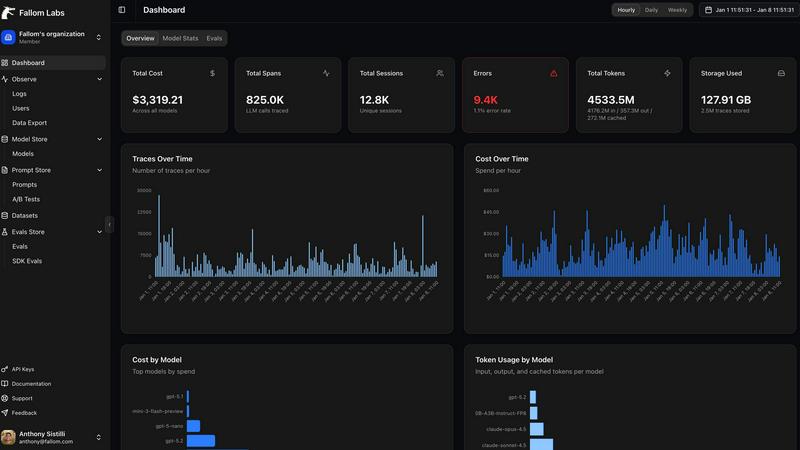
Fallom offers real-time observability for your AI agents, providing complete visibility and cost tracking.
Last updated: February 28, 2026

TrafficClaw
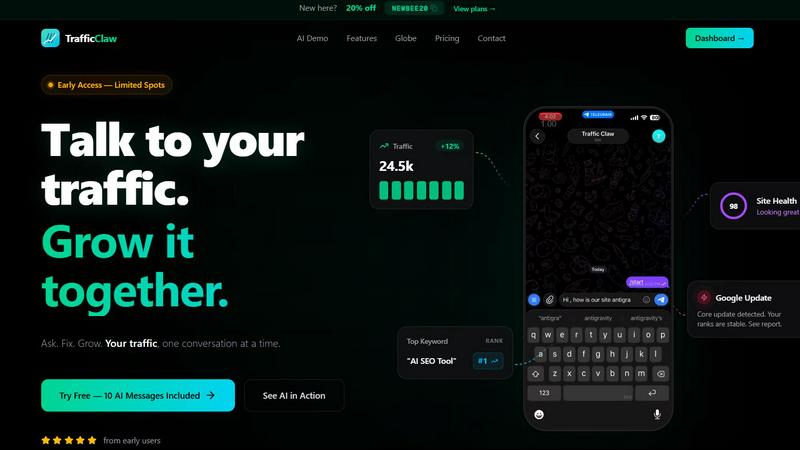
Talk to your SEO & Analytics data - it finally talks back
Visual Comparison
Fallom
TrafficClaw
Overview
About Fallom
What if you could peer inside the intricate conversations of your AI agents, understanding not just their final answers but the entire journey of thought, tool use, and decision-making? Fallom is the key to that exploration. It is a cutting-edge, AI-native observability platform built from the ground up for the unique complexities of Large Language Model (LLM) and autonomous agent workloads. Designed for engineering teams and organizations scaling their AI applications, Fallom provides a comprehensive, real-time window into every AI interaction happening in production. Its core value lies in transforming opaque AI operations into transparent, analyzable, and optimizable processes. With a simple OpenTelemetry-native SDK, you can instantly trace every LLM call, capturing a rich tapestry of data including prompts, outputs, token usage, latency, costs, and the precise sequence of tool calls. This isn't just monitoring; it's about gaining profound, contextual insights. By grouping traces by user, session, or customer, Fallom helps you understand not just what your AI is doing, but who it's for and why it matters. Built with enterprise-scale compliance in mind, it offers the robust audit trails and model governance needed to navigate regulatory landscapes like the EU AI Act. Fallom empowers you to debug with confidence, allocate costs with precision, and ultimately build more reliable, efficient, and transparent AI systems.
About TrafficClaw
Your traffic dropped. Google Analytics says nothing useful. Search Console shows graphs. Cool. Now what? TrafficClaw lets you just ask - "Why did my traffic drop?" and actually get an answer. Backed by your real data, not some generic blog post advice. Connect GA4 + Search Console. Ask questions. Get fixes. That's it.