
BlitzCut vs Shotmatic
Side-by-side comparison to help you choose the right AI tool.

BlitzCut
Discover how Blitzcut instantly transforms raw clips into viral videos by removing silence and adding captions.
Last updated: February 28, 2026
Shotmatic
Discover how Shotmatic effortlessly transforms your text into engaging viral video content with AI.
Last updated: March 1, 2026
Visual Comparison
BlitzCut

Shotmatic
Feature Comparison
BlitzCut
Automatic Silence Removal
Imagine an editor that listens to your video and instantly snips out every pause, "um," and moment of dead air. BlitzCut's on-device AI does exactly that, scanning your footage and removing silence automatically. This process, which can take 15-20 minutes manually, happens in about 30 seconds, tightening your video's pace and boosting watch time without you ever touching a timeline. The fact that it works directly on your device means no waiting for uploads, making the magic happen right in your pocket.
AI-Powered Styled Captions
Captions are no longer just text on screen; they're a vital design element for engagement and accessibility. BlitzCut generates captions with over 95% accuracy and, more importantly, applies dynamic, viral-ready styles to them automatically. This feature eliminates the painstaking process of manually transcribing, correcting, and animating text, transforming a 20-minute chore into another 30-second, one-tap operation that makes your content pop.
Text-Based Video Editing
What if you could edit your video by simply editing a transcript? BlitzCut's text-based editing feature allows you to do just that. View the AI-generated transcript of your video and delete entire sentences or phrases. The corresponding video footage is automatically removed and the clip is seamlessly stitched back together. This intuitive approach provides a powerful and non-intimidating way to refine your content's narrative flow.
Mobile-First, One-Tap Export
Built from the ground up for creators on the go, BlitzCut offers a fully optimized experience for iPhone, iPad, and Mac. The entire philosophy is centered on a minimal, efficient workflow. Once your silence is removed and captions are styled, you can export in full HDR quality and share directly to your social platforms with a single tap, closing the loop from idea to published post in record time.
Shotmatic
Multi-Format Video Styles
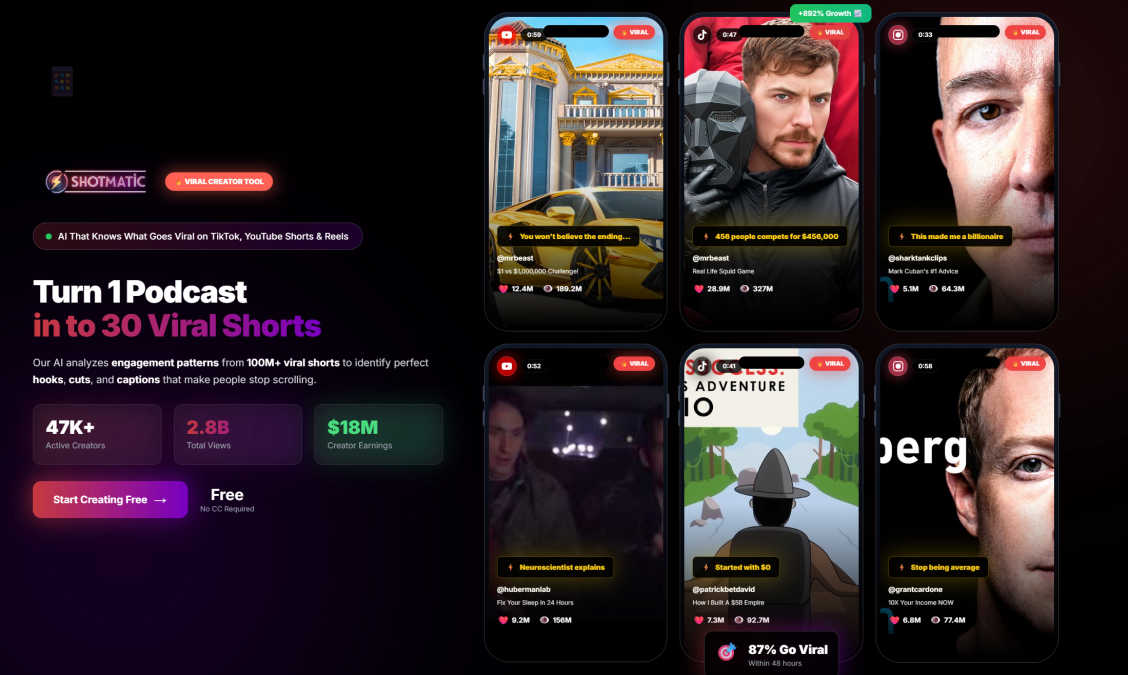
Dive into a suite of specialized creation modes, each engineered for a specific type of viral content. Choose from five powerful styles: Viral Shorts for trending, faceless content; AI Avatars for professional spokesperson videos; Article/PDF/Reddit converters to transform text into video; an Ad Generator for high-converting UGC-style ads; and Viral Clips to automatically extract the best moments from longer footage. This feature allows you to match the perfect creative format to your strategic goal, all within a single, unified platform.
Intelligent Aspect Ratio Adaptation
Why create multiple versions of the same video for different platforms? Shotmatic's smart technology automatically adapts your video into the ideal aspect ratio for any social network. It seamlessly generates versions in vertical 9:16 for TikTok and Reels, widescreen 16:9 for YouTube and LinkedIn, and square 1:1 for Instagram and Facebook feeds. This "create once, publish everywhere" magic ensures your content looks native and professional on every channel, maximizing its reach and engagement potential.
Automated Content Sequences
What if your channel could grow on autopilot? Beyond one-off video creation, Shotmatic allows you to set up fully automated sequences that deliver fresh, viral-ready videos daily without any ongoing effort. You can define your topics, niches, and styles, and the platform will handle the rest, providing a consistent stream of content to keep your audience engaged and algorithms favoring your channel. This is the ultimate tool for building a sustainable, hands-off content engine.
AI-Powered Production Suite
Experience the core magic that assembles a stunning video from mere text. This integrated suite handles every complex production task automatically. It generates compelling visuals and B-roll, adds professional-grade voiceovers, syncs accurate captions, and curates trending background music that matches the mood of your content. This all-in-one automation turns your script into a complete, polished video package in seconds, eliminating the need for multiple tools or editing expertise.
Use Cases
BlitzCut
The Daily Social Media Creator
For creators committed to daily posting on TikTok, Reels, or Shorts, consistency is key but time is scarce. BlitzCut is the perfect partner, turning a daunting editing session into a sustainable 2-5 minute task. It allows these creators to maintain a high-quality, engaging presence without letting the editing process consume their entire day, freeing them up to brainstorm and film new content.
Podcasters and Interviewers Repurposing Content
A long-form podcast interview is a treasure trove of content, but repurposing it for social media is notoriously labor-intensive. BlitzCut streamlines this by quickly removing pauses and generating crisp captions for the most compelling clips. This enables creators to efficiently transform hours of conversation into bite-sized, shareable videos that drive traffic back to their main content.
Educators and Coaches Creating Tutorials
Educators creating tutorial or explainer videos often need clear, concise delivery. BlitzCut helps polish their recordings by automatically cutting out hesitations and redundancies, resulting in a more professional and authoritative final product. The automatic, stylish captions also enhance comprehension and make the content accessible to a wider audience, all with minimal technical effort.
Small Business and Marketing Teams
Small businesses and marketing teams with limited resources need to produce effective video content quickly. BlitzCut empowers them to create professional-looking promotional videos, testimonials, or how-to guides without needing dedicated video editing skills or a large budget. The speed and simplicity allow for agile content creation that can respond to trends and customer feedback.
Shotmatic
Scaling a Social Media Presence
For content creators and influencers, consistently posting high-quality video is the key to growth. Shotmatic empowers you to rapidly experiment with trends, convert your ideas into videos in seconds, and maintain a relentless posting schedule. By leveraging automated sequences and platform-optimized formats, you can dramatically increase your output, engage your audience more frequently, and attract the algorithmic attention needed to virally expand your following across TikTok, Instagram, and YouTube.
Producing Cost-Effective Marketing Assets
Marketing teams and small businesses can now produce authentic, converting video ads without the high costs of actors, filming crews, or lengthy production cycles. Use the UGC Ad Generator or AI Avatar features to create relatable testimonial and product-explainer videos that resonate with audiences. This allows for rapid A/B testing of different ad creatives, scaling campaign volume, and achieving a higher return on investment by producing more content that converts with a significantly lower budget.
Repurposing Long-Form Content
Unlock the hidden value in your existing content library. Bloggers, educators, and businesses can use Shotmatic to effortlessly transform articles, whitepapers, PDF reports, or even insightful Reddit threads into engaging short-form videos. This breathes new life into your expertise, allowing you to reach new audiences on visual platforms and drive traffic back to your original long-form content, effectively maximizing the utility and reach of every piece you create.
Building a Faceless Viral Channel
The rise of faceless content channels presents a unique opportunity. With Shotmatic, you can build and grow a channel around curated topics, trends, or niches without ever appearing on camera. The platform's ability to generate compelling visuals, voiceovers, and viral clip packages from text enables you to produce mysterious, high-value content that focuses purely on the narrative or information, allowing for anonymity while capitalizing on trending algorithms.
Overview
About BlitzCut
Ever wondered how some creators manage to post polished, engaging videos every single day without burning out? The secret might just lie in the tools they use. Enter BlitzCut, an AI-powered video editor built on a radical premise: what if editing was so fast it became an afterthought? BlitzCut is designed specifically for the modern content creator who thrives on platforms like TikTok, Instagram Reels, and YouTube Shorts. It tackles the most time-consuming parts of the editing process—removing awkward silences and adding stylish captions—with remarkable speed and precision. Its core mission is to shift the focus back to creating, not laborious editing, by automating the tedious work. Built mobile-first for iPhone, iPad, and Mac, BlitzCut promises a complete workflow from raw clip to posted video in about two minutes. This isn't just another feature-heavy editor; it's a streamlined, purpose-built tool that asks a compelling question: how much more could you create if you saved an hour on every edit?
About Shotmatic
Ever wondered how top creators and marketers produce a constant stream of engaging video content without burning out? The secret is no longer a locked studio or a massive budget; it's intelligent automation. Shotmatic is the pioneering all-in-one AI video creation platform that demystifies and automates the entire production pipeline. It transforms a simple idea, article, or script into a polished, professional video ready to captivate audiences. Imagine generating viral shorts, authentic UGC ads, AI avatar spokesperson videos, or converting your blog posts into visual stories—all without ever picking up a camera or wrestling with complex editing software. This platform is engineered for anyone with a story to tell, from aspiring content creators and social media influencers to savvy marketing teams and businesses of all sizes. By removing the traditional barriers of time, cost, and technical skill, Shotmatic empowers you to scale your video output exponentially. With a thriving community of over 2,500 active creators who have generated more than 50,000 videos and garnered 30 million+ views, Shotmatic isn't just a tool; it's a movement redefining how content is created and consumed across TikTok, YouTube, Instagram, and beyond.
Frequently Asked Questions
BlitzCut FAQ
Is BlitzCut really free to use?
Yes, BlitzCut is free to download and use. The app emphasizes accessibility, requiring no account creation to get started. You can access its core AI features for silence removal and caption generation without an upfront cost, making it easy for any creator to try and integrate into their workflow.
How does the on-device AI processing work?
Unlike many cloud-based tools, BlitzCut performs key AI tasks like silence removal directly on your iPhone, iPad, or Mac. This means your video files never need to be uploaded to a server for processing. The benefits are significant: faster processing times, enhanced privacy since your content stays on your device, and the ability to edit even without an internet connection.
What video formats and lengths does BlitzCut support?
BlitzCut is designed to be flexible for creators. You can import raw talking-head videos or any other clip directly from your device's camera roll. It supports a wide range of common formats and lengths, allowing you to work with the footage you already have without worrying about complex compatibility requirements.
How does BlitzCut compare to other editors like CapCut or Descript?
BlitzCut carves out its niche through extreme focus and speed. While apps like CapCut offer a vast suite of manual editing tools and Descript excels at detailed podcast production, BlitzCut is laser-focused on automating two specific, time-consuming tasks for social media: silence removal and caption styling. It's built for the creator who values a "one-tap, done" workflow over extensive manual control, prioritizing a sub-2-minute turnaround above all else.
Shotmatic FAQ
What do I need to start creating videos with Shotmatic?
All you need to begin is an idea, topic, or any piece of text! The platform is designed to be incredibly intuitive. You simply input your script, article, or a few keywords, select your desired video style (like Viral Shorts or AI Avatar), and choose your preferences for voice and music. Shotmatic's AI then handles the entire production process, generating a complete video with visuals, audio, and captions for you to review and download.
Can I customize the AI-generated videos?
Yes, while Shotmatic automates the heavy lifting, you retain creative control. After the AI generates your initial video, you can enter an editing suite to make adjustments. This typically includes swapping out specific clips or images, editing the text of captions, choosing a different voiceover or background music track, and fine-tuning the timing. This ensures the final product perfectly matches your brand voice and vision.
What platforms are the videos optimized for?
Shotmatic is built for the modern multi-platform landscape. It automatically optimizes videos for all major social media and video platforms. This includes vertical formats (9:16) for TikTok, Instagram Reels, and YouTube Shorts; widescreen formats (16:9) for YouTube, LinkedIn, and webinars; and square formats (1:1) for Instagram and Facebook feeds. You get multiple versions from a single creation, ready to publish anywhere.
Is there a free trial available?
Absolutely! Shotmatic offers a free trial that allows you to explore the platform's core capabilities and create your first AI videos without any commitment. The trial requires no credit card to sign up, so you can genuinely test the features risk-free. You can cancel at any time during the trial period if you decide the platform isn't the right fit for your needs.
Alternatives
BlitzCut Alternatives
BlitzCut is an AI-powered video editor designed for content creators who need to produce social media clips quickly. It belongs to the fast-growing category of automated editing tools that use artificial intelligence to handle tedious tasks like cutting silences and adding captions, freeing creators to focus on their ideas and storytelling. Users often explore alternatives for a variety of reasons. Some may be looking for different pricing models or subscription tiers, while others might need specific advanced features, integrations, or support for different platforms like Windows or Android. The search for the right tool is a natural part of finding a workflow that aligns perfectly with one's creative process and technical requirements. When evaluating other options, it's wise to consider your core needs. Key factors include the accuracy and speed of AI automation, the simplicity of the user interface, the availability of a mobile or desktop app that fits your setup, and the overall value for the investment. The goal is to find a solution that removes friction, not adds it, allowing you to maintain a consistent posting schedule without the editing grind.
Shotmatic Alternatives
Shotmatic is a powerful AI video creation platform that transforms text into engaging video content in minutes. It belongs to the rapidly evolving category of automated content creation tools, designed to help creators and marketers produce videos at scale without filming or complex editing. Users often explore alternatives for various reasons. Some may seek different pricing models or subscription tiers, while others might need specific features like advanced editing controls, unique AI avatars, or integrations with particular workflows. The ideal platform depends heavily on individual goals, whether it's maximizing virality, ensuring brand consistency, or streamlining a content calendar. When evaluating other tools, consider your core needs. Look at the quality of AI-generated visuals and voiceovers, the flexibility of customization, and how well the platform supports your target social media channels. The right alternative should align with your desired output style, budget, and the level of creative control you require.