
Avif2Png vs Img Editor
Side-by-side comparison to help you choose the right AI tool.
Avif2Png
Effortlessly convert your AVIF images to universally compatible PNG format with high quality and fast processing.
Last updated: March 1, 2026

Img Editor
Transform your ideas into stunning high-quality images in seconds with Img Editor's powerful AI image generation tools.
Last updated: February 28, 2026
Visual Comparison
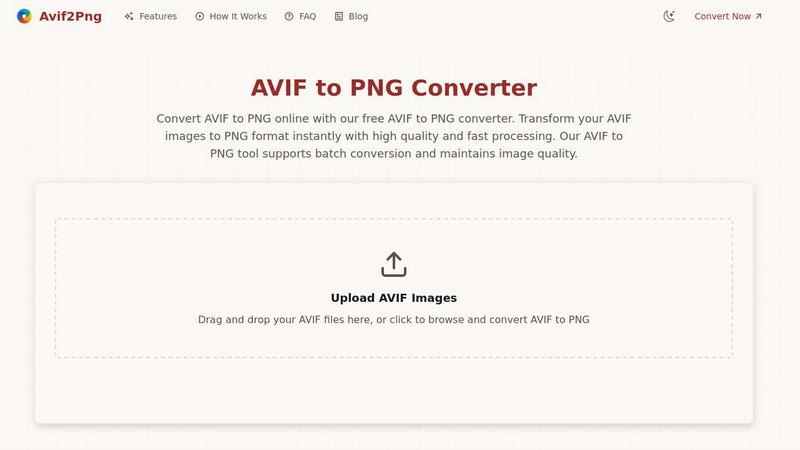
Avif2Png
Img Editor

Feature Comparison
Avif2Png
Free Online Conversion
Avif2Png offers a completely free service for converting AVIF to PNG, eliminating the need for registration. This means users can access the tool without any barriers, making it incredibly convenient for quick conversions.
Batch Conversion Support
The platform supports batch conversion, allowing users to upload and convert multiple AVIF files simultaneously. This feature is particularly beneficial for those who need to process large volumes of images quickly and efficiently.
High-Quality Output
Maintaining the integrity of your images during conversion is a top priority for Avif2Png. The tool guarantees lossless quality, ensuring that your converted PNG images retain the sharpness and detail of the original AVIF files.
Secure Processing
Avif2Png prioritizes user privacy and security. After each conversion, files are automatically deleted from the server, ensuring that your images remain private and secure throughout the process.
Img Editor
Text to Image Generation
Img Editor's text to image feature harnesses the power of advanced AI algorithms to convert textual descriptions into vivid images. Users simply input their creative ideas, and the platform generates high-quality visuals that capture the essence of their prompts, making it easy for anyone to create stunning digital artwork.
Image Editing Tools
The platform offers a range of intuitive image editing tools that allow users to refine and enhance their generated images. From adjusting brightness and contrast to applying filters and effects, Img Editor provides all the necessary functionalities to ensure that every image meets the user's vision.
Prompt Generator
Img Editor includes an innovative prompt generator that inspires creativity by providing users with unique and engaging ideas for their image creation. This feature is particularly useful for those experiencing creative blocks, enabling users to explore new themes and concepts effortlessly.
Community Engagement and Rewards
The Img Editor platform emphasizes community interaction by allowing users to submit their creations to a gallery for review. Approved submissions earn users additional image-generating credits, fostering a sense of belonging and encouraging collaboration among creators while enhancing their creative output.
Use Cases
Avif2Png
Web Development
Web developers benefit immensely from Avif2Png as it ensures that images display correctly across all browsers. By converting AVIF images to PNG format, developers can avoid compatibility issues, particularly with older or less commonly used browsers.
Graphic Design
Graphic designers frequently require images in PNG format for their projects, especially when dealing with logos and graphics that demand transparent backgrounds. Avif2Png facilitates this need by converting AVIF files while preserving image quality and transparency.
Marketing and Social Media
For marketers and social media managers, the ability to convert AVIF to PNG allows for easy sharing and distribution of high-quality images that look great across platforms. This ensures a consistent visual presentation in campaigns and promotional materials.
Print Media
In the realm of print media, many services and publishing platforms prefer PNG format for its high-quality output. Avif2Png enables users to convert their AVIF images to PNG, ensuring that images are ready for print without loss of quality.
Img Editor
For Artists and Illustrators
Artists and illustrators can leverage Img Editor to quickly generate preliminary sketches or inspire new projects. The instant image generation helps to visualize concepts and scenes, allowing for faster brainstorming and creative exploration.
For Marketers and Advertisers
Marketers can use Img Editor to create captivating visuals for social media campaigns, advertisements, and promotional materials. The platform's ability to produce high-quality images in seconds makes it an invaluable tool for generating content that captures audience attention.
For Educators and Students
Educators can utilize Img Editor to create engaging visual aids that enhance learning experiences. Students can also use the platform for projects, presentations, or creative assignments, enabling them to express their ideas visually without requiring extensive design skills.
For Casual Creators and Hobbyists
Casual creators and hobbyists can enjoy Img Editor as a fun and accessible way to explore their creativity. Whether crafting personalized artwork for gifts or experimenting with digital design, the platform provides an easy entry point into the world of visual creation.
Overview
About Avif2Png
Avif2Png is a transformative online tool designed to bridge the gap between the modern AVIF image format and the universally compatible PNG format. As the digital landscape evolves, designers, developers, and content creators often face challenges when dealing with cutting-edge image formats like AVIF. While AVIF provides superior compression, its compatibility can pose issues, especially with older browsers and various design software. Avif2Png elegantly resolves this dilemma by allowing users to convert AVIF images to PNG format effortlessly. This conversion not only enhances compatibility across diverse platforms but also preserves the high visual quality of images. Whether you are a graphic designer needing to ensure logos look perfect or a web developer aiming for seamless image display, Avif2Png is your go-to solution. Its user-friendly interface and efficient processing streamline workflows, making it an essential tool for anyone managing digital images.
About Img Editor
Img Editor is a groundbreaking AI-driven platform that revolutionizes the way users create images. Catering to a diverse audience that includes artists, designers, marketers, and casual creators, Img Editor allows individuals to turn their imaginative ideas into stunning visuals effortlessly. The platform stands out with its commitment to accessibility, offering users the ability to generate up to 10 high-quality images daily for free, with absolutely no hidden fees or subscription costs. This democratization of digital art creation empowers users of all skill levels to express their creativity and visual storytelling. Img Editor's advanced AI technology ensures that even those without technical expertise can produce professional-grade images in seconds. Furthermore, the platform fosters a vibrant community by encouraging users to engage and earn bonus generations through their contributions, thus amplifying the collaborative spirit of creativity.
Frequently Asked Questions
Avif2Png FAQ
What is the AVIF format?
AVIF (AV1 Image File Format) is a modern image format known for its superior compression capabilities compared to older formats like JPEG and PNG. It allows for smaller file sizes while maintaining high visual quality.
Why should I convert AVIF to PNG?
Converting AVIF to PNG is essential for ensuring compatibility across various browsers and applications. PNG offers widespread support and retains image quality, making it ideal for web and print use.
Is there a limit on the number of files I can convert?
No, Avif2Png supports batch conversion, allowing users to convert multiple AVIF files at once. This feature is designed to save time and streamline the conversion process for users with large numbers of images.
How secure is the conversion process?
Avif2Png ensures a secure conversion process by automatically deleting files from the server after conversion. This means your images are not stored, maintaining your privacy and security throughout the process.
Img Editor FAQ
How does Img Editor generate images?
Img Editor uses advanced AI algorithms to interpret text prompts and generate corresponding images, allowing users to create visuals based on their descriptions instantly.
Is there a limit to how many images I can generate?
Yes, users can generate up to 10 images daily for free. However, additional image generations can be earned through community engagement and contributions.
What kind of image editing capabilities does Img Editor offer?
Img Editor provides a variety of editing tools, including adjustments for brightness, contrast, and filters, enabling users to enhance and personalize their generated images according to their preferences.
Can I share my generated images on social media?
Absolutely! Users can easily download their generated images and share them across various social media platforms, showcasing their creativity and artistic expression to a wider audience.
Alternatives
Avif2Png Alternatives
Avif2Png is a specialized web-based tool designed to convert modern AVIF images into the universally supported PNG format. It falls into the category of image and photo editing software, catering to various users such as web developers, graphic designers, and marketing professionals. As the digital landscape evolves, users often seek alternatives to tools like Avif2Png for several reasons, including pricing options, feature sets, and platform compatibility. When searching for an alternative, it's essential to consider factors such as the quality of conversion, ease of use, batch processing capabilities, and the tool's overall functionality to ensure it meets your specific needs. A good alternative should also prioritize maintaining the visual integrity of images during conversion, much like Avif2Png does.
Img Editor Alternatives
Img Editor is an innovative, free AI image generation platform that enables users to create stunning visuals from their ideas. By leveraging advanced AI technology, it caters to a diverse audience, including artists, designers, and marketers, who seek to bring their creative visions to life. Given the multitude of image editing and generation tools available today, users often explore alternatives for reasons such as pricing, specific features, or compatibility with their preferred platforms. When seeking alternatives, it's important to consider factors such as the quality of image outputs, the variety of tools available for both creation and editing, and the overall user experience. Additionally, community engagement features can enhance creative exploration, making them a noteworthy aspect when evaluating different options. Understanding these elements will help guide you in finding the right platform that meets your unique creative needs.