
Alternatives to BlueHumanizer
Explore the best alternatives and competitors to BlueHumanizer.
Explore 20 alternatives to BlueHumanizer. Compare features, pricing, and find the best fit for your needs.

AUTOMATER.ai
A tray helper for every AI coding tool: one searchable library of past sessions, waiting alerts and usage across 9 providers.
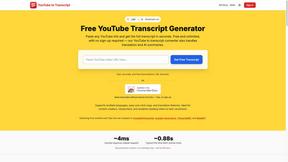
GetYouTubeTranscript
Free YouTube transcripts on the web, a Chrome extension, and an API + MCP server so AI assistants can read YouTube.


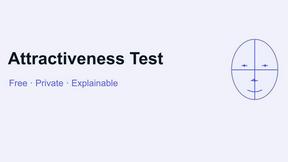



benchmark.directory
No sponsored listings, no affiliate ordering, no paid tier. 146 AI tools we bought, used, and reported on in public.

saasgrow.ai
No sponsored slots, no paid placement. Just SaaS growth tools that passed screening, sorted into categories you can browse.

Tools Network
New AI tools drop every day — Tools Network makes sure you never miss the ones that matter.


Built2Win AI Indexing
AI‑ready websites, WebAgentScan SaaS, and Indexing Pack. MCP, A2A, llms.txt — hand‑coded PHP, complete ownership, flat‑fee, free quote.




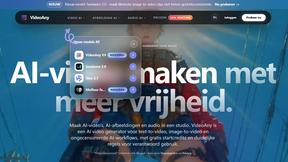
VideoAny BE
Create AI videos from text or images, generate images and audio in one online studio.

VideoAny BR
Create AI videos from text or images, generate images and audio in one online studio.
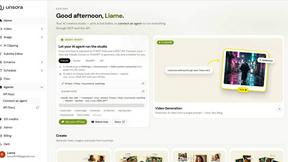
Deepfakeai
Make AI deepfake videos, DeepFake AI image-to-video clips, stylized images, and AI music in one workflow.
About BlueHumanizer Alternatives
There is a quiet shift happening in how we approach writing with artificial intelligence. Tools like BlueHumanizer have emerged to solve a very specific problem: the unmistakable, robotic tone that often clings to text generated by large language models. BlueHumanizer sits in the category of AI humanizers, a specialized subset of AI assistants focused entirely on post-generation refinement. Its core promise is to take the raw output from ChatGPT, Claude, or Gemini and reshape it into prose that feels genuinely human, preserving the original meaning while restoring natural flow and rhythm. This is not about simple synonym swapping; it is about restructuring sentences and reweaving the cadence of natural speech. Users often begin searching for alternatives for a few key reasons. Some find that a particular tool’s output still carries a faint synthetic signature, while others need more granular control over tone or specific formatting rules that their current tool does not support. Pricing models, platform compatibility across different operating systems, or the need for offline functionality can also drive the search. When evaluating an alternative, the most critical factors are how well the tool preserves meaning during the rewrite, the breadth of language support, and whether it can handle nuanced elements like citations, data, or specific brand voice instructions. The ideal alternative should feel like a transparent layer between you and the AI, not another filter that distorts your intent.
FAQs about BlueHumanizer Alternatives
What is BlueHumanizer?
BlueHumanizer is an AI humanizer tool that transforms AI-generated text into clear, natural-sounding writing with a single click. It works by reshaping sentence structure and restoring natural rhythm, going beyond simple synonym swapping to produce polished, human-sounding prose. The tool is designed to keep your original meaning, tone, and key points intact, while leaving quotes and citations untouched. It supports over 50 languages and offers adjustable humanization levels and tone controls.
Who is BlueHumanizer for?
BlueHumanizer is built for a wide range of users who write with AI, including students refining essays, researchers polishing academic papers, marketers shipping on-brand copy, and professionals warming up everyday emails and reports. It is designed for anyone who needs AI-generated text to read clean, natural, and ready for publication without sounding artificial. The tool is especially useful for those who value preserving the original meaning and tone of their content during the humanization process.
Is BlueHumanizer free?
Yes, BlueHumanizer is free to start using with no credit card required. This allows users to test the tool and experience its core humanization capabilities without any upfront financial commitment. The free tier is designed to give access to its primary features, making it accessible for students, researchers, and professionals exploring AI writing refinement. Specific details on any premium tiers or usage limits are not provided in the core product description.
What are the main features of BlueHumanizer?
The main features of BlueHumanizer include one-click transformation of AI text into clear, natural prose with better flow and sharper phrasing. It supports over 50 languages and offers adjustable humanization levels and tone controls to suit different writing contexts. Unlike basic tools, it reshapes sentence structure and restores natural rhythm while keeping meaning, tone, and key points intact, and it ensures quotes and citations remain untouched during the rewrite process.