

Ultimate Forms
Discover how to build powerful SharePoint solutions with no-code forms and automation.
About Ultimate Forms
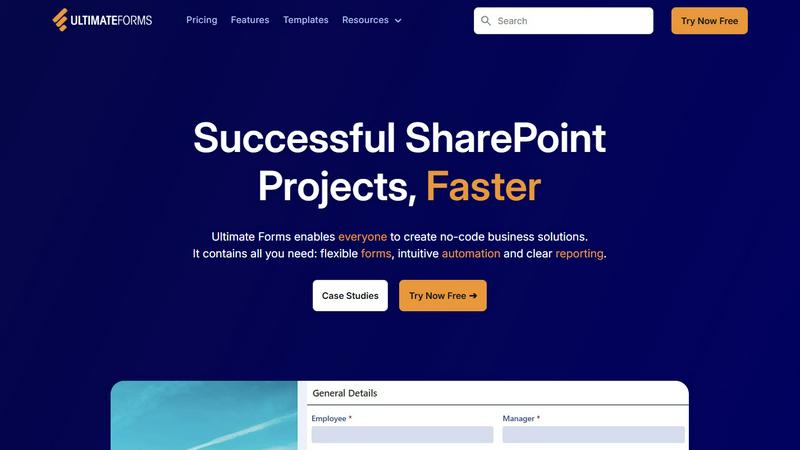
Have you ever looked at your Microsoft 365 and SharePoint environment and wondered what powerful business applications are hiding just beneath the surface, waiting to be unlocked? Ultimate Forms by Infowise is the master key designed to reveal that potential. It's a comprehensive, no-code platform that transforms the familiar SharePoint interface into a dynamic hub for creating sophisticated forms, automating complex workflows, and generating clear reports. Imagine empowering every team member, from HR specialists to project managers, to build the exact digital tools they need—like dynamic data collection forms or multi-stage approval processes—without ever needing to write a single line of code. This tool is specifically crafted for business users, process owners, and IT administrators who seek to accelerate digital transformation, reduce dependency on overburdened developers, and keep all their valuable data securely within the Microsoft ecosystem. Its core promise is to deliver successful SharePoint projects faster by putting intuitive, powerful solution-building directly into the hands of those who understand the business problems best.
Features of Ultimate Forms
Flexible, Responsive Forms
Discover the power of creating modern, dynamic forms that adapt to any device. Ultimate Forms goes beyond basic SharePoint lists, offering features like tabs, repeating sections, and column-level permissions. You can implement dynamic rules that show or hide fields based on user input, require electronic signatures, and set up robust data validation. All of this complexity is managed through a visual interface, ensuring an exceptional user experience and high-quality data while keeping everything securely stored in your SharePoint lists.
Intuitive Automation with Actions
What if you could automate complex business processes without navigating the steep learning curve of traditional workflow tools? Ultimate Forms introduces "Actions," a versatile and simple way to create and update data. Replace intricate Power Automate flows with straightforward logic to manipulate information not just within SharePoint, but also across integrated applications like Microsoft Teams, Exchange, SQL Server, and more. This intuitive approach democratizes automation, allowing more people in your organization to build solutions and eliminate process bottlenecks.
Clear Reporting and Dashboards
How do you turn raw SharePoint list data into actionable insights? Ultimate Forms provides powerful tools to visualize information through detailed, shareable reports, interactive dashboards, KPI indicators, calendars, and charts. This feature enables everyone in the organization to access information in a format that makes sense to them, fostering better decision-making, improving responsiveness, and increasing accountability across teams and projects.
Pre-built Solution Templates
Why start from a blank slate when you can build on proven success? Ultimate Forms includes a vast library of pre-configured templates for common business scenarios like HR recruitment, project management, and leave requests. These templates provide a fantastic jumping-off point, allowing you to deploy sophisticated solutions instantly. You can also create and save your own custom templates, enabling you to build a solution once and deploy it multiple times across different sites or even tenants, saving immense time and effort.
Use Cases of Ultimate Forms
Streamlining HR Recruitment
Curious about creating a seamless candidate experience? Build a multi-stage recruitment portal that guides applicants through the entire process. Use dynamic forms for applications, automate routing to hiring managers, set up approval workflows for interview scheduling and offers, and maintain a clear dashboard to track all candidates' statuses. This centralizes the entire hiring process within SharePoint, making it more efficient and transparent for both HR and hiring teams.
Managing Projects and Tasks
How can teams better track progress without switching between multiple apps? Implement a comprehensive project management solution. Create forms to log new projects and tasks, use automation to assign work and send reminders, and build dashboards that visualize project timelines, resource allocation, and overdue items. This keeps all project-related communication, documents, and data in one unified, easily accessible location.
Automating Employee Leave Requests
Tired of manual email chains for time-off approvals? Design a fully automated leave request system. Employees can submit requests through a user-friendly form that checks against company policy and team calendars. The request is then automatically routed through a predefined approval chain. Once approved, the team calendar is updated, and notifications are sent, all while maintaining a clean audit trail within a SharePoint list.
Centralizing Asset Tracking
What if you could know the status of every company asset in real-time? Develop a robust asset tracking system. Create forms to check equipment in and out, use automation to send maintenance reminders based on usage, and generate reports showing asset location, condition, and assignment history. This provides full visibility into your physical inventory, reducing loss and optimizing utilization.
Frequently Asked Questions
Is Ultimate Forms a standalone product or an add-on?
Ultimate Forms is a comprehensive platform that integrates deeply as an add-on for your existing Microsoft 365 and SharePoint environment. It is not a standalone SaaS application that stores data externally. Instead, it enhances the native capabilities of SharePoint, allowing you to build powerful applications while keeping all your data securely within your own Microsoft 365 tenant.
Do I need coding skills to use Ultimate Forms?
No, that's the primary value proposition. Ultimate Forms is designed as a true no-code platform. Its powerful features—like form design, workflow automation (Actions), and report building—are all accessible through intuitive, visual interfaces. This empowers business users and admins to create solutions without relying on developer resources.
How does Ultimate Forms integrate with other applications?
Ultimate Forms offers deep integration within the Microsoft 365 ecosystem (like Teams, Exchange, and Power BI) and can connect to external data sources such as SQL Server. This is primarily achieved through its "Actions" feature, which allows you to create, read, update, and delete data in these connected systems as part of your automated workflows, creating a cohesive business process across platforms.
Can I try Ultimate Forms before purchasing?
Yes, Infowise offers a "Try Now Free" option, allowing you to explore the capabilities of Ultimate Forms firsthand. This is typically a trial period where you can install and test the solution within your own SharePoint environment to see how it addresses your specific business needs and use cases.