

LunoKid
LunoKid transforms chores into an engaging game where kids earn rewards by caring for their AI pet while building.
About LunoKid
LunoKid is a revolutionary family app designed to transform the way children aged 5-12 engage with household chores and daily routines. At its core is Luno, an AI-driven virtual pet that encourages kids to complete tasks through a gamified experience. Parents can easily assign chores, set point values, and determine rewards, making responsibility a fun and rewarding adventure. The app fosters a positive feedback loop where children earn points for completing tasks, which helps Luno grow and unlocks exciting rewards. With a focus on creating structured yet enjoyable routines, LunoKid minimizes family friction and enhances cooperation. It is a COPPA-compliant, ad-free platform that supports co-parenting and accommodates multiple children. By bridging the gap between parental expectations and children's desires for fun, LunoKid offers a unique, discovery-oriented approach to building habits and independence.
Features of LunoKid
AI-Driven Virtual Pet
Luno, the AI-powered virtual pet, motivates children to complete their chores by providing encouragement and positive feedback. As kids finish tasks, Luno evolves, creating an engaging experience that fosters responsibility.
Customizable Chores and Rewards
Parents can easily create custom tasks with clear instructions and assign point values for each chore. This flexibility allows families to set specific goals and rewards tailored to their children's interests and motivation levels.
Homework Assistance
The "Ask Luno" feature offers an AI homework helper that guides children through problem-solving processes instead of giving direct answers. This helps promote critical thinking and independent learning while making homework less daunting.
Progress Tracking for Parents
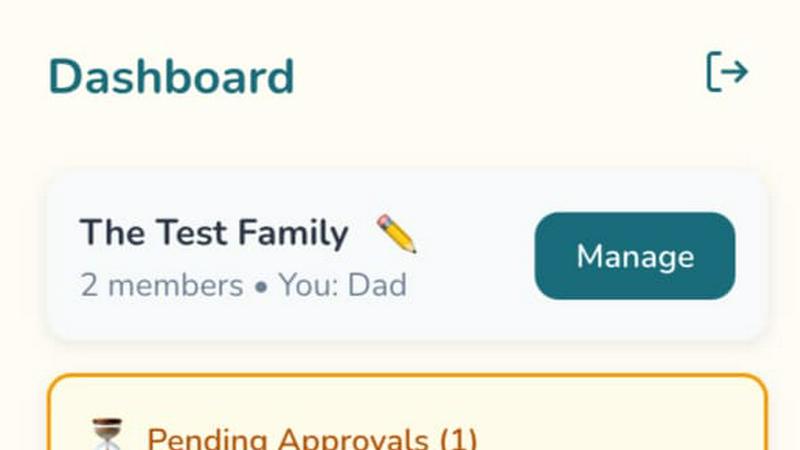
Parents can effortlessly track their children's progress on tasks within the app. The dashboard displays completed, pending, and attention-needed tasks at a glance, ensuring effective management of household responsibilities.
Use Cases of LunoKid
Teaching Responsibility
Parents can utilize LunoKid to instill a sense of responsibility in their children without the need for constant reminders. By setting clear expectations through the app, kids learn to manage their own tasks.
Encouraging Consistency
Families can leverage LunoKid to create consistent daily routines. With gamified tasks and rewards, children are more likely to develop good habits that stick, making chores a natural part of their day.
Fostering Independence
LunoKid empowers children to take charge of their responsibilities, encouraging independence. As they complete tasks and earn rewards, kids gain confidence in their ability to manage various chores on their own.
Supporting Multi-Child Households
In families with multiple children, LunoKid offers a fair system for tracking individual tasks and rewards. Parents can ensure that each child receives equal opportunities to earn points and rewards, reducing sibling rivalry and promoting teamwork.
Frequently Asked Questions
What age is LunoKid for?
LunoKid is designed for children aged 5-12, making it an ideal tool for families with young kids who are learning to take on responsibilities.
Is LunoKid safe for kids?
Absolutely! LunoKid is COPPA-compliant and ad-free, ensuring a safe digital environment for children to engage with chores and responsibilities.
How is LunoKid different from a sticker chart?
Unlike traditional sticker charts, LunoKid offers an interactive, gamified experience where children earn points for completing tasks, motivating them through their virtual pet companion rather than just stickers.
Can multiple kids use one parent account?
Yes, LunoKid allows multiple children to be linked to a single parent account, making it easy to manage tasks and rewards for each child while maintaining fairness in assignments and progress tracking.
Explore more in this category:
Similar to LunoKid

ButterShare
Realtime peer-to-peer file transfer in the browser. Send files directly between devices, no account and no upload to a server.

Emailyy
Free email tools for signatures, subject lines, HTML previews, word counts, and email headers. Browser-based, simple to use, and no signup required.

Uniclip
Clip pages, take full-page screenshots and batch-capture list data to Notion, Feishu, Obsidian, Markdown, CSV or JSON.

TroveKey
Search tabs, Chrome bookmarks and history, run browser commands, and save webpages and social posts locally—no account.

Bloom
An adaptive AI tutor that turns topics or your materials into courses, lessons, and answers tailored to how you learn.

LightScreen
Free fullscreen light screen tool online. Turn any display into a flashlight, ambient light, or solid-color screen. No download or sign-up.

LiveGameShow
A game show board for the TV, with real buzzers on every player's phone

LivePartyGames
Most likely to, would you rather and more: the TV shows it, every phone votes